

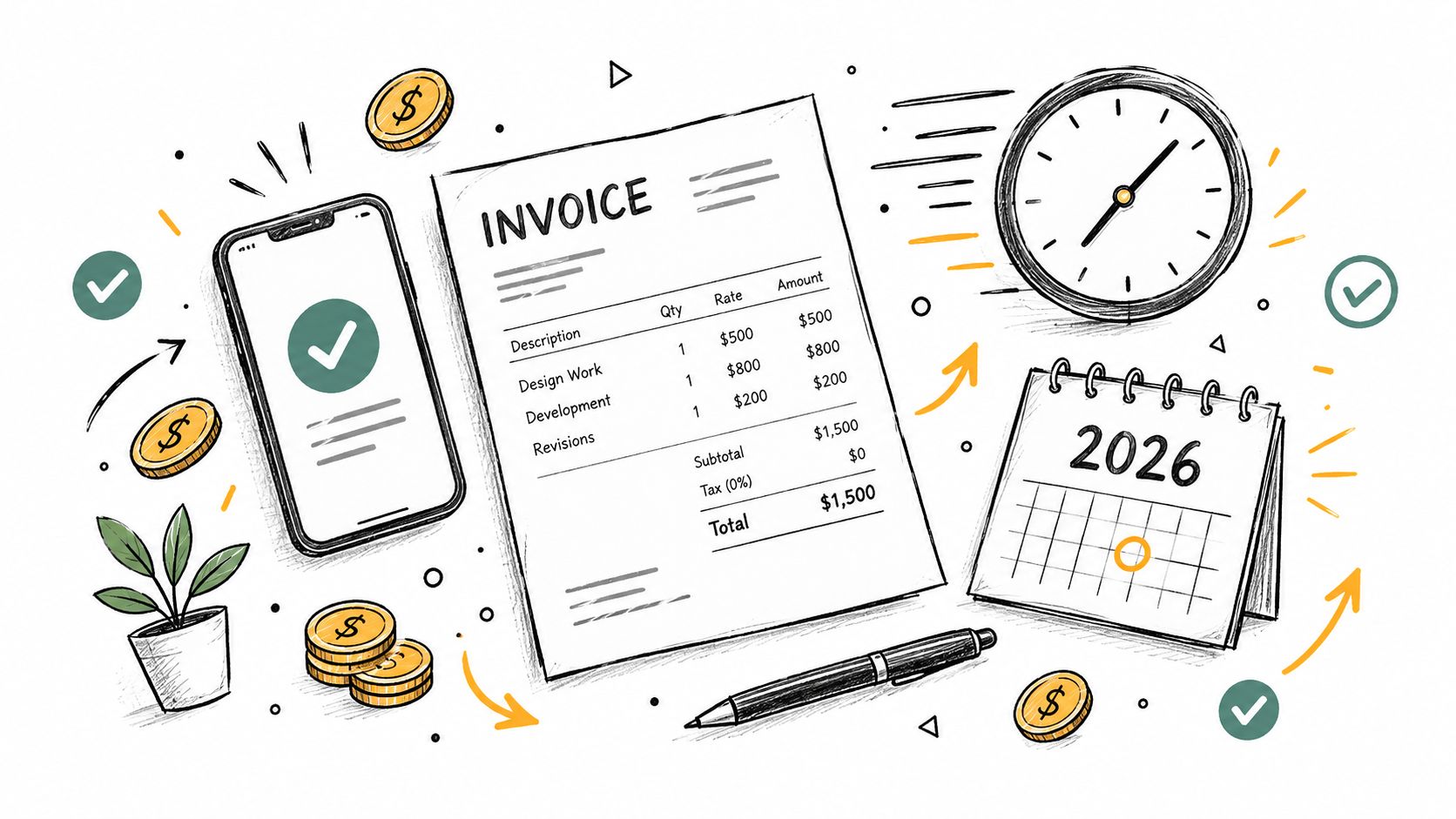
Most guides on how to invoice someone start in the wrong place. They obsess over logos, fonts, and template polish, then act surprised when the payment shows up late anyway. The key decision happens earlier, with the payment terms you choose and the way you route the invoice into the client's approval process.
That matters because late payment is normal, not rare. In a 2025 U.S. small-business survey, 55% of businesses on net-30 terms had overdue invoices, compared with 26% on immediate-payment terms QuickBooks late payments report. If you're freelancing or running a small agency, that gap is the difference between steady cash flow and a pile of “sent” invoices nobody is hurrying to pay.
Table of Contents
- Why Most Invoices Get Paid Late
- What Every Invoice Needs Before You Send It
- Picking the Right Payment Terms for Faster Cash
- Sending the Invoice So It Actually Gets Opened
- Tracking Payments and Spotting Problems Early
- Following Up Without Damaging the Relationship
- Your Pre-Send Invoice Checklist
Why Most Invoices Get Paid Late
The problem is not invoice design. It is terms and routing. Net 30 looks standard, so people use it by habit, but it also gives the buyer more room to delay approval, bury the invoice in a shared inbox, or wait for sign-off from someone else. A clean PDF does not solve that.
Practical rule: a plain invoice with Net 7 and a clear due date usually gets paid faster than a polished invoice with vague timing language.
Three things keep payments stuck. First, the due date is fuzzy, especially when the invoice only says “net 30” and never states a plain pay by date. Second, there is no late-fee language, so delay carries no consequence. Third, the invoice goes to a shared accounts inbox with no named owner, which means nobody feels responsible for moving it forward.
The cash flow hit is real. Analysts at QuickBooks found that 56% of U.S. small businesses were owed money from unpaid invoices, the average outstanding balance was $17,500 per business, and 47% said some invoices were overdue by more than 30 days QuickBooks late payments report. That is why how to invoice someone starts with collection timing, not layout.
| Terms Used | Avg Days Late | % Paid on Time |
|---|---|---|
| Net 7 | Shorter delay | Higher |
| Net 15 | Moderate delay | Better than Net 30 |
| Net 30 | Longer delay | Lower |
| Due on receipt | Fastest cycle | Highest intent |
| 2/10 Net 30 | Faster if discount is used | Varies by client |
What Every Invoice Needs Before You Send It
Late payment usually starts before the invoice leaves your inbox. If the document makes someone hunt for a missing detail, the clock starts slipping right there. Strong invoicing is about giving the accounts payable person no reason to pause.
Start with the basics that prevent review delays. Use a sequential invoice number that is easy to track, then add both the issue date and a clear due date. Do not hide the deadline in a footer and hope people notice it. Your legal business name and address should match the bank account on file, because mismatched details can trigger a manual check and slow things down.
The client side matters just as much. Send it to the billing contact name and email, not the person you happened to work with, and include any required PO number for agency or corporate clients. If that reference is missing, the invoice can sit untouched while someone searches for it.
For the work itself, break it into line items with quantities and unit rates instead of one lump sum. Then show the subtotal, any tax, and the total due in plain view. Finish with the accepted payment methods and the actual account details or payment link. “Bank transfer available” is too vague when someone is trying to pay today.
If you need a setup reference, GetBill's billing-contact checklist is a practical guide for what should be on file before you bill.
Good invoices are readable by finance, not just by you. If a line item forces a question, revise it before you send it.
The most overlooked field is often the most useful one, a direct pay-by date in the subject line or top line of the invoice. That small detail keeps the deadline visible and cuts down on the “I didn't notice” excuse.
Picking the Right Payment Terms for Faster Cash
Most freelancers copy Net 30 because clients expect it, not because it's smart. If you want faster cash, use terms as a lever, not a formality. The right choice depends on how long the work lasts, how often you bill, and how much time you want to spend chasing money.
Due on receipt works when the invoice is small and the chase isn't worth the hour. I'd use it for one-off retainers under $500, where the buyer can pay right away and you don't need to build a long approval trail. Net 7 and Net 15 fit ongoing client work better, because they line up with a recent billing cycle and keep the invoice from drifting into the next month.
2/10 Net 30 is selective, not universal. It gives a 2% discount for paying within 10 days, which can make sense for clients you want to incentivize without changing your standard term for everyone. Keep any discount calculation on the pre-tax subtotal, so the math stays clean and the invoice doesn't get messy in review.
| Terms | Meaning | Best For | Cash Flow Impact |
|---|---|---|---|
| Due on receipt | Pay immediately | Small one-off jobs | Fastest |
| Net 7 | Pay within 7 days | Short projects, retainers | Fast |
| Net 15 | Pay within 15 days | Ongoing client work | Moderate |
| Net 30 | Pay within 30 days | Larger vendors, slower buyers | Slowest |
| 2/10 Net 30 | Discount if paid within 10 days | Clients you want to move quickly | Faster if used |
A survey summary reported that 54% of businesses with business customers set standard payment terms at 30 days after the invoice date, while 11% required payment within 7 days payment terms summary. That tells you what's common, not what's best for you. Match the term to the project length, not to the client's first suggestion.
Sending the Invoice So It Actually Gets Opened
A client can't pay an invoice they never process. That's why the delivery method matters, but not as much as some believe. A well-timed invoice sent to the right place beats a perfect PDF sent late.
Email with a PDF attachment still works best for older corporate clients who expect formal AP handling. A secure public link is better for smaller buyers, because it gives them a clear Pay Now action without making them download anything. In-app requests through platforms like Upwork or HoneyBook make the process even tighter when the marketplace already owns the workflow.
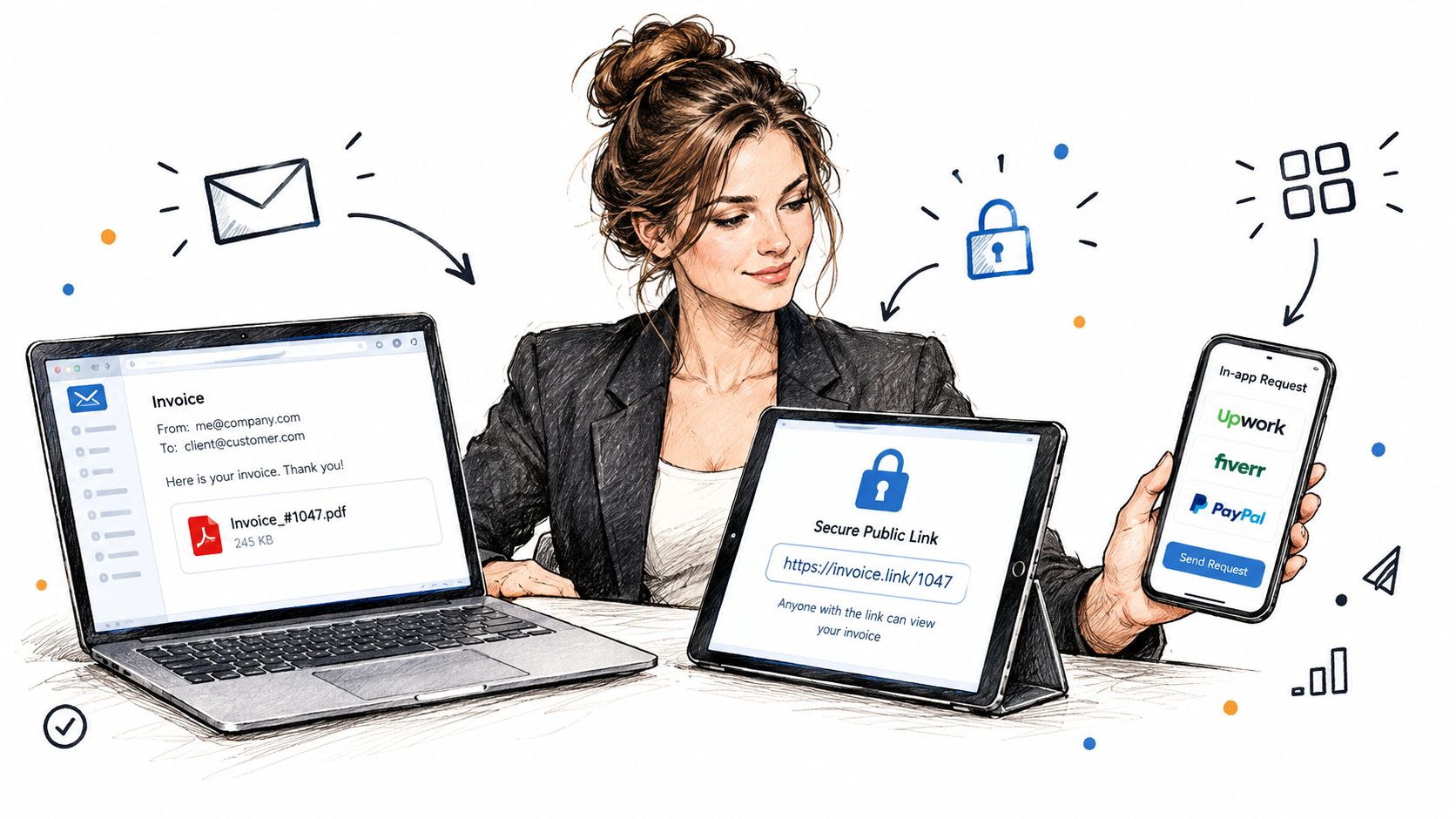
The email itself should stay short. Put the invoice number in the subject, greet the client by project name, say what you're billing in one sentence, and then attach the PDF or drop in the invoice link. After that, call out the due date and total plainly, because AP clerks skim and you don't want the key numbers buried in paragraph three.
A clean message looks like this in practice: subject line, greeting, one-line billing summary, invoice file or link, due date, total, signoff. Nothing more is needed. If you're sending through a billing tool, GetBill is one option that creates invoices, shares them by secure link or email, and connects card payments through Stripe without extra account setup for the client.
Send the invoice within 24 hours of project completion or milestone delivery. That speed matters more than the channel choice, because delay gives the client one more reason to push payment into next week.
Tracking Payments and Spotting Problems Early
Sending an invoice is not tracking an invoice. The minute it leaves your inbox, you need a live view of what happened next, or you're just guessing. The goal is to catch friction before it turns into a forgotten payment.
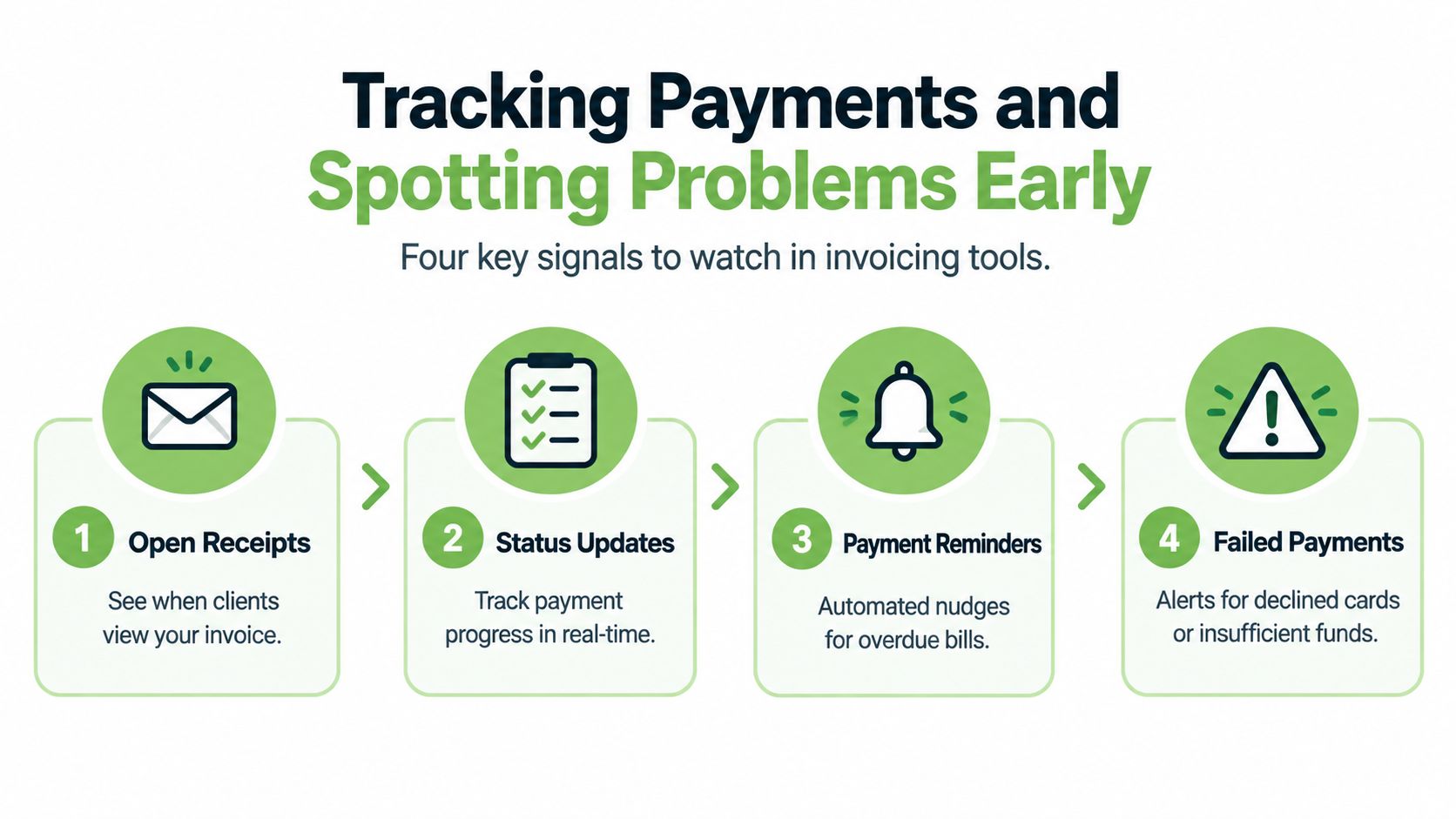
Watch four signals in any invoicing tool. Open receipts show whether the client viewed the email. Status changes tell you when the invoice moves from sent to viewed to paid. Partial payment alerts matter when a deposit arrives but the balance does not. Failed or expired card notifications are the fastest way to catch a payment method problem before the client goes silent.
A viewed-but-unpaid invoice after 72 hours usually means the buyer opened it and something blocked payment. It might be a missing PO number, an approver who's out of office, or a card that needs updating. Don't wait and hope.
Check your dashboard every Monday morning and mark anything older than seven days past terms as overdue before you write a reminder. That habit keeps the follow-up list honest. Manual spreadsheets work until you have more than five active invoices, then they become a delay engine, not a control system.
If you want software that handles that tracking loop, GetBill supports status updates, payment recording, and invoice sharing through links or email. That's the kind of setup that stops you from discovering a problem only after the due date has already passed.
Following Up Without Damaging the Relationship
A designer invoices a $4,500 brand identity package on Friday. The client acknowledges receipt on Monday, then goes quiet. By the time the due date passes, the invoice has become someone else's problem inside the client's company, and your job is to surface it without sounding needy.
Day 1 after the due date, send a short check-in that assumes good intent. “Just flagging invoice 1042 in case it slipped through approval.” That tone works because it gives the client an easy way to respond without feeling attacked.
Day 5, reply in the original thread with the invoice attached again and ask directly for the expected payment date. Don't write a novel. Keep it under 80 words and stay factual.
Never apologize for asking to be paid. You completed the work, and the invoice exists because the work was delivered.
Day 10, shift to a firmer note and offer two specific payment options, such as card link or bank transfer. Day 14, send a final notice that references the original terms and says what happens next, including late fees or pausing further work. Don't threaten in the first two touches, and don't start with emotion.
The point of follow-up isn't to save every relationship. It's to separate normal admin lag from clients who regularly push boundaries. Clients who pay on time rarely need more than one nudge, which is why good invoicing filters so much as it bills.
Your Pre-Send Invoice Checklist
A slow invoice usually fails before it leaves your hands. The fixes are boring, but they're the difference between a clean payment cycle and another round of follow-up emails. Keep this checklist next to your desk and run it before every send.
Client and project identity
- Legal name and address: Match the contract and the billing record.
- Recipient email: Send it to the accounts contact, not just the person who hired you.
- Project reference: Include the job name, PO number, or milestone label the client uses internally.
Line items and math
- Service description: Match the agreed scope, not a vague summary.
- Rates and quantities: Confirm the math before you send.
- Subtotal and total: Reconcile them against the quote or proposal.
Payment terms and late-fee language
- Due date: Make it visible, not implied.
- Term choice: Check that the invoice uses the right timing for the project, especially if you chose Net 7 instead of Net 30.
- Late fees: State them clearly if you use them.
Payment methods and links
- Bank details or card link: Test them before sending.
- Public invoice link: Open it in an incognito window to make sure the client can pay.
- Partial payments: Verify the balance shows correctly if a deposit is involved.
Delivery details
- Subject line: Include the invoice number and project name.
- Attachment or link: Confirm you used the right version.
- Recipient name: Make sure the greeting matches the person who should open it.
Invoice systems like GetBill's blog often cover the same billing basics, but the practical standard stays the same. Clean identity, clear terms, accurate math, and an easy payment path are what get money moving.
If you're tired of chasing invoices by hand, GetBill gives you a cleaner way to create, send, and track them in one place. It's built for freelancers and small businesses that need faster billing, clearer payment tracking, and less admin friction. Visit GetBill and set up an invoicing flow that gets you paid with fewer follow-ups.