

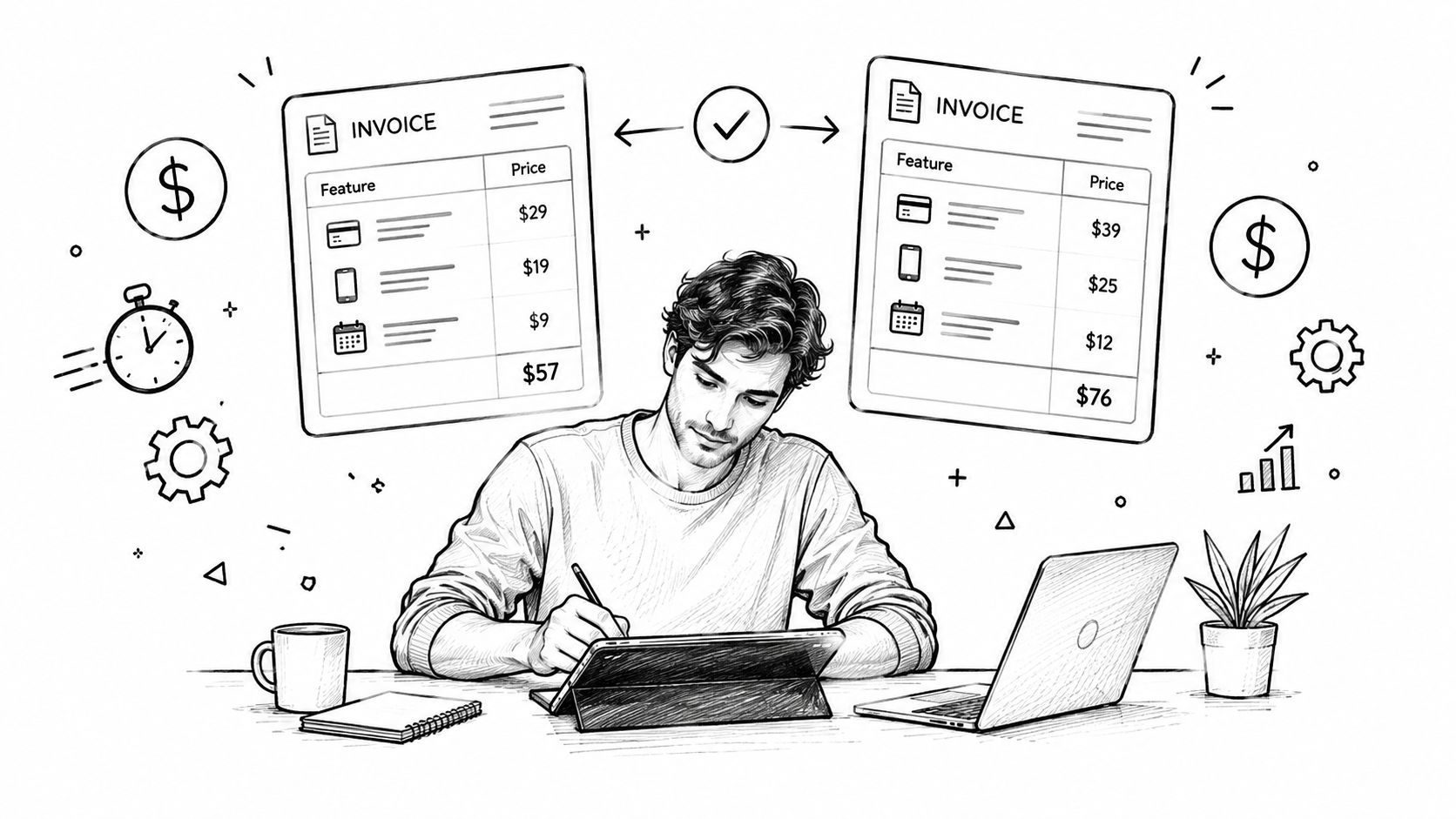
A freelancer's invoice-to-payment cycle averages 27.4 days, and 62% of freelancers reported at least one late payment in the last 12 months. Invoices with online payment links were paid 11 days faster than invoices offering bank transfer only, according to the 2026 freelancer payment survey. That changes the buying question. You're not choosing the prettiest template. You're choosing the workflow most likely to turn completed work into cleared cash.
The best invoice software for freelancers removes friction at three points: creating the bill, reminding the client, and accepting payment. Everything else matters only after those steps work reliably. A polished dashboard won't compensate for a payment process that makes clients copy account details, switch apps, or ask you to resend an invoice.
A useful comparison looks like this:
| What to measure | Why it matters |
|---|---|
| Payment links | Turns the invoice into a direct checkout path |
| Automated reminders | Reduces manual chasing and awkward follow-ups |
| Estimate-to-invoice conversion | Prevents re-entering approved project details |
| Partial payment tracking | Keeps deposits and balances accurate |
| Mobile access | Lets you bill and monitor cash flow away from your desk |
| Client limits and pricing gates | Prevents an unexpected upgrade when your workload grows |
Table of Contents
- Why Freelancers Need Dedicated Invoice Software in 2026
- What Freelancer Invoice Software Does
- Comparing Top Invoice Software for Freelancers
- How a Freelancer Billing Cycle Works Step by Step
- Pricing Models and the Hidden Cost of Free Tiers
- Lightweight Invoicing Apps vs Full Billing Platforms
- Which Invoice Software Fits Your Freelance Business
- Practical Workflows That Shorten Payment Cycles
Why Freelancers Need Dedicated Invoice Software in 2026
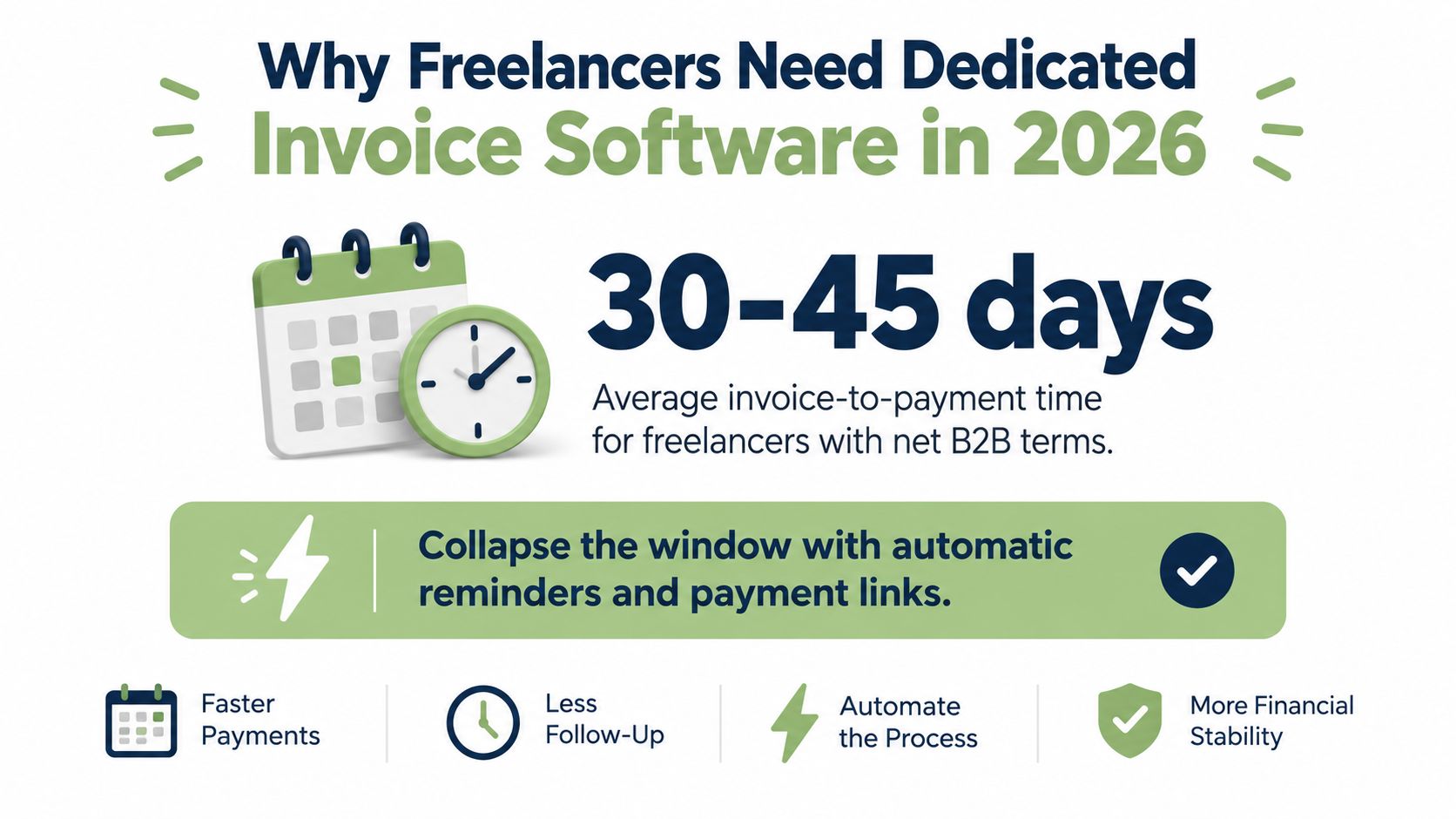
56% of surveyed U.S. small businesses were owed money from unpaid invoices, with affected firms owed an average of USD 17,500, according to the 2025 small-business billing data. For freelancers, that exposure comes from payment latency: work finishes, but cash waits because the invoice is late, the client must arrange a manual transfer, or no one follows up after the due date.
I assess invoice software by days saved per invoice, not by branding or template polish. The useful workflow is direct. You issue the invoice, the client opens a payment page, and the system records the transaction without making you manage every step manually.
The hidden cost of slow collection
Late payment affects more than bookkeeping. It can disrupt the next project, create financing pressure, and consume time that should produce billable work. Freelancers often postpone follow-ups because asking a healthy client for overdue money feels personal.
Automated reminders remove that tension from the relationship. A scheduled message stays neutral, consistent, and timely. The same industry summary reports that 6% of manual invoices are paid within 30 days, compared with 33% of automated invoices. It also reports that accounts receivable software users are three times more likely to receive payment before the due date. Those figures come from the same industry summary, and they show why reminders affect collection rather than merely adding convenience.
Payment links matter just as much. Every extra step, such as copying bank details or switching to another app, gives a client another reason to delay. A tool that keeps payment inside the invoice addresses the most expensive part of freelance billing first.
Review privacy and client-data handling before connecting payment services. Check the GetBill privacy policy to understand how documents, client details, and payment-related information are handled.
Practical rule: If a tool cannot help a client pay from the invoice itself, it has not solved the main collection problem.
The category is growing because freelancers need a billing layer between a spreadsheet and a full accounting system. The freelancer invoicing software market analysis estimates the market at USD 446 million in 2025 and projects a 5.3% compound annual growth rate from 2025 to 2033. That indicates sustained demand for tools built around faster, more trackable payment collection.
What Freelancer Invoice Software Does
Freelancer invoice software sits between a personal spreadsheet and a broad accounting suite. It manages estimates, invoices, payment tracking, and follow-up, while accounting platforms focus more heavily on ledgers, tax workflows, reconciliation, and formal reporting.
Strong products commonly include customizable invoices, payment reminders, online payment acceptance, invoice-status dashboards, estimate-to-invoice conversion, mobile support, and affordable entry plans. The NerdWallet freelancer invoicing comparison makes the key point: generating a basic invoice is no longer a meaningful differentiator. The test is whether the tool reduces payment latency.
The workflow components that matter
An estimate feature should capture acceptance and convert approved scope into an invoice without retyping descriptions, quantities, or prices. That removes an error-prone handoff between sales and billing and keeps the invoice aligned with the agreed work.
Online payment links deserve priority. They replace “open banking, copy details, create a transfer” with “open checkout and choose a payment method.” Depending on the product and connected gateway, clients may pay by card or through services such as Stripe, PayPal, or ACH. Check regional availability and processing costs before offering a method.
Automated reminders also affect days sales outstanding. Look for schedules tied to due dates, overdue follow-ups, and clear status tracking. A polished template does little if the system leaves you manually chasing every unpaid invoice.
Recurring billing supports retainers, but a scheduled email alone is not enough. Choose recurring invoices, stored payment authorization where appropriate, automatic status updates, and a clear process for scope changes.
Other features protect billing accuracy:
- Time and expense capture: Pull billable hours or reimbursable costs into the invoice instead of re-entering them.
- Multi-currency handling: Invoice in the contract currency and retain records that support reconciliation.
- Receivables visibility: Track sent, viewed, overdue, partially paid, and paid invoices in one place.
- Mobile access: Create an invoice, check a balance, or record a payment away from your desk.
QuickBooks and similar accounting platforms cover some of these tasks, but their focus is broader financial management. A freelancer-focused tool earns its place when it produces an accurate invoice quickly, puts a payment path in front of the client, and automates follow-up until the balance is settled.
Comparing Top Invoice Software for Freelancers
I'd compare GetBill, Invoice Ninja, FreshBooks, Wave, and PayPal Invoicing across five practical dimensions: subscription structure and payment costs, gateway support, mobile usability, automation, and capacity for a growing practice. The comparison should be treated as a decision aid, not a claim that every plan has identical functionality in every country.
| Tool | Starting Price | Stripe Integration | Mobile App | Automation | Best For |
|---|---|---|---|---|---|
| GetBill | Check current plan | Stripe-hosted checkout | iOS and Android | Estimates, reminders, partial payments, status updates | Focused freelancer billing |
| Invoice Ninja | Free tier available | Check current gateway options | Mobile support varies by plan and platform | Recurring invoices and reminders | Open-source flexibility |
| FreshBooks | Paid entry tiers | Payment integrations available | Established mobile apps | Recurring invoices, reminders, time and expense workflows | Accounting-adjacent solo work |
| Wave | Free tier available | Payment options depend on region and plan | Mobile support available | Core invoicing, with advanced automation gated by plan | Low-volume solo operators |
| PayPal Invoicing | No separate subscription may apply | PayPal checkout rather than native Stripe focus | PayPal mobile ecosystem | Invoice delivery and payment notifications | Clients already using PayPal |
GetBill is a focused billing application for independent professionals. It supports estimates, one-click estimate conversion, branded invoice documents, public invoice links, Stripe-hosted checkout, partial payment recording, and mobile billing through iOS and Android apps. Its practical distinction is concentration: it addresses the billing lifecycle without asking a solo operator to adopt a full accounting environment. Review the current GetBill invoicing platform before deciding because plan limits and payment availability can change.
Invoice Ninja is the flexibility pick. The Forbes Advisor invoicing comparison gives Invoice Ninja a 3.8-star research score in its 2026 review and identifies meaningful differences among competing tools, including customer caps, recurring billing, time and expense tracking, multi-currency support, and payment rails. Its open-source orientation appeals to technically comfortable users who want more control than a tightly packaged SaaS workflow provides.
FreshBooks makes more sense when invoicing needs to sit beside time tracking, expenses, and accounting integrations. Wave suits a simpler operation that values a free entry point, while PayPal Invoicing is convenient when clients already prefer PayPal but is less compelling if your main objective is a gateway-neutral checkout strategy.
Choose the tool that removes the most payment steps for your clients. A smaller feature set with direct checkout can beat a larger platform that requires more configuration.
How a Freelancer Billing Cycle Works Step by Step
A reliable billing cycle starts before the invoice. It begins with a client record, an agreed scope, and payment terms that can move through the system without duplicate data entry.
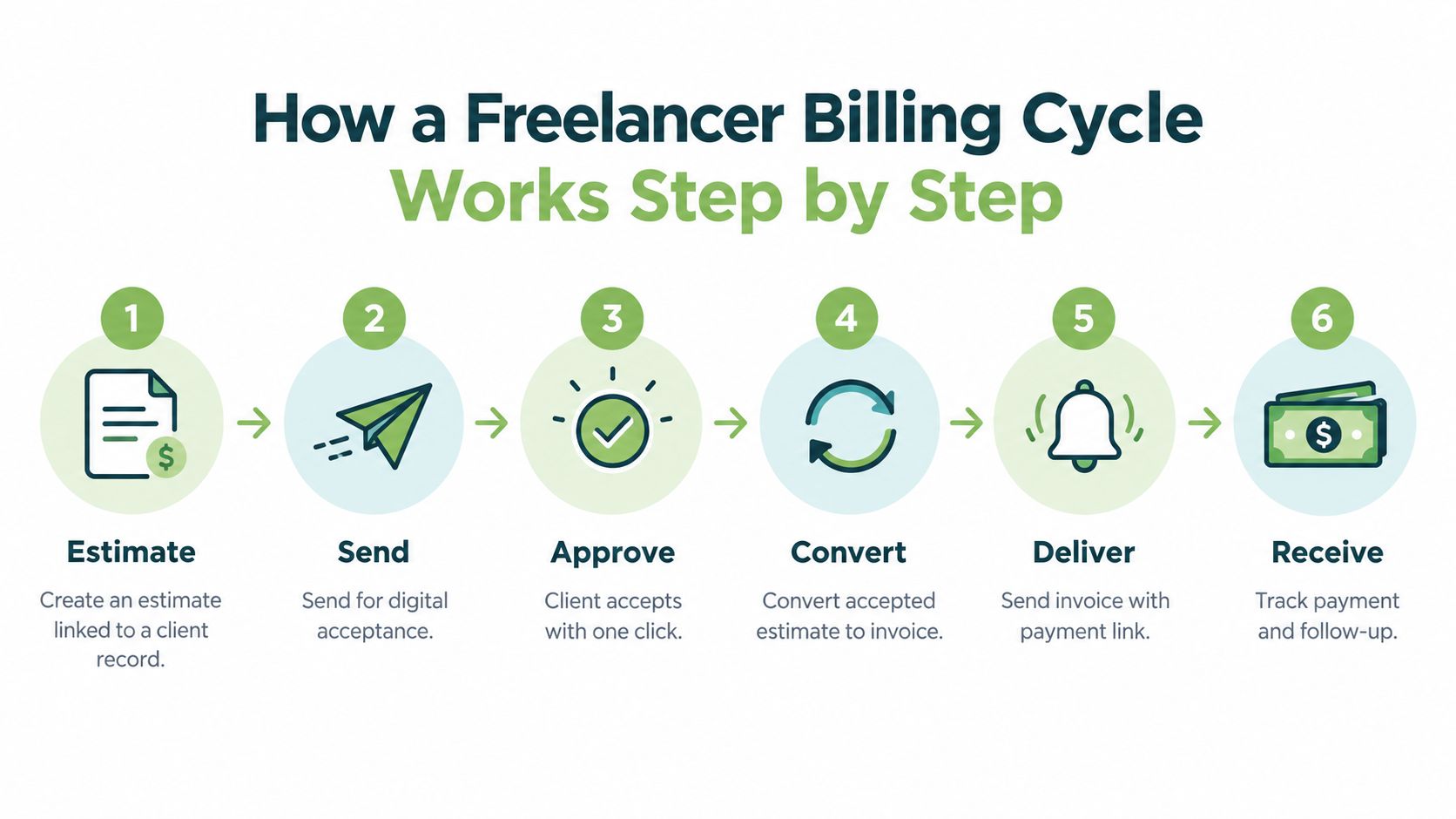
A six-step operating sequence
- Create the estimate. Add the client, services, quantities, taxes, notes, and attachments. Linking the estimate to a client record keeps repeated details consistent.
- Send it for acceptance. Use a secure public link or direct email delivery. The client should be able to review the scope without creating an account.
- Capture approval. Digital acceptance creates a clear approval trail. You won't need to search through an email thread to confirm which version the client approved.
- Convert the estimate. Turn the accepted estimate into an invoice rather than rebuilding it. A focused tool prevents transcription mistakes.
- Deliver with checkout. Send the invoice with a payment link, ideally through a hosted checkout such as Stripe. The client can pay from the document instead of arranging a separate transfer.
- Track and follow up. Record deposits, partial payments, and the remaining balance. Automated reminders should activate when the due date passes, while status updates should reflect cleared transactions.
Consider a consultant billing a fixed-fee project. The consultant sends an estimate, receives acceptance, and converts it into a deposit invoice. After the first payment is recorded, the consultant tracks the outstanding balance, sends the final invoice when the milestone is complete, and lets the system handle overdue reminders.
Where the time savings appear
The value doesn't come from one dramatic automation. It comes from removing small delays: no rebuilding an approved estimate, no manually checking whether a transfer arrived, and no waiting until the end of the week to discover that an invoice is overdue. Mobile notifications add visibility when you're traveling, on a job site, or between client meetings.
This workflow also makes partial payments manageable. Deposits, installments, and final balances remain visible, so you aren't relying on memory or a separate spreadsheet to answer a client's question.
Pricing Models and the Hidden Cost of Free Tiers
“Free” describes the subscription line, not the cost of collecting payment. Compare four layers before choosing invoice software for freelancers: the monthly plan, payment processing, per-invoice or per-paid-invoice charges, and the upgrade cost once client or automation limits start blocking work.
Many starter plans sit at or below USD 20 per month across the tools compared earlier in this guide. That makes free tiers useful for testing invoice delivery, the client payment experience, and actual payment behavior. A free plan still may not fit a growing practice.
| Cost layer | What to inspect |
|---|---|
| Subscription | Which reminders, recurring invoices, reports, and users are included? |
| Payment processing | Is the gateway fee passed through, marked up, or bundled? |
| Client cap | Does the plan limit customers, active projects, or billable contacts? |
| Payment-method fee | Is there an extra charge per paid invoice or checkout? |
| Upgrade trigger | Which feature or volume threshold forces a higher tier? |
| Administrative cost | How much manual reconciliation remains after payment? |
A free plan works for occasional invoices, a small client list, and limited automation. It becomes costly when chasing balances or recording payments manually delays cash collection. The subscription can remain at zero while administrative time and days sales outstanding rise.
Payment links and automated reminders deserve more attention than template variety. They reduce payment latency by putting checkout in front of the client and prompting action after the due date. Recurring retainers, partial-payment tracking, multi-currency support, and additional users justify a paid tier when they remove a repeated bottleneck. Judge the upgrade against the payment delay and admin time it removes, not the number on the pricing page.
Run a real payment through the intended gateway before committing. Check the client-facing total, fee disclosure, transaction status, and payout destination. Confirm the payment reaches the connected account without another reconciliation step. A polished invoice that leaves payment uncertain will cost more than a plain one with a clear link and reliable follow-up.
Lightweight Invoicing Apps vs Full Billing Platforms
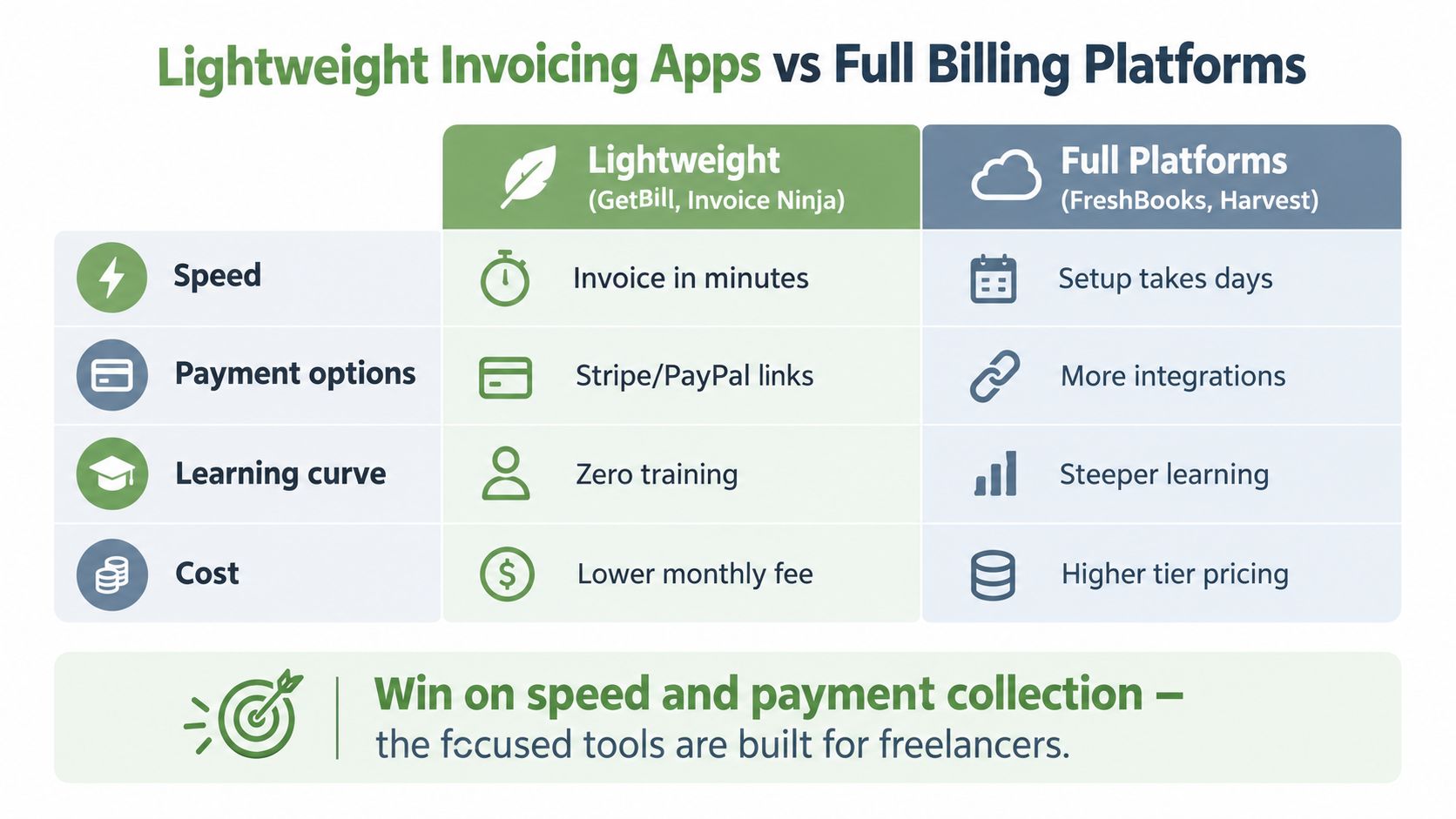
Lightweight tools and full billing platforms solve different problems. A focused application is designed to get an invoice created, delivered, accepted, and paid with minimal setup. A broader platform connects billing to projects, time tracking, expenses, team permissions, accounting, and reporting.
Where lightweight tools win
GetBill-style products and Invoice Ninja-style workflows make sense when the freelancer already knows what was delivered and needs to bill accurately. Setup is usually centered on clients, products, estimates, invoices, payment links, and reminders. That narrow scope reduces the number of screens and decisions between finishing work and sending the bill.
These tools also tend to make payment delivery more prominent. A public invoice link and hosted checkout can sit at the center of the client experience rather than appearing as one feature inside a larger accounting menu.
Invoice Ninja adds a different advantage through flexibility. Users who care about open-source control, customization, or self-managed workflows may accept more setup in exchange for ownership and adaptability.
Where full platforms earn their overhead
FreshBooks and Harvest-style platforms are stronger when the invoice depends on operational data. A studio may need hours by project code, reimbursable expenses, budgets, subcontractor costs, and team permissions before it can calculate the final amount. In that context, an integrated record can prevent leakage that a lightweight invoice-only product won't catch.
The tradeoff is complexity. A solo consultant who bills a few fixed-fee services may never use the deeper reporting or project controls, yet still spend time configuring them. The broader platform is valuable when multiple people contribute to the billable record. It's unnecessary when the only bottleneck is collecting a clean payment.
Decision test: If your invoice is mostly known before you open the app, prioritize speed and payment links. If the invoice must be assembled from team activity, choose the broader platform.
Which Invoice Software Fits Your Freelance Business
The right choice depends on how money moves through your practice. A solo consultant with recurring retainers has a different problem from a field tradesperson billing after a visit, even if both send invoices.
| Freelancer Persona | Recommended Profile | Key Payment Feature | Typical Pricing Tier |
|---|---|---|---|
| Solo consultant | Focused billing tool | Hosted checkout and scheduled reminders | Free or entry paid tier |
| Creative agency | Flexible project billing platform | Deposits, milestones, and partial payments | Paid tier with project controls |
| Field tradesperson | Mobile-first invoicing app | Fast payment link and on-the-go status updates | Free or entry paid tier |
| Small studio | Broader billing platform | Recurring billing, expenses, and team permissions | Mid or team tier |
The solo consultant
A consultant with retainer clients should prioritize recurring invoices, direct checkout, and reliable reminders. A GetBill-style focused product fits when the work is straightforward and payment latency is the main margin problem. FreshBooks is the stronger profile when the consultant also needs established accounting integrations and deeper time or expense workflows.
The creative agency
A small creative agency needs more than a final invoice. It may collect a deposit, bill against milestones, track partial payments, and invoice clients in different currencies. Invoice Ninja's flexible approach can suit an operator who wants control over the workflow, while a broader platform is preferable when several people contribute hours and expenses.
The field tradesperson
A tradesperson often invoices immediately after completing a job, not from a desk at the end of the month. Mobile invoice creation, a payment link, clear balance tracking, and fast delivery matter more than advanced reporting. A tool with a clean mobile experience wins if it lets the customer pay before the job disappears from view.
The small studio
A studio managing subcontractors needs shared records, recurring client work, expense capture, and permissions. A full billing platform earns its complexity. Choose it when billing depends on team activity. Don't buy it merely because its feature list is longer.
The decision should follow your collection bottleneck. If clients delay because payment is inconvenient, fix checkout. If invoices are inaccurate because data is scattered, fix the project and expense workflow. If you can't see what is overdue, fix reporting and reminders.
Practical Workflows That Shorten Payment Cycles
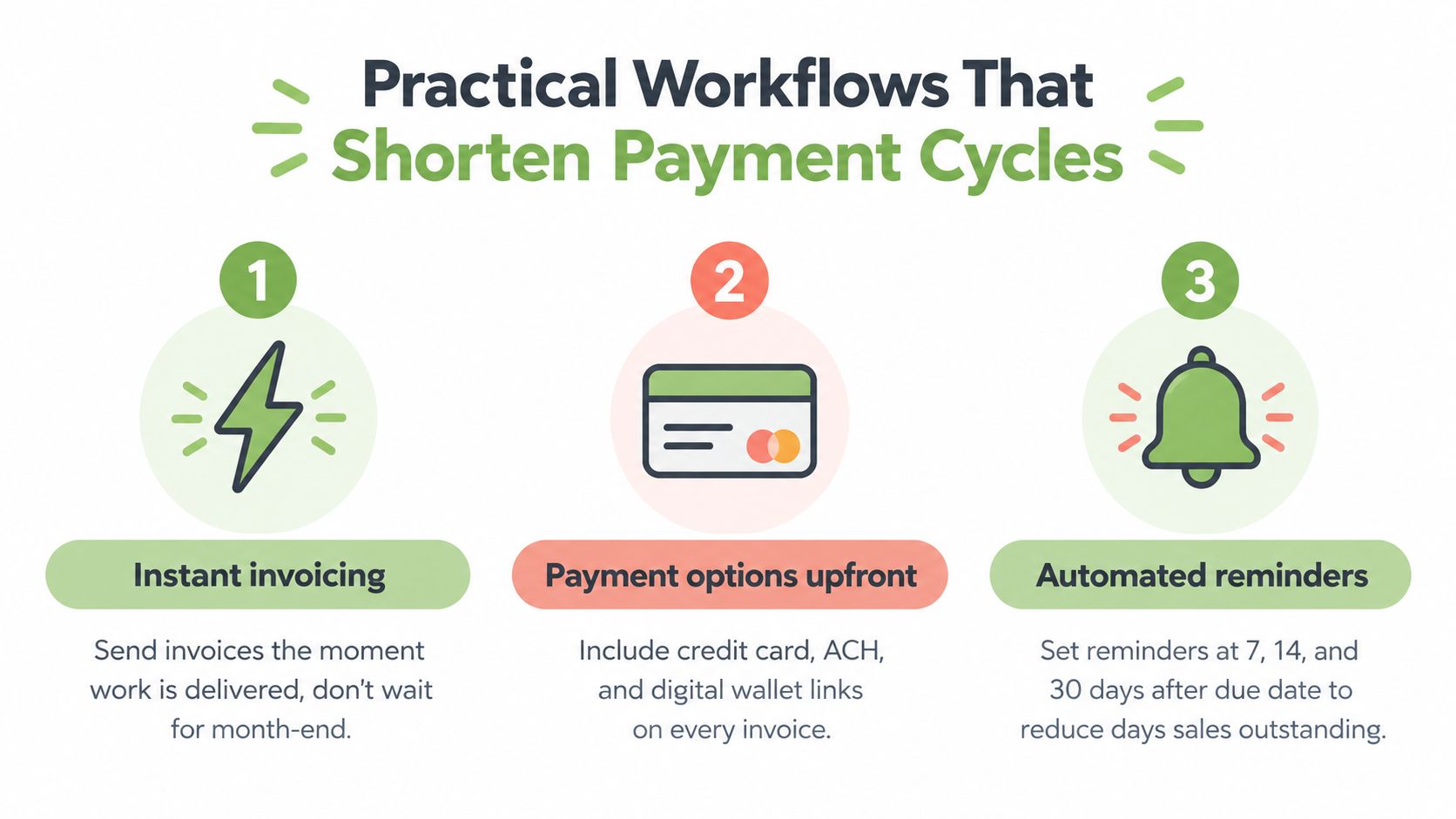
Judge your invoicing process by payment latency, not by how polished its templates look. The useful question is simple: how quickly can completed work become cleared cash? Shorten that gap by removing waiting points and making the next action automatic.
Three upgrades to apply this week
- Send the invoice immediately. Issue it when the deliverable, milestone, or job is complete. Month-end batching delays collection and leaves invoices sitting in the client's approval queue.
- Put payment options in the invoice. Add a hosted payment link to every document and make the preferred method clear. The 2026 payment survey found that online payment links were associated with payment arriving 11 days faster than bank-transfer-only invoices.
- Automate follow-up. Set reminders for overdue invoices and write the messages before you need them. Match the schedule to your client agreements, then let the system send the first reminder without relying on memory.
Payment terms support the workflow. State terms before work begins, use wording you can enforce consistently, and apply late-fee clauses according to the contract and local rules. The same survey reports that 71% of freelancers include late-fee clauses, while only 34% consistently charge them. A clause you never apply will not improve cash flow, so automate reminders first and handle fees carefully.
AI-assisted invoicing can extend this workflow with smart categorization, suggested send times, and anomaly detection. These features may reveal unusual payment behavior earlier, but they do not replace a direct checkout path or clear billing terms.
For practical examples and product updates, browse the GetBill billing workflow blog. Test your process with one real invoice. Measure creation time, count the actions required for payment, and record how quickly you notice an overdue balance.
GetBill lets independent professionals create estimates and invoices, convert accepted estimates into invoices, accept card payments through Stripe-hosted checkout, and track deposits or partial payments from web or mobile apps. Visit GetBill to test its focused billing workflow.