

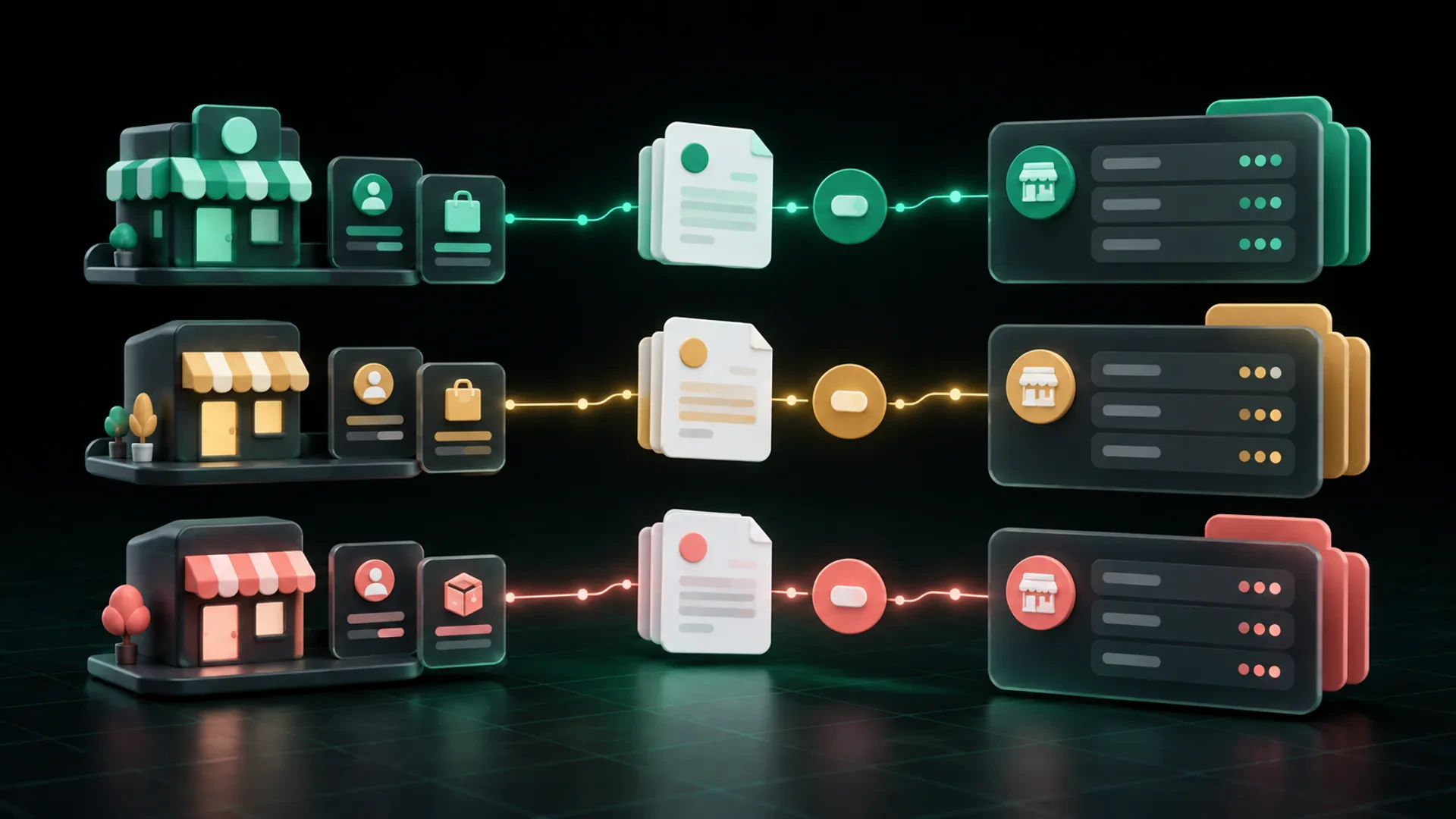
Managing invoices for more than one business requires more than changing the logo at the top of a document. Each invoice needs to remain connected to the correct business identity, client relationship, numbering system, payment record, and follow-up history.
The simplest principle is this: choose the business profile first, then create and manage the entire billing workflow inside that context.
This helps prevent one business’s name, contact details, invoice sequence, payment instructions, or client communication from appearing in another business’s records.
Business structures and recordkeeping obligations vary. This article provides operational guidance for small businesses in the United States and is not legal, tax, or accounting advice.
What should remain separate between businesses?
Business identity
Each document should show the correct business name and approved client-facing details. Review the sender information before sharing an estimate or invoice, especially when the same person operates several brands or entities.
Invoice and estimate references
Use a documented sequence for each business. A stable profile prefix can help, but it does not replace separate records. The team should be able to tell which business issued a document without relying on the client name alone.
Client relationships
The same client may work with more than one of your businesses. Keep the billing contact, terms, items, and history associated with the correct relationship instead of assuming one shared record applies everywhere.
Products and services
Descriptions, prices, taxes, and notes can differ by business. Use the catalog that belongs to the issuing profile and review the details before adding them to a document.
Payment information and balances
A payment should be recorded against the correct invoice and business. When a deposit or partial payment is involved, preserve the original total, amount received, and remaining balance within that business’s record.
Branding and document presentation
Logos, colors, contact details, and document notes should match the business the client engaged. A polished invoice with the wrong identity is still the wrong invoice.
Why records become mixed
The business profile is chosen too late
If the team builds the invoice first and checks the business identity at the end, incorrect details can travel through the entire document.
One spreadsheet tracks every operation
A shared sheet may begin as a convenient list. As businesses and documents grow, similar client names, repeated invoice numbers, and separate balances can become difficult to distinguish.
Files depend on naming habits
Folders named “Business A” and “Business B” help only when every person files every document consistently. Informal filenames do not create a reliable connection between the estimate, invoice, payment, and follow-up.
The same client exists in several contexts
A familiar client can make the team less likely to verify which business provided the work. The relationship should be confirmed for each transaction.
Payment follow-up happens outside the billing record
When reminders live in personal inboxes or separate notes, another person may not see that a payment was received or that a client questioned the amount.
A practical multi-business invoicing workflow
1. Select the issuing business
Begin with the profile responsible for the work or sale. Confirm the business name, contact details, branding, and payment information before choosing the client or products.
2. Use the correct client context
Select or create the client record associated with that business. Verify the billing contact and any business-specific terms or notes.
3. Add products and services from the right catalog
Use descriptions and prices that belong to the issuing business. If two businesses sell similar services, do not assume their taxes, prices, or notes are identical.
4. Create the estimate or invoice
Assign the document to the correct business profile and reference sequence. Review the visible identity before sharing it.
5. Keep approval and conversion in the same context
If the transaction begins with an estimate, preserve the accepted version and any approved changes. Convert it to an invoice within the same business context instead of rebuilding it under another profile.
6. Record payments against the correct invoice
Match the payment to the invoice reference and issuing business. If only part of the total is paid, update the remaining balance without replacing the original total.
7. Follow up from the current record
Before contacting the client, verify the business identity, invoice, due date, payments, balance, and payment route. The message should come from the business the client recognizes.
8. Review each profile separately
Create a regular review for open estimates, unpaid invoices, recent payments, and unresolved client questions within each business. Do not rely only on a combined list that hides the underlying context.
How to design references for multiple businesses
A clear reference can make documents easier to recognize. For example:
- `NORTH-INV-0042`
- `STUDIO-INV-0042`
These examples use a stable profile prefix plus the document type and sequence. The prefix should be short, documented, and non-sensitive.
Do not assume that a prefix alone satisfies the recordkeeping requirements that apply to separate businesses. The IRS states that when a person is in more than one business, a complete and separate set of records should be kept for each business. See IRS Publication 583: https://www.irs.gov/publications/p583 and consult an appropriate professional for guidance specific to your structure.
What if the same client uses two of your businesses?
Treat each transaction according to the business that provided the work or products.
Before creating the document, confirm:
- which business the client engaged;
- which products or services apply;
- which estimate or agreement supports the invoice;
- which billing contact should receive it;
- which payment route and reference belong to that business.
The client’s contact details may be similar, but the business context and transaction history should remain clear.
Common multi-business invoicing mistakes
Sending the right amount under the wrong business name
The total can be correct while the issuing identity is wrong. Review the business profile before sending, not only the line items.
Using duplicate invoice numbers with no profile context
Two businesses may each have invoice `0042`. Add a clear business context and maintain separate records so the documents cannot be confused.
Recording a payment in the wrong profile
This can leave one invoice appearing unpaid while another record shows money that does not belong there. Verify the invoice reference and business before recording the payment.
Sharing one product catalog without review
Similar services may have different descriptions, prices, taxes, or notes. Select items from the correct business context.
Following up from a combined spreadsheet
A combined summary may be useful for oversight, but it should not replace the business-specific record used to confirm the current balance and client communication.
How GetBill supports multi-business billing
GetBill’s Business plan includes multiple business profiles, unlimited core resources, and white-label documents. This gives operators a way to work with more than one business profile while keeping each client-facing document connected to the intended business context.
GetBill also supports estimates, invoices, client and product organization, payment records, partial payments, and remaining balances. Review each profile before sharing a document or recording a payment.
GetBill is available on Google Play: https://play.google.com/store/apps/details?id=com.aimovelogistics.getbill and the Apple App Store: https://apps.apple.com/us/app/getbill/id6796384355. Start a free 3-day trial to test the workflow with the business profiles you manage.
Multi-business billing checklist
Before sending an invoice, confirm:
- the correct business profile is selected;
- the business name, contact details, and branding are correct;
- the client belongs to the intended business context;
- the products, services, prices, and notes were reviewed;
- the reference identifies the correct profile and document;
- the estimate and approval history remain connected when applicable;
- payments and balances are recorded under the correct business;
- the follow-up message uses the current record;
- each business maintains the records required for its situation.
Review one invoice from each business you manage. Check whether the identity, reference, client, items, payment record, and follow-up history are clearly separated. Then start a free 3-day GetBill trial on Android or iOS to test multiple business profiles.