

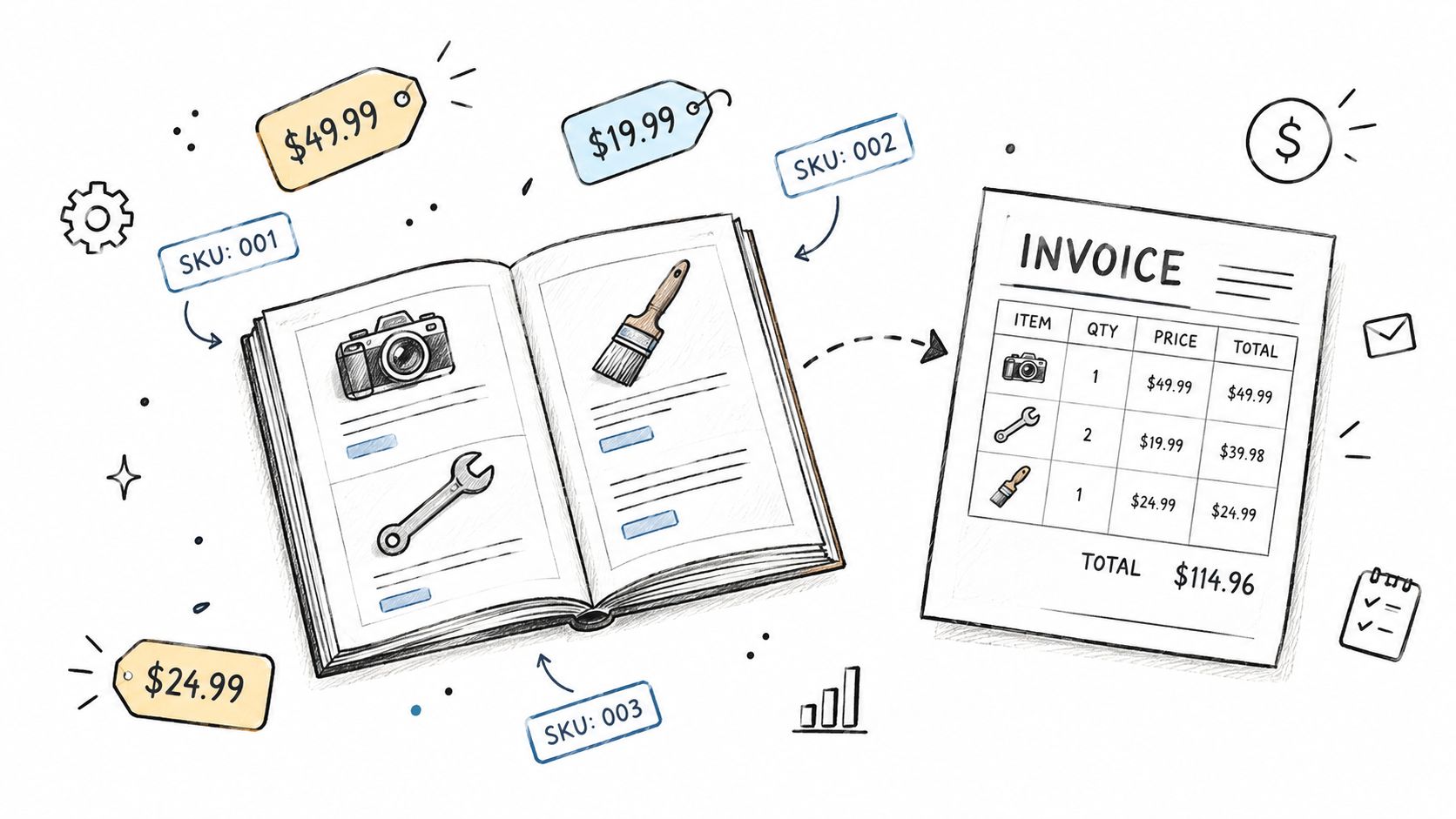
A service owner can feel this in a normal Tuesday rush. An estimate goes out for a cleaning job, a client asks for a deposit link, and the invoice still has last week's handwritten line items because the service list lives in a spreadsheet, a notes app, and somebody's memory. The result is never just messy paperwork, it's slower billing, harder reconciliation, and a higher chance that the same job gets described three different ways.
Business billing software works best when it treats the catalog as the center of operations, not the invoice template. Once services, products, rates, deposits, and taxes are organized as reusable records, estimates turn into invoices faster, partial payments reconcile cleanly, and the owner doesn't have to retype the same job over and over. That matters whether the business is a photographer, a handyman, a designer, or a small agency that bills clients directly.
In this guide, a catalog means an internal library of reusable service or product records for estimates and invoices. Features such as SKU fields, separate costs, item-level tax or deposit defaults, imports and analytics vary by tool and should be checked before relying on them.
Table of Contents
- Why the Catalog Is the Real Spine of Business Billing Software
- Core Building Blocks of a Service Catalog in Billing Software
- Choosing a Categorization Scheme That Fits Your Service Business
- Configuring SKUs, Pricing, Taxes and Deposits for Reuse
- From Estimate to Invoice and Partial Payment in Practice
- How Catalog Data Flows Through Estimates, Invoices and Receipts
- Integrating Billing Software With Payments and Records
- Migrating Catalogs Without Losing Your Records
Why the Catalog Is the Real Spine of Business Billing Software
A morning estimate, a midday invoice, and an afternoon deposit receipt often come from the same source. If the catalog is solid, the owner picks a service once, then reuses it across the estimate, the invoice, and the balance record without rewriting the job description from scratch. If the catalog is sloppy, every document becomes a fresh drafting exercise, and every edit risks a mismatch between what was promised, what was billed, and what was paid.
The catalog decides whether billing feels fast or fragile
A photographer who sells a “brand session,” a handyman who charges for a “faucet replacement,” and a designer who offers a “logo package” all need the same core thing, a reliable list of billable items that can be reused. That list is the spine of business billing software, because it drives speed, consistency, and clean history. The invoice template is only the output.
Practical rule: if the same work appears in more than one document, it should come from one reusable record, not three manually edited copies.
Owners who treat the service list as an afterthought usually end up correcting totals by hand, adjusting tax treatment one line at a time, or forgetting which version of the service description was sent to the client. Owners who keep the catalog tight can move from quote to bill with less friction, and they can still handle customers who pay by invoice, by check, or by card. For workflow basics that tie service entries to estimates and invoices, this estimate-to-invoice guide fits naturally with that setup.
Why reuse matters more than formatting
The important question isn't whether an invoice looks polished. It's whether the underlying service record can survive repeated use without drift. A reused catalog entry keeps the business from rewriting the same work in different ways, which helps when a job becomes a deposit, then an invoice, then a closed balance.
That reuse also makes it easier to compare jobs later. A cleaner can see which services were quoted most often, a consultant can keep one standard rate card, and a contractor can avoid rebuilding the same line items for every project. The billing document gets generated quickly because the actual work happened earlier, in the catalog.
Core Building Blocks of a Service Catalog in Billing Software
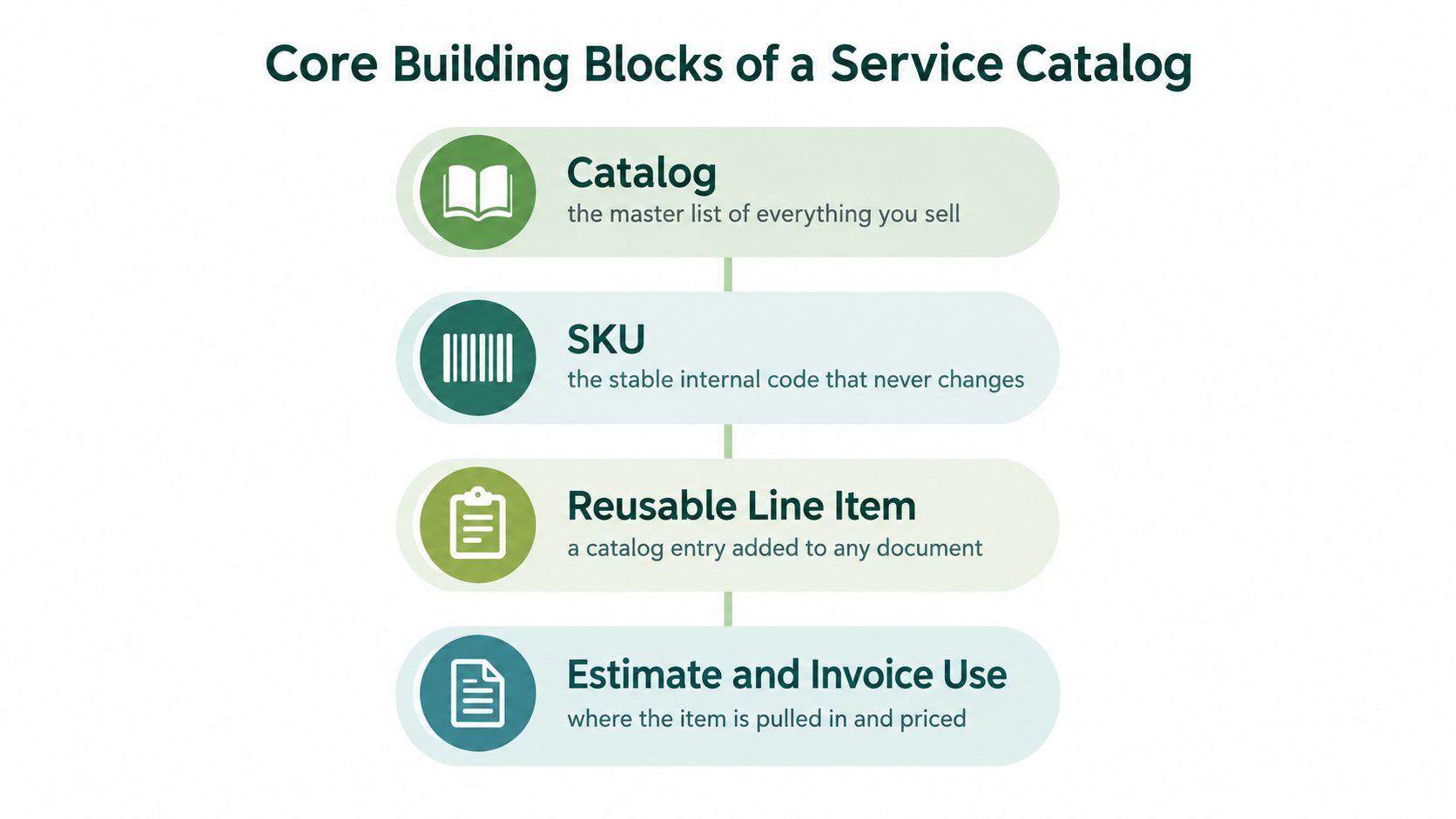
A useful catalog doesn't start with design, it starts with structure. The owner needs four things before any software setup becomes durable, catalog, SKU or internal code, reusable line item, and pricing variation. Those are not buzzwords, they're the parts that keep estimates, invoices, and payment records from drifting apart.
The master list, the code, the line item, the price shape
A catalog is the master list of everything the business sells. For a designer, that might include a logo package, a brand audit, and an extra revision fee. For a handyman, it might include diagnostic time, labor, and a trip charge. The point is that the master list stays stable even when clients and jobs change.
A SKU or internal code is the stable identifier that never changes, even if the description gets refined later. A code like DES-LOGO-01 or PLM-LEAK-02 helps the owner keep history intact when an estimate becomes an invoice or when an old document needs to be reissued. The code is for the business, not the client.
A reusable line item is the catalog entry as it appears on a document, with description, pricing, and tax treatment attached. A pricing variation is the way that item gets charged, hourly, fixed fee, package, or tiered price. The same catalog can hold all four if the software is set up to keep them distinct.
Use one source of truth before anything else
A logo package that includes concept work and two revisions should live as one reusable item, not three free-text notes scattered across old invoices. A repair rate card should keep labor and parts separate if the business needs different tax handling or margin tracking. Stable identifiers matter because a document history only stays trustworthy when the same service means the same thing every time.
The cleaner the source of truth, the less the owner has to guess later. It becomes easier to answer simple questions, like which jobs were sold as fixed fee and which were billed by the hour. It also becomes easier to reissue a historical invoice without changing what was originally sold.
Choosing a Categorization Scheme That Fits Your Service Business
The wrong catalog structure turns a clean billing process into a maintenance project. A small business usually doesn't need every possible structure at once, it needs one primary scheme that matches how the work is sold and delivered. Once that choice is made, the catalog gets easier to manage, and the reports stop fighting the workflow.
Match the structure to the job type
Hourly pricing fits work that changes as the job unfolds, like troubleshooting, consulting, or repair work. Fixed-fee pricing fits services with a clearer scope, like a photo session, a cleaning package, or a standard setup visit. Tiered pricing fits businesses that sell recognizable bundles with different service levels, such as bronze, silver, and gold retainers for an agency.
The best structure is the one the owner can explain to a client without opening a spreadsheet.
Some businesses try to run hourly, fixed, and custom pricing in parallel without a clear rule for when each one applies. That usually creates more admin work than revenue control. A better approach is to pick one primary structure, then allow exceptions only where the business needs them.
| Catalog structure | Best for | Trade-off to watch |
|---|---|---|
| Service-based catalog | Repeatable jobs with familiar labor steps | Can get too broad if descriptions aren't specific |
| Deliverable-based catalog | Projects with clear outputs | Harder to compare pricing across different jobs |
| Hourly rate card | Consulting, troubleshooting, repair work | Can feel unpredictable to clients if scope is unclear |
| Fixed-fee package | Photography sessions, cleaning packages | Scope creep can eat margin if inclusions aren't defined |
| Tiered package | Agency retainers and bundled service levels | Too many tiers can confuse selection and reporting |
Don't let flexibility become duplication
The catalog should make quoting easier, not more complicated. If the same service is buried under three different categories, the owner will hesitate every time a quote needs to go out. If the same item can be found quickly and priced consistently, estimates get sent faster and payment conversations start from a cleaner base.
There's also a reporting benefit. A single structure makes it easier to see which services are selling, which ones are rarely used, and which items need a pricing review. That's hard to do when the catalog is built around whatever felt convenient during setup.
Configuring SKUs, Pricing, Taxes and Deposits for Reuse
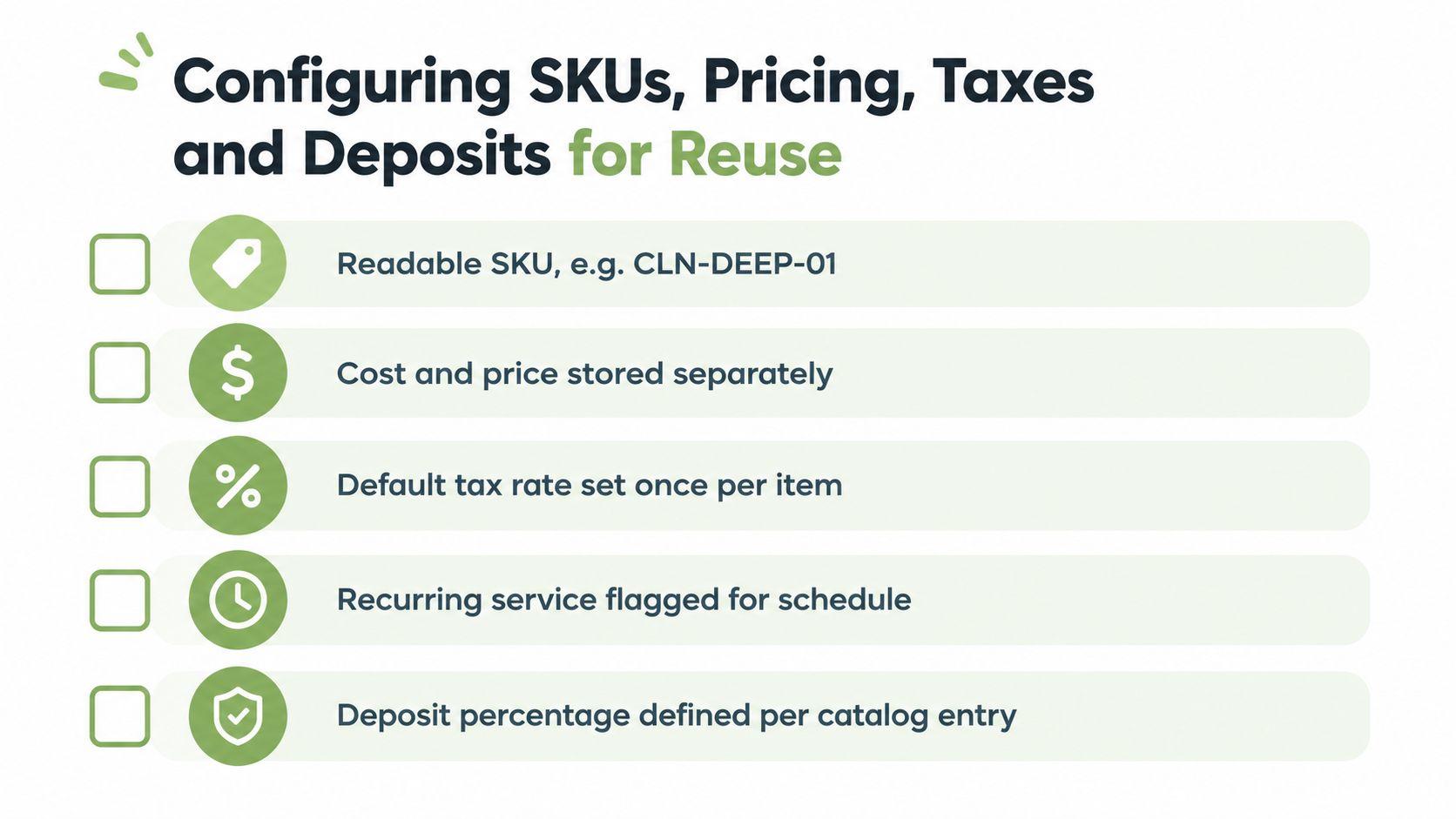
A good catalog only works if the fields behind it are disciplined. That means SKU names the owner can recognize later, cost and price stay separate, tax treatment is set once at the item level, and deposit logic is defined before the first estimate goes out. If those details are left loose, the software becomes a retyping machine instead of a billing system.
Build the record so it can survive reuse
A readable SKU should say something about the item without turning into a novel. CLN-DEEP-01 is easier to live with than a random code that nobody remembers six months later. Cost and price belong in separate fields, because a business needs to know what the service costs internally without exposing that structure on every document.
Tax treatment should be defined at the catalog level whenever the item's treatment is stable. That keeps the business from overwriting tax logic every time a document gets created. Billing software should still preserve taxable versus non-taxable distinctions carefully, because invoice records are not the place to improvise.
Deposits and partial payments need their own logic
A deposit is not just a note on the invoice. It's a recorded allocation against a specific job, and the remaining balance should calculate from that allocation rather than from a manually edited total. That distinction matters when a client pays part up front and the rest after work is completed.
For a service business, the cleanest setup is often simple. Define the deposit percentage or amount on the catalog entry, make the software carry that value into the estimate, and keep the balance visible through to the final invoice. A billing application should never force the owner to reconstruct the math after every payment.
Validate the catalog before the first client sees it
- Check the SKU pattern: every item should be easy to recognize internally.
- Separate cost from selling price: margins shouldn't depend on note fields.
- Lock the default tax treatment: taxable and non-taxable items need clear defaults.
- Test a deposit item: the estimate should show the deposit cleanly.
- Confirm the balance field: partial payments should reduce what's still owed without changing the original invoice amount.
That discipline sounds tedious until the first accepted estimate needs to convert into an invoice without rework. Then it feels like insurance.
From Estimate to Invoice and Partial Payment in Practice
A cleaning business might keep a recurring deep-clean service in its catalog. The owner sends an estimate, collects a deposit, finishes the job, then bills the remaining balance without rebuilding the paperwork from scratch. That is where billing software either keeps the work moving or creates extra manual cleanup.
A single job should move through one clean trail
The accepted estimate should convert into the invoice with the same reusable line item attached. That keeps the catalog stable and preserves the record of what was sold from start to finish. If the client books a second visit, the owner should reuse the same catalog entry instead of typing the service description and price again.
Practical rule: when an estimate becomes an invoice, the document should inherit the item data, not create a new version of the service by accident.
Deposits need the same discipline. If the job requires partial payment up front, the deposit should be recorded against the invoice and the remaining balance should stay visible until it is paid. For a concrete workflow that shows both the deposit and the unpaid balance, see this partial-payment workflow example.
Don't spend the whole receipt
A consulting invoice can look like available cash in the bank, but it is not always spendable cash. For a US sole proprietor, estimated tax may apply when the person expects to owe at least $1,000 when filing the annual return, and the IRS says estimated tax covers both income tax and self-employment tax (IRS estimated tax guidance). That means the owner should record the payment, track deductible expenses separately, and set aside money for federal installments instead of treating the full receipt as profit.
Billing software should keep the cash record clean without pretending to make tax decisions. It can show what was paid, what is still open, and what part of the job is complete. The owner still needs to follow the rules that apply in the relevant jurisdiction or hand the numbers to an accountant.
A cleaner workflow keeps the job history intact
For a cleaner, designer, or contractor, the same item library should support the estimate, the invoice, the deposit, and the final balance. That cuts rework and gives the owner one place to review the job history. When payment arrives, the record should close cleanly without changing the original service sold.
How Catalog Data Flows Through Estimates, Invoices and Receipts
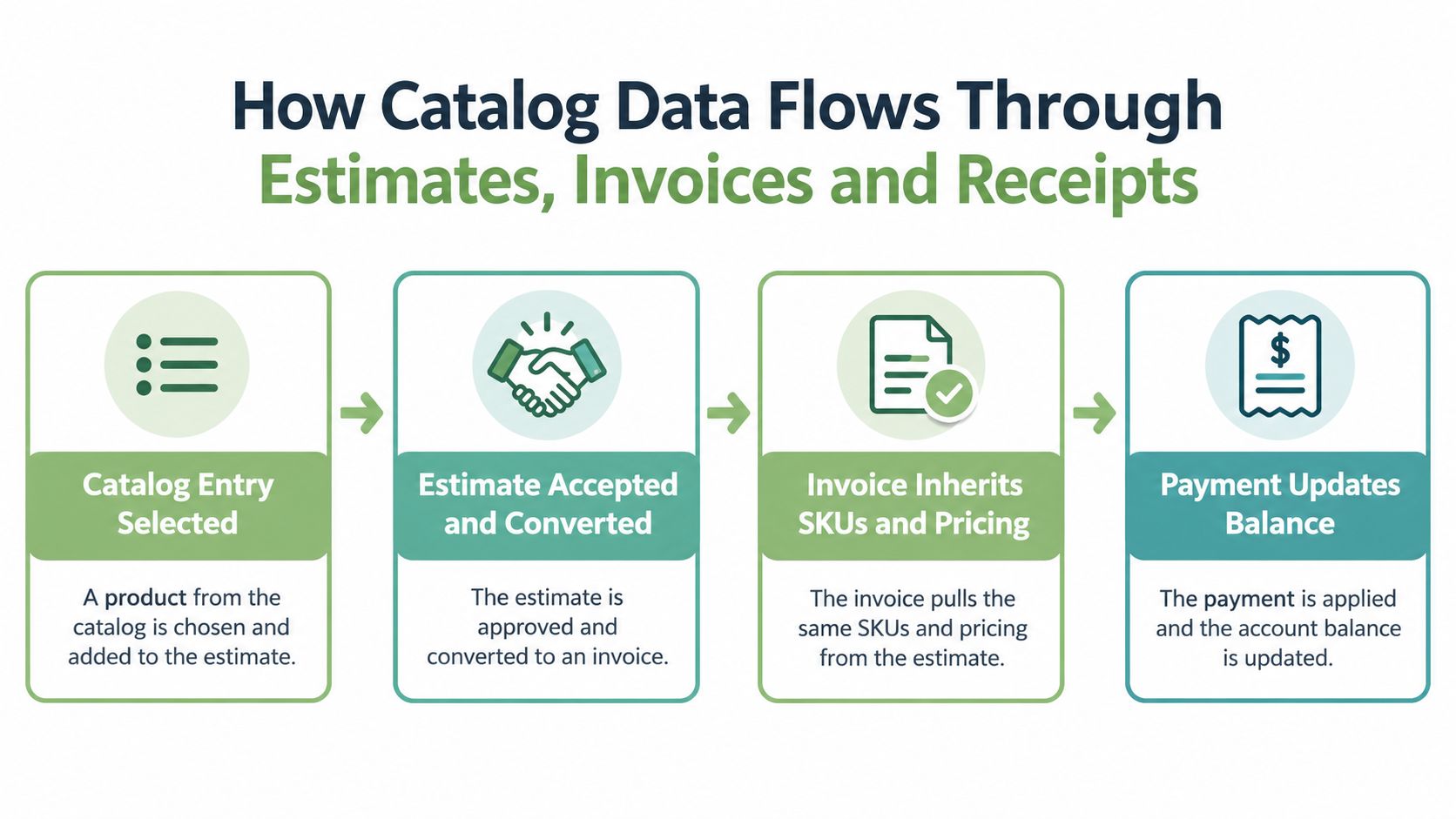
The best billing workflow is a chain, not a set of disconnected files. A catalog entry gets selected on an estimate, the estimate gets accepted, the invoice inherits the same item data, and the payment updates the balance without rewriting the line items. That's the path that keeps billing legible when real clients, real payments, and real adjustments enter the picture.
Where billing usually breaks
Re-entry between documents is the first weak spot. Someone copies line items by hand, changes a description, and the estimate no longer matches the invoice. Tax rate drift is another common problem, especially when the estimate and invoice use different defaults or someone edits a field too late.
Deposits can also float loose if they aren't attached to a specific job. Then the owner has a payment, but not a clean explanation of what it belongs to. The final balance gets messy when partial payments exist but the software doesn't preserve the remaining amount as a real field.
Verification matters more than extra features
A billing system should protect the chain, not just generate documents. If an accepted estimate converts to an invoice without re-entry, the catalog stays intact. If partial payments reduce the remaining balance without overwriting the original charge, the record stays trustworthy.
That is also where a tool choice matters. GetBill supports itemized invoices and estimates, reusable client and service records, estimate-to-invoice conversion, and deposits and partial payments with remaining balances, which makes the data path easier to keep consistent in day-to-day service billing. The value isn't flashy, it's that the same underlying records travel through the process without being rebuilt each time.
Keep the receipt tied to the work
Once payment is recorded, the receipt should point back to the invoice, and the invoice should still point back to the catalog entry. That way the owner can answer basic questions later, like what was sold, what was paid, and what remains open. The document stack stays connected instead of becoming a pile of separate files.
Integrating Billing Software With Payments and Records
Billing software works best when it stays narrow. The catalog-driven billing layer should handle item selection, invoice creation, and balance tracking, while payments and records live in connected systems that are built for those jobs. That separation keeps the owner from storing sensitive data in the wrong place.
Keep card data out of the invoice record
PCI Security Standards Council guidance on EMVCo Payment Tokens explains that those tokens can be provided instead of a cardholder's primary account number. The same guidance states that PCI DSS still applies wherever account data is stored, processed or transmitted, including connected systems. A token or payment-method identifier alone is not enough to determine a merchant's compliance scope (PCI Security Standards Council guidance on EMVCo Payment Tokens).
For a small service business, the practical setup is usually straightforward. Card entry should go through a compliant payment provider or provider-hosted fields, the billing system should store only payment-method identifiers and transaction metadata, and the invoice should update payment status without holding card numbers or security codes. Bank transfers and checks can be recorded as payment methods too, as long as the balance is updated cleanly.
Build a fallback before clients need one
Online card acceptance depends on the payment provider and the account and region that support it. That means the business needs a documented fallback, especially if the client prefers bank transfer or still pays by check. The invoice should show payment instructions clearly enough that the client doesn't have to call for basic details.
Structured exports matter as well. Accounting software should receive clean records, not a pile of PDF attachments that someone has to interpret manually. The less the owner asks the invoice record to do, the easier it is to reconcile open balances and keep the books in order.
Migrating Catalogs Without Losing Your Records
A migration from a spreadsheet or older tool is where good billing habits get tested. The temptation is to copy descriptions into a new app and hope the history survives, but that's exactly how old invoices lose their meaning. The better move is slower at the start and cleaner forever after.
Move the records in the right order
First, export and audit the old list. That means checking which items are still active, which ones were one-off experiments, and which descriptions were changed over time. Then map the old SKUs to the new ones so historical invoices keep their identity even if the wording gets updated.
A parallel month is worth the effort. During that month, every estimate and invoice should be reconciled against the old system before the owner trusts the new one fully. That protects against silent problems like changed tax codes, unit prices that vanish when descriptions get edited, or old documents that no longer point back to the original line items.
Don't let the template distract from the data
The invoice design matters less than the underlying catalog. A polished template can still produce bad billing if the catalog is inconsistent. A plain template backed by stable service records is usually far more reliable than a pretty document that needs manual corrections every time.
A practical migration sequence looks like this:
- Pick one categorization scheme: service-based, deliverable-based, hourly, or fixed-fee.
- Define SKUs and prices at the catalog level: don't bury core billing logic in text fields.
- Wire deposits and partial-payment fields first: balance tracking has to survive the conversion.
- Test one real client from estimate to closed balance: verify the path before scaling the new setup.
- Keep old records accessible: tax questions and disputes need the original history.
Evaluate the workflow, not just the software
A system earns trust when it can carry one service from catalog to estimate to invoice to payment without breaking the record. That's the true migration test. GetBill is one option for businesses that want catalog-driven estimates, branded invoices, and deposit or balance tracking in a single billing workflow, but it shouldn't be mistaken for accounting or tax-filing software.
For a small service business, better billing usually starts with better item setup, not a fancier invoice layout. GetBill supports reusable service records, estimates that convert into invoices, branded PDFs, and deposit or partial-payment tracking, so it can fit the kind of workflow described here. If that's the piece the business is missing, visit GetBill and see whether the billing flow matches the way the work is sold.