

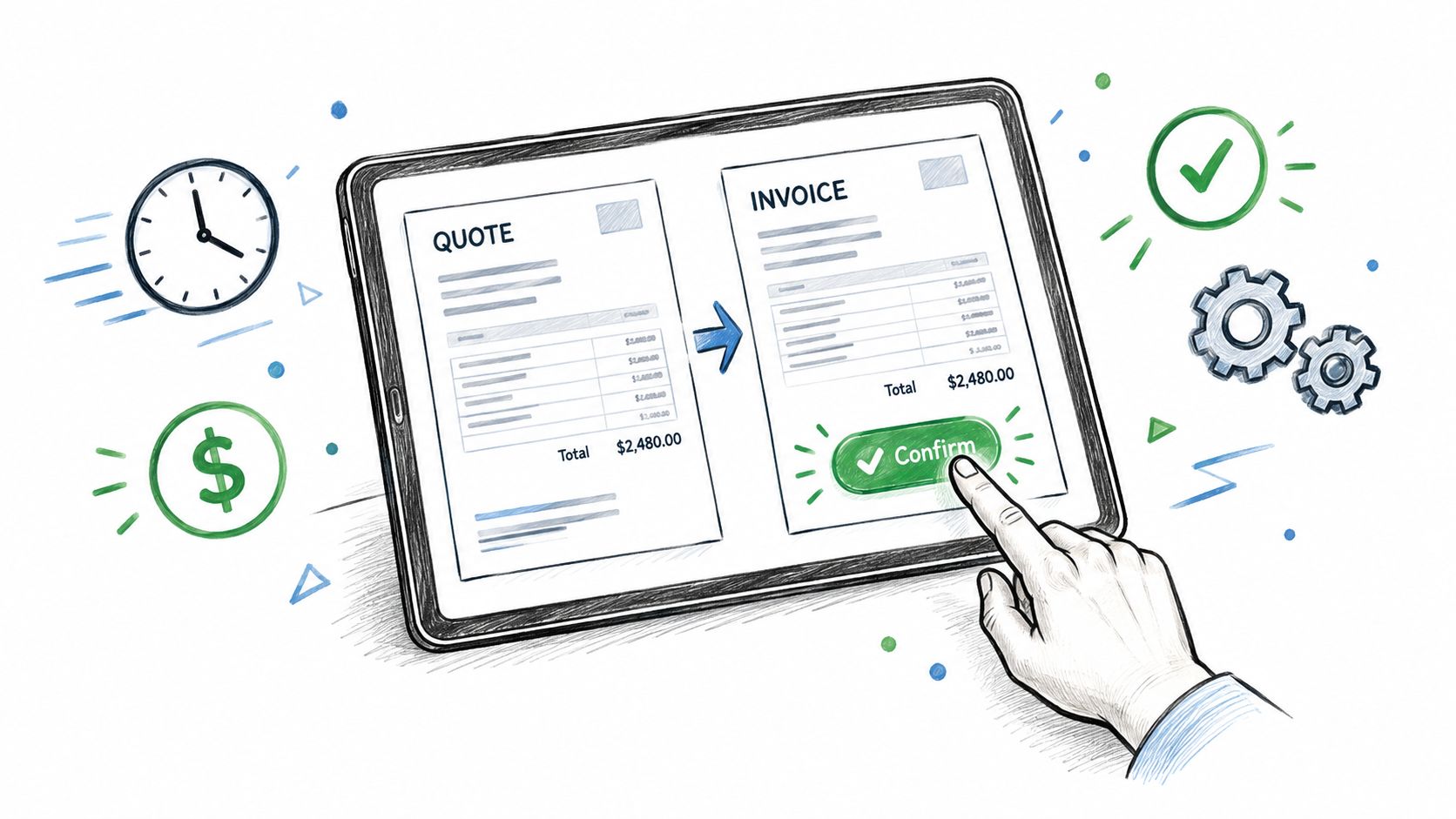
Manually converting accepted quotes into invoices creates re-entry errors and delays. The strongest workflow turns acceptance into an instant invoice with a one-click payment link, and in one contractor dataset, median time to payment fell from 15 days to 8 days when an online payment link was included.
A client has approved your estimate. The scope is clear, the price is agreed, and you should be moving straight toward delivery or payment. Instead, you open an invoicing tool, search for the customer, retype every line item, check the tax treatment, copy the notes, and hope nothing changed between the quote and the invoice.
That handoff is where many small businesses lose control. A quote can be accepted quickly, yet the invoice sits in a draft queue because nobody wants to risk sending a document with the wrong amount. By the time it reaches the client, the approval is no longer fresh, the payment action isn't obvious, and the person responsible for billing has moved on to another job.
Table of Contents
- The Hidden Cost of Manual Quote Conversion
- Building an Automated Quote to Invoice Workflow
- Why Acceptance Tracking Changes Everything
- Common Pitfalls in Estimate to Invoice Handoffs
- Optimizing for Faster Cash Collection
- Your Checklist for a Flawless Billing Process
The Hidden Cost of Manual Quote Conversion
The familiar workflow looks harmless. A contractor sends a PDF estimate, receives an approval by email, then creates an invoice from scratch. An agency copies the project fee into its accounting system, adds tax, remembers the deposit, and attaches the same scope document again. A consultant duplicates a spreadsheet tab and edits the client details manually.
Every copied field introduces another place for the documents to disagree.
The unit price may be wrong. A quantity may disappear. A tax rate may be omitted. A deposit might remain on the quote but not be deducted from the invoice. Even a missing project reference can slow approval inside a client's procurement process. These errors don't always produce an immediate dispute. Sometimes they create a quieter problem, such as an invoice that needs internal review before anyone sends it.
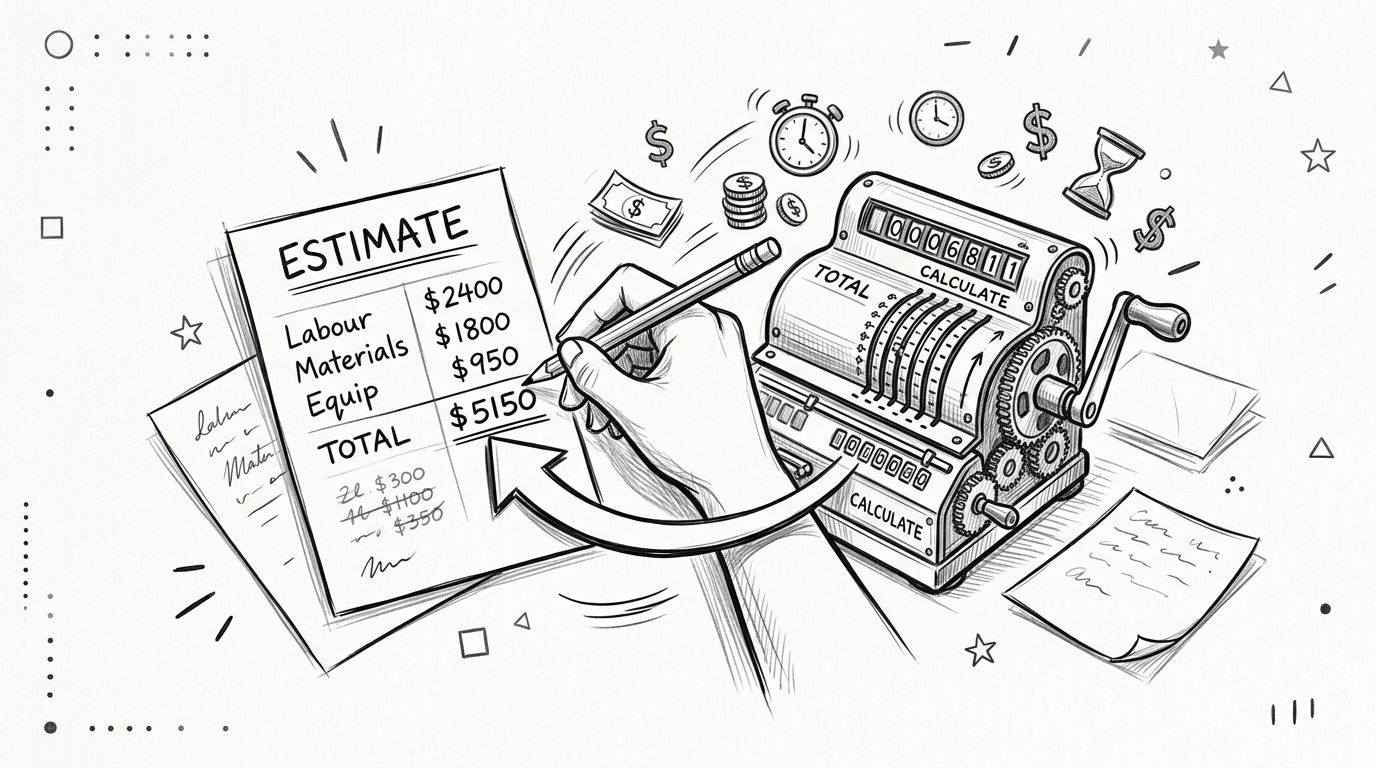
Where the delay starts
Manual conversion also separates the commercial decision from the collection action. The client says yes in one system, while the invoice exists somewhere else. Unless someone notices the acceptance and acts on it, the business has no reliable trigger for the next step.
That separation creates several operational risks:
- Duplicate data entry: Staff copy customer details, line items, taxes, discounts, and notes instead of reusing approved data.
- Weak acceptance evidence: An informal email may confirm approval, but it can be difficult to connect that message to the exact version of the quote.
- Unclear balances: Deposits, credits, and partial payments are easy to overlook when the invoice isn't generated from the accepted estimate.
- Delayed payment action: The client receives a request for payment later, often without a direct checkout path.
A spreadsheet can be useful for planning, but it shouldn't become the system of record for a growing billing process. The practical differences are set out in this comparison of invoice software and spreadsheets for growing small businesses.
Practical rule: Every field that someone retypes after acceptance is a field that should be carried forward automatically.
The cost isn't limited to administration. Re-entry consumes time that could go into billable work, and corrections force the business to revisit a transaction that should already be moving forward. Automation matters because it removes the fragile handoff, not because a dashboard looks more modern.
Building an Automated Quote to Invoice Workflow
Treat the estimate and invoice as two stages in one record, not as unrelated documents. The estimate establishes the proposed scope, amount, terms, and client details. Once the client accepts, the invoice should inherit that approved information and add the payment request.
Start with reusable data
Build your client and product catalog before creating templates. Store the customer's legal name, billing address, contact details, and preferred delivery method in one place. Keep recurring services, hourly work, materials, taxes, and standard notes as reusable items.
Your estimate should contain the same information you expect to see on the invoice:
- Scope and line items: Describe the work clearly enough that the client can identify what was approved.
- Amounts and taxes: Apply the correct treatment before sending the estimate, rather than fixing it after acceptance.
- Payment structure: State whether the project needs a deposit, milestone billing, installments, or payment in full.
- Supporting material: Attach a scope document, specification, or terms when the client needs more context.
- Acceptance method: Give the client a clear online approval action and retain the accepted version.
Make acceptance the trigger
Share the estimate through a secure public link or direct email. The client should be able to review the document, approve it, and access the next payment step without creating unnecessary friction.
After approval, the system should lock the accepted commercial details, record the decision, and create the invoice from the same data. A human can still review the result, but review becomes a control step rather than a reconstruction exercise. This is the central distinction between an automated quote to invoice workflow and a template that merely makes manual entry look tidier.
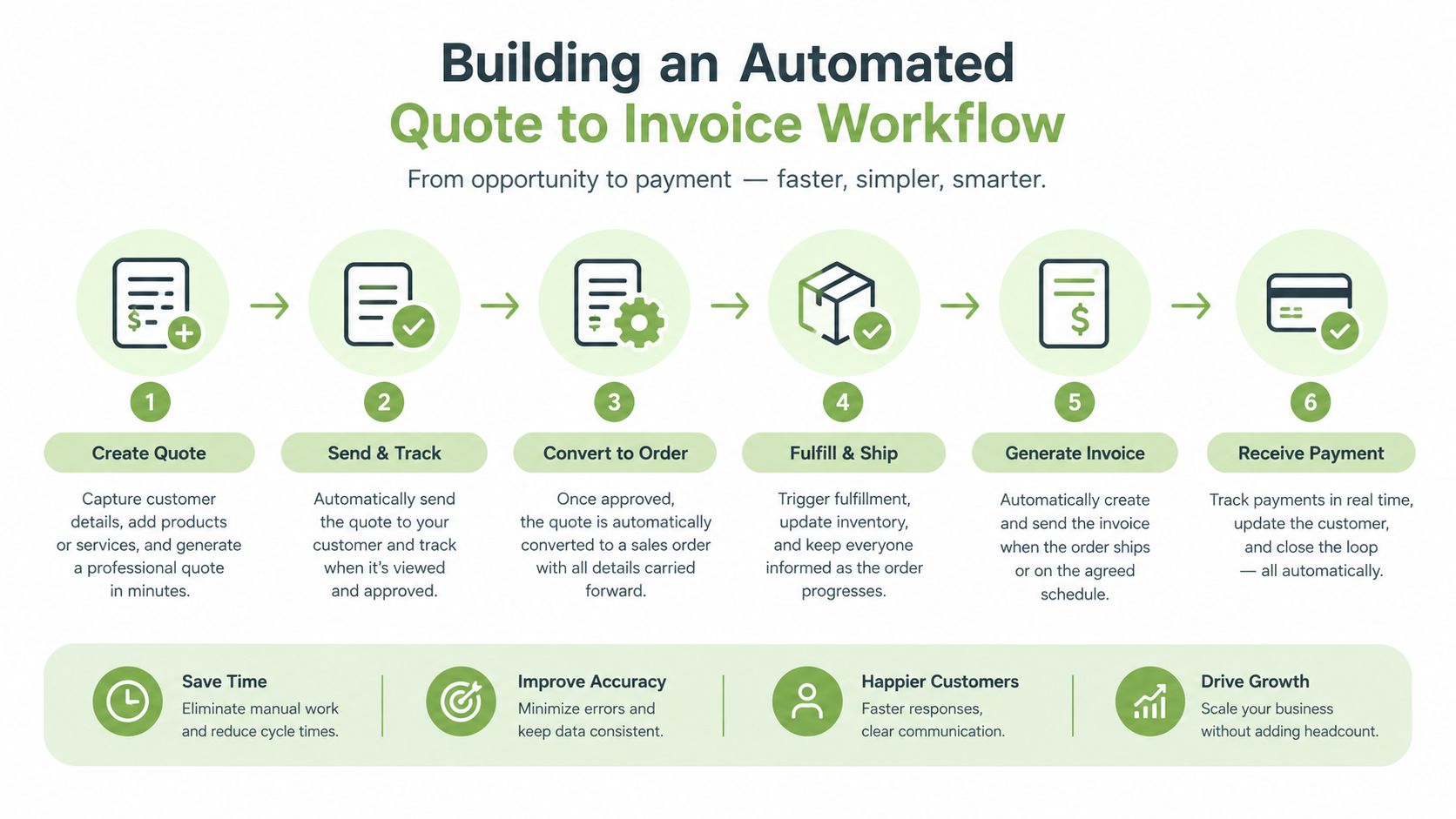
The operating sequence should be simple: create the estimate, send it, capture acceptance, convert it, present payment, and reconcile the result. For a broader practical walkthrough, see this guide to a simpler billing workflow from estimate to payment.
Choose software based on the handoff, not just document design. A polished PDF doesn't solve the problem if acceptance, invoice creation, payment, and balance updates still happen in separate places. The workflow earns its keep when the client's approval produces a usable invoice without rebuilding the transaction.
Why Acceptance Tracking Changes Everything
A client approves one quote, then the project changes before anyone creates the invoice. Without a clear acceptance record, your team may bill from an outdated file and spend hours searching email threads to explain the difference.
Acceptance tracking should identify the client, the exact estimate, the decision, and the timestamp. It should preserve the approved scope, pricing, taxes, and payment terms as well. If the invoice reflects a different version, even a minor change can delay approval or create a dispute.
Acceptance is the operational trigger
Use acceptance to start a controlled billing sequence. The invoice should inherit the approved line items, retain the agreed commercial details, and give the client a payment option while the transaction is still active. That removes a separate administrative handoff and reduces the chance that approved work sits unbilled.
The payment-link evidence is particularly useful. In a contractor invoicing dataset, invoices with an online payment link were paid 79.6% of the time, compared with 56.1% without one. Those figures come from the contractor invoice payment-terms dataset.
The reason is practical. A payment link removes the need to find bank details, open a separate banking session, or ask the supplier how to pay. It puts the payment action beside the amount due, so the client can complete the transaction from the invoice.
The invoice should answer three questions immediately: what was approved, what is due, and how can the client pay?
Protect the trail when scope changes
Acceptance tracking does not freeze the original estimate. Projects change, but extra work should create a new approval event rather than being added to the original invoice without notice.
Use a revised estimate or change order when the scope changes materially. Record the client's approval before performing the additional work, then invoice the approved version or issue a separate invoice for the extra work. The original agreement remains visible, and the final balance stays explainable.
The same control applies to deposits and milestones. The billing record should show the accepted total, amounts received, and remaining balance. Clients should not have to calculate what they owe, and staff should not have to reconstruct the answer from separate payment records.
Acceptance tracking protects the workflow as well as the commercial relationship. It reduces internal uncertainty, gives the client confidence in the amount requested, and places payment close to the moment of approval. That alignment turns a quote to invoice process into a reliable cash-collection control rather than a document conversion task.
Common Pitfalls in Estimate to Invoice Handoffs
An approved estimate can still produce a slow, inaccurate invoice if the handoff rules are vague. The recurring failures are predictable: staff retype customer details, deposits stay in email threads, and exceptions depend on someone remembering what happened.
Payment terms deserve particular attention. The contractor dataset cited earlier shows that only 15.5% of invoices stated payment terms. Where net 30 was stated, the median actual payment time was 34 days, and 55.8% of clients paid late. A due date creates a reference point, but it does not force timely payment. The invoice also needs a clear balance, an easy payment route, and a process for following up when the date passes.
Manual and automated handoffs
| Manual conversion | Automated conversion |
|---|---|
| Someone retypes the accepted estimate | Approved data carries into the invoice |
| Acceptance may remain in email | The system records the approval event |
| Deposits can be missed | The balance can reflect recorded payments |
| Payment instructions vary by invoice | A consistent checkout path appears |
| Reminders depend on memory | Status-based follow-up can be scheduled |
Manual conversion is reasonable for an occasional, uncomplicated transaction. It becomes fragile with recurring services, multiple deposits, different tax treatments, or a full sales pipeline. Automation does not decide whether a charge is valid or whether scope changed. It does prevent predictable clerical mistakes and preserves the information needed to collect.
Handle deposits and installments deliberately
A deposit should be recorded as a payment against the relevant invoice or billing stage, not left as a note in an email. Once the transaction clears, the remaining balance must update. Whether the customer pays by bank transfer, card, or cash, the record should show the amount, date, and method.
Installments require the same control. Set the schedule before sending the estimate, then create payment requests that match the agreed stages. A final invoice should not present the full project value as unpaid when earlier payments have already been received.
Reminders belong inside the workflow. Set a clear due date, include an online payment link, and trigger status-based updates before and after the deadline. Repeatedly sending urgent manual emails adds effort without fixing the underlying record. Each invoice view should show the same balance and terms, so the customer knows what remains due and staff can act from reliable information.
Optimizing for Faster Cash Collection
Late payment is often the failure point after quote acceptance. The invoice may be accurate, the work may be complete, and the client may have no objection, yet payment still stalls because the next action is inconvenient or unclear.
Small-business payment research reported that nearly 3 in 5 businesses had invoices overdue by 30 or more days in 2026, compared with 47% in the prior year. The figures are from QuickBooks' small-business late-payments report. The operational lesson is direct: don't measure success at invoice creation. Measure how reliably the workflow moves from acceptance to cleared funds.
Remove payment friction
Use a hosted checkout page that works on a phone and displays the full amount before payment. Keep the invoice reference and customer details visible, and make the payment button prominent without hiding essential terms.
Configure the billing profile before sending live documents:
- Verify business details: Check the legal name, address, tax information, and contact email.
- Standardize terms: Use a consistent due-date policy, then apply exceptions deliberately.
- Test the payment path: Open the public invoice link on desktop and mobile, and confirm that the checkout loads correctly.
- Show the balance clearly: Display deposits, credits, fees, and the amount currently due.
- Enable status synchronization: Use webhook-driven updates where available so cleared payments don't remain marked as outstanding.
- Plan follow-up: Trigger reminders based on invoice status and due date rather than relying on a shared inbox.
A payment link is most useful when it leads to a complete checkout experience. If the client still has to email for bank details, request a revised balance, or explain a partial payment, the link hasn't removed enough friction.
Reconcile without rebuilding the record
Payment processing and accounting records should agree. When a card transaction clears, the invoice status should update automatically. When a deposit arrives through another method, staff should record it against the correct invoice instead of editing the original line items.
Businesses that need a practical reference for document contents and sending routines can use this guide on how to invoice someone. The important principle is consistency. A clean invoice sent quickly is more useful than a perfect invoice that remains in draft because the process is cumbersome.
GetBill is one option for small service businesses that need estimates, one-click estimate-to-invoice conversion, public invoice links, Stripe-hosted checkout, partial payment tracking, and webhook-based status updates in a billing-focused application.
Your Checklist for a Flawless Billing Process
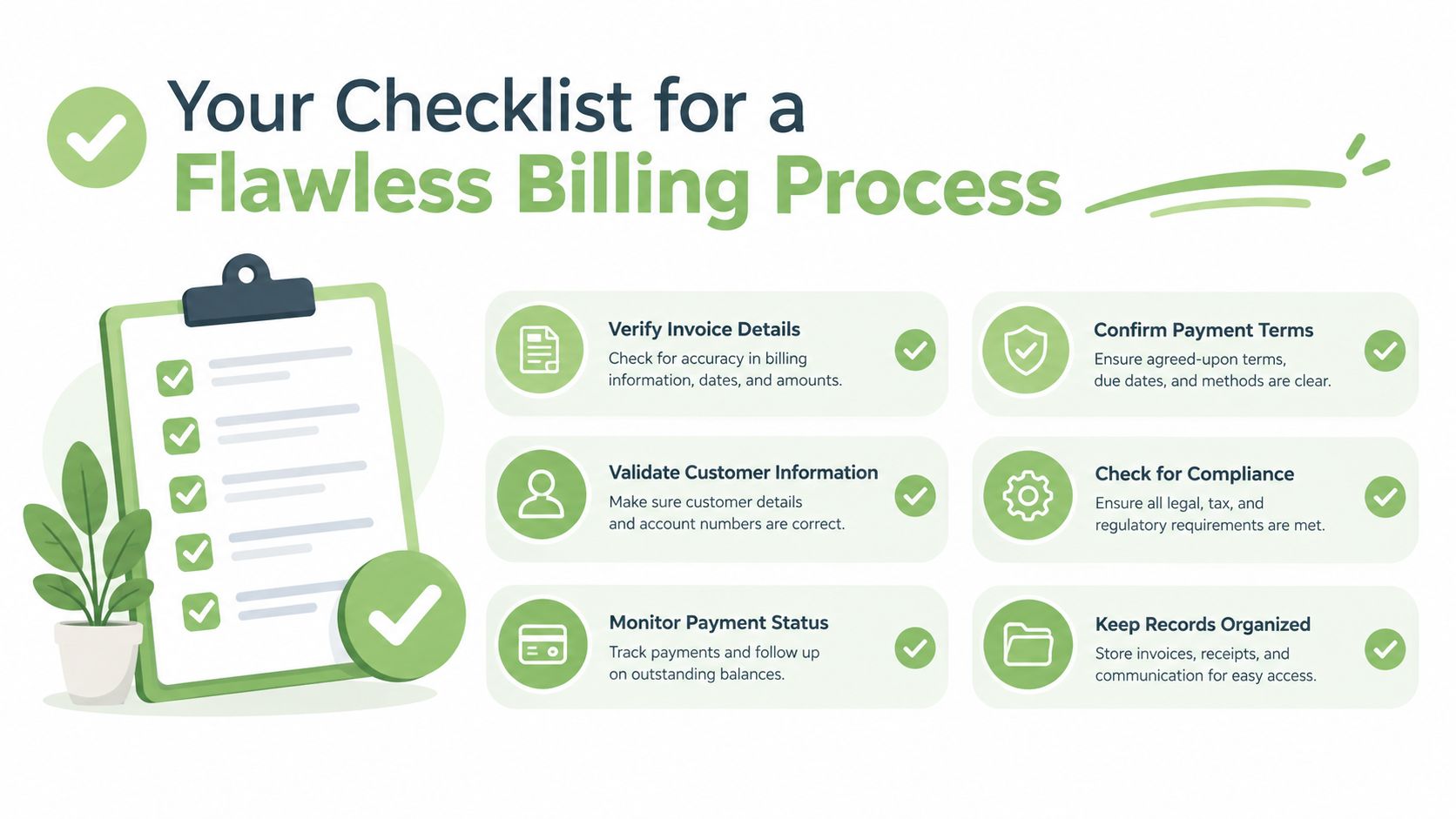
A dependable quote to invoice system should pass a short pre-send check, then continue working without constant supervision. Use this checklist before launching the workflow:
- Reusable records: Confirm that client and product details are accurate and consistent.
- Complete estimates: Include line items, taxes, notes, attachments, scope limits, and payment stages.
- Clear approval: Capture the client's acceptance against the exact estimate version.
- Controlled conversion: Generate the invoice from approved data instead of retyping it.
- Accurate balances: Record deposits, installments, credits, and other payments against the correct invoice.
- Tested checkout: Open the payment link, verify the displayed total, and check the mobile experience.
- Automated follow-up: Set reminders around the due date and overdue status.
- Regular audits: Review a sample of accepted estimates, converted invoices, payments, and status updates to catch broken rules early.
The strongest process doesn't merely create invoices faster. It preserves the approval trail, carries forward the correct commercial details, presents a direct payment action, and keeps the balance accurate after money arrives. That turns billing from a reactive chore into a controlled cash-collection process.
If manual re-entry and overdue follow-ups are slowing your business, use GetBill to create estimates, capture acceptance, convert approved estimates into invoices, and offer secure online payment through Stripe. Set up your client and product records, test the payment link, and move your next accepted quote into a tracked invoice without rebuilding it from scratch.