

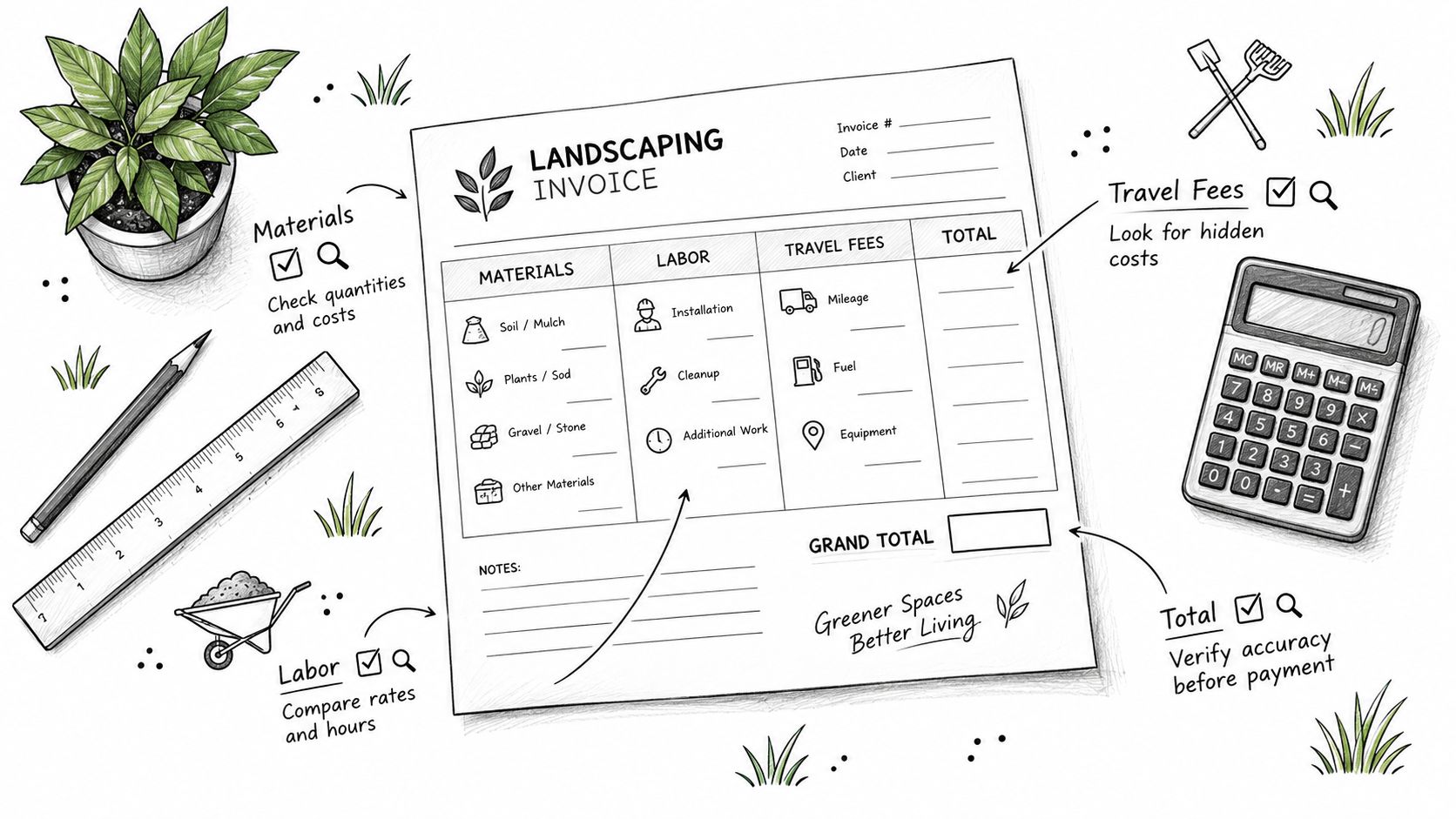
Your crew has already loaded the truck, the mulch is on site, and the client is asking when the invoice will arrive. One job includes labor, materials, travel time, and a deposit still sitting on the balance sheet, while another is a routine maintenance visit that needs to roll into next month without creating duplicate line items. That's where the best invoice template landscaping teams use earns its keep, because it makes scope, quantities, approvals, and payment status easy to verify at a glance.
A strong template isn't just attractive. It helps you itemize labor and materials, capture site-specific charges, show deposits or remaining balances clearly, and reduce the back-and-forth that slows payment. The seven options below are judged by what they capture on the job site, including recurring maintenance, milestones, approvals, travel, and payment collection. For independent professionals and small businesses, GetBill is also relevant because it supports branded invoices, estimates, partial-payment tracking, secure public links, Stripe-hosted checkout, and one-click estimate-to-invoice conversion.
Table of Contents
- 1. GetBill
- 2. Jobber
- 3. Housecall Pro
- 4. FreshBooks
- 5. Square Invoices
- 6. QuickBooks
- 7. Joist
- Top 7 Landscaping Invoice Template Comparison
- Final Thoughts
1. GetBill
A landscaping invoice works better when it matches the job card, not when it forces the office to rebuild the job from scratch. GetBill fits that kind of workflow well for independent operators and small teams that need billing to move quickly from estimate to paid status. Its branded PDFs, secure public links, Stripe checkout, partial-payment recording, and mobile apps are useful when the crew bills after site work, or when a deposit has to be tracked before the final balance clears. GetBill
The practical value shows up on mixed jobs. A planting project can start with a deposit for mulch and plants, then finish with a balance that reflects the work completed. A cleanup job may need labor, disposal, travel, and materials kept on separate lines so the client can see what drove the total. GetBill's estimate-to-invoice flow helps carry those details forward without retyping, which matters when the scope changes on-site or the client approves extras after the visit. The open balance stays visible, so payment status is easy to check without rebuilding the document.
Why it works for job-site detail
Practical rule: if the invoice has to reflect what happened on the property, use a template that preserves line-item structure from estimate to payment.
GetBill works like a billing record for the job itself. That is useful when the need is fast invoicing, not a full accounting system, payroll tool, or back office suite. The direct Stripe connection also helps with payment collection because the client pays through a hosted checkout while funds still settle to your Stripe account.
- Labor and materials: Keep crew time, plants, mulch, disposal, and equipment charges separate so the client can verify the work.
- Deposits and partials: Use them for material deposits or staged payments on larger installs.
- Approvals: Carry approved scope from estimate to invoice when the client signs off before work starts.
- Payment collection: Public payment links make it easier for a client to pay from a phone without extra back-and-forth.
For a small landscaping operator, that setup is a trade-off worth considering. It stays focused on billing instead of trying to cover every business process, which keeps the invoice structure clear when the job depends on labor, materials, travel, and payment timing.
2. Jobber
Jobber is a strong choice when your landscaping business lives in the field and the invoice has to sit inside a broader service workflow. It offers a free lawn care and landscaping invoice template, plus a platform that converts quotes and visits into invoices, sends payment follow-ups, and supports online payments. That combination helps when the same client gets recurring mowing, seasonal cleanup, and the occasional project job. Jobber
The value here is operational, not just cosmetic. A crew finishing a route can move from visit notes to billing without rebuilding the document from scratch, which is useful when jobs are time-sensitive and the office doesn't want to chase details later. The mobile apps also matter because invoice edits on-site are usually more accurate than edits made after the crew is back at the yard.
Best fit for recurring maintenance
Jobber makes the most sense when recurring maintenance is a core revenue stream. A weekly lawn account needs a repeatable structure, and a one-time hedge removal needs a different shape, but both can live in the same system. The quote-to-invoice flow also helps when a client approves extra work on-site, because you're less likely to miss the approved add-on while everything is still fresh.
The main trade-off is cost scaling. The product is built for field service, and that's great when you need scheduling, client communication, and invoicing in one place, but it can be more than a solo operator needs if the only task is sending a clean bill. Jobber is strongest when the invoice is part of a larger route, not a standalone document.
For readers comparing workflows, the handoff from estimate to payment is especially relevant, and this simpler billing workflow for service businesses shows why that path matters. Jobber fits landscaping teams that want that chain to happen inside one service platform.
3. Housecall Pro
Housecall Pro feels best for landscaping businesses that already think like home-service operators. It offers a landscaping and lawn-care invoice template guide, along with estimates, scheduling, invoicing, and payments in one CRM-style system. That matters when the job starts with a quote, changes after the site walk, and ends with an invoice sent by text or email. Housecall Pro
The strength here is communication speed. Text delivery is useful when a client rarely checks email promptly, especially after a small maintenance visit or a same-day add-on. When payment cards are stored on file, repeat billing gets easier too, which is helpful for ongoing service plans and work that follows a predictable cadence.
What it captures well
Housecall Pro does a good job of supporting the full service loop, from proposal to invoice to payment reminder. That's useful for landscaping because many jobs start as vague requests and only become precise after a crew sees the site conditions. A client may approve removal of an extra bed of debris or a minor irrigation adjustment once the foreman is on location, and the platform is built to keep that movement visible.
It's a stronger fit for growing operations than for a single-person business that only wants a template. The trade-off is complexity, because dispatch, scheduling, and CRM features can be more than you need if your invoicing process is simple. Still, when the business depends on clear internal coordination, the extra structure is often worth it.
A clean invoice gets paid faster when the client can see the approved scope without opening a separate conversation thread.
Housecall Pro is a good choice if your invoice has to reflect both job completion and client communication history. The template itself is only part of the value, the bigger gain is that estimates, reminders, and payment records all stay in the same workflow.
4. FreshBooks
FreshBooks is the most natural option for yard care professionals who need billing, recurring invoices, and lightweight accounting in one place. Its yard care template page sits alongside recurring invoices, deposit support, automated reminders, and a client portal, which makes it especially useful for seasonal maintenance plans and jobs with staged billing. FreshBooks
That mix matters when you're billing both one-off projects and repeat services. A spring cleanup may need a deposit and a balance after material delivery, while weekly maintenance might follow a recurring schedule with the same basic line items each cycle. FreshBooks handles both patterns better than a basic downloadable form, because the template can live inside a system that remembers clients and invoice history.
Strong for deposits and recurring service
FreshBooks stands out when the landscaping business needs more than a static PDF. Deposit support helps on larger installs where you need money before materials are ordered, and recurring invoices fit contracts that repeat through the season. Automated reminders also reduce manual follow-up, which is one of the biggest friction points in service billing.
The trade-off is that a more complete finance tool can feel heavier than invoice-only software. That's not a flaw if you want accounting around the invoice, but it can be overkill if your only goal is fast billing from the field. For small teams, the decision usually comes down to whether you want billing to sit beside bookkeeping or stay separate from it.
For comparison, this invoice software guidance for freelancers shows why many small operators prefer narrower tools. FreshBooks is best when the invoice is tied to a broader financial record, not just a payment request.
5. Square Invoices
Square Invoices works well when you want a flexible template and a strong payment experience without jumping straight into a heavy service platform. Square's pricing page shows custom invoice templates, recurring invoices, milestone schedules, real-time payment tracking, and card-on-file options, which makes it practical for both project-based landscaping and repeat maintenance. Square Invoices
The big advantage is simplicity for the client. If the person paying the bill can open it on any device and settle it quickly, your collection process gets smoother. That's useful when the invoice includes a small travel charge, a materials top-up, or a milestone payment on a larger installation.
Good for milestone and recurring billing
Square handles the structure that landscaping often needs, especially when work happens in phases. A design-and-install job can move from deposit to mid-project billing to final balance, and recurring maintenance can use the same platform without changing systems. That makes it easier to keep one payment workflow across mixed job types.
The trade-off is that payment processing fees apply, and broader bundles can add monthly cost. That's normal for payment-first software, but it still matters if you're invoicing low-ticket jobs frequently. Square is strongest when you value fast client checkout and a low barrier to entry over deep back-office controls.
If you're comparing payment workflows, the key question is whether the invoice needs to do more than collect money. With Square, the answer is often no, and that's exactly why some landscaping teams like it.
6. QuickBooks
QuickBooks makes the most sense when landscaping billing has to connect directly to accounting, reporting, and your bookkeeper's workflow. It offers downloadable landscaping invoice templates and branded invoices in QuickBooks Online, plus online payments, customer portal options, and project tracking at higher tiers. QuickBooks
That makes it a strong fit for businesses that want the invoice to feed the ledger without extra export steps. If you track job costs, compare project profitability, or hand records to an accountant, the value is in the integration rather than the invoice layout itself. The template is useful, but the accounting layer is the reason to choose it.
Best when invoicing can't live alone
QuickBooks is especially useful once your landscaping business starts mixing jobs, crews, and overhead. The invoice can show materials and labor, while the accounting system keeps the broader financial story intact. That matters when you need more than payment collection, because field billing often becomes messy once payroll, taxes, and project margins enter the picture.
The downside is cost and complexity. If you only need a clean invoice for a few recurring accounts, QuickBooks can feel like too much system for too little problem. But if you want one environment for billing, bookkeeping, and reporting, that overhead is often justified.
Best use case: choose QuickBooks when the invoice must flow into the books without manual re-entry.
It's also the safest option for teams that already work with accountants who expect QuickBooks files and procedures. The template is solid, but the main advantage is operational alignment with the rest of the finance stack.
7. Joist
Joist is built for contractors who need fast estimating and invoicing with a mobile-first workflow. For landscaping, that means approved estimates can become invoices quickly, itemized labor and materials stay visible, and client approvals can be captured digitally. Joist
This is especially useful for job-based landscaping, hardscaping, and projects where change orders happen after the initial visit. If the crew uncovers extra grading work, or the client approves a different plant selection on the spot, the invoice needs to reflect that change cleanly. Joist is designed for that kind of contractor communication.
Strong on approvals and itemized work
The best part of Joist is how naturally it fits the estimate-to-invoice process. You can quote on-site, get the approval, and then turn that approval into a payment request without rebuilding the document. That keeps the job history tight and reduces errors when labor and materials shift during the project.
It's a particularly good fit for businesses that sell work by job, not by schedule alone. Maintenance routes are fine, but the product's real strength is in one-off or staged projects where the invoice must explain what was approved and what changed. The mobile-first design also helps crews who spend more time on properties than at desks.
For a closer look at how estimate structure affects billing, this estimate-to-invoice template guidance is a useful reference point. Joist is best when you want a contractor-style workflow and not a broad finance suite.
Top 7 Landscaping Invoice Template Comparison
| Product | Implementation Complexity 🔄 | Resource Requirements ⚡ | Expected Outcomes ⭐📊 | Ideal Use Cases 💡 | Key Advantages |
|---|---|---|---|---|---|
| GetBill | Low, focused billing setup; Stripe connection required 🔄 | Paid tiers (Starter/Pro/Business) + Stripe account ⚡ | ⭐ Fast invoicing & payments; 📊 real‑time reconciliation | Freelancers, consultants, small teams needing quick billing 💡 | One‑click estimate→invoice; direct Stripe payouts; mobile apps |
| Jobber | Moderate, field‑service setup (scheduling, crews) 🔄 | Subscription scales with users/features; payment fees apply ⚡ | ⭐ Improved route/job efficiency; 📊 automated follow‑ups/reminders | Lawn‑care crews, recurring maintenance routes 💡 | Strong automation for batch/recurring jobs; crew mobile tools |
| Housecall Pro | Moderate, CRM + dispatch configuration 🔄 | Subscription plus add‑ons/processing fees; onboarding resources ⚡ | ⭐ Professional dispatch/invoicing; 📊 faster client responses | Home‑service businesses including landscaping 💡 | Text invoicing; cards‑on‑file; comprehensive field tools |
| FreshBooks | Low‑Medium, simple setup with accounting lite features 🔄 | Tiered subscription; add‑ons can increase cost ⚡ | ⭐ Reliable recurring billing & dunning; 📊 client portal flows | Solopreneurs and small teams wanting light bookkeeping 💡 | Easy to learn; strong automations for reminders & deposits |
| Square Invoices | Low, minimal setup; pay‑as‑you‑go option 🔄 | No required monthly fee for core; per‑transaction fees ⚡ | ⭐ Fast client payments; 📊 good payment tracking | One‑off projects and recurring maintenance 💡 | Easy start (no monthly); excellent payment UX across devices |
| QuickBooks | High, full accounting suite setup & learning curve 🔄 | Higher subscription cost; integrations and accountant access ⚡ | ⭐ Integrated invoicing + bookkeeping; 📊 advanced reporting | Businesses needing full accounting and reporting 💡 | All‑in‑one accounting + invoicing; broad accountant ecosystem |
| Joist | Low‑Medium, contractor workflows, mobile first 🔄 | Mobile app; verify current pricing/tiers; payment fees ⚡ | ⭐ Fast onsite estimates→invoices; 📊 clear itemized job totals | Contractors, job‑based landscaping and hardscaping 💡 | Mobile estimating, digital signatures, itemized templates |
Final Thoughts
The best invoice template landscaping businesses choose is the one that matches how the job gets sold and completed. If you mostly handle one-off installs and need clean approval tracking, Joist and Jobber are strong picks. If your work is recurring and the payment loop matters as much as the document itself, FreshBooks, Square Invoices, and Housecall Pro have clear advantages.
For operators who want a lighter billing stack, GetBill is the most focused option here. It handles branded invoices, estimates, partial payments, secure public links, and Stripe checkout without dragging in a full accounting suite, which is exactly what many small landscaping businesses need. The test is whether your invoice helps the client verify labor, materials, travel, deposits, milestones, and the remaining balance without asking for a separate explanation.
Yard care billing has changed because the work is more structured than it used to be. A 2025 yard care industry report found that 72% of yard care professionals were using invoicing software, 71% collected payment within invoice terms, and only 8% waited a week to bill customers, which shows how much the document has become a real workflow tool rather than a paper afterthought. Across small businesses, the scale of late payment is still a problem, with 56% owed money from unpaid invoices and an average of $17,500 in unpaid invoices each, while 59% reported invoices overdue by 30+ days in 2026, up from 47% the year before, according to Intuit QuickBooks. For yard care teams, that means the template isn't a formality, it's part of cash flow control.
If your current invoice still leaves room for confusion around deposits, recurring maintenance, or job-site extras, it's time to simplify the workflow. Choose the tool that matches your billing style, then make sure every invoice shows what was done, what was approved, and what's still owed.
If you want a landscaping invoice process that's fast, branded, and built around payment collection, GetBill is worth a close look. It gives independent professionals and small businesses a simple way to turn estimates into invoices, track partials, and collect payment through Stripe without cluttering the workflow.