

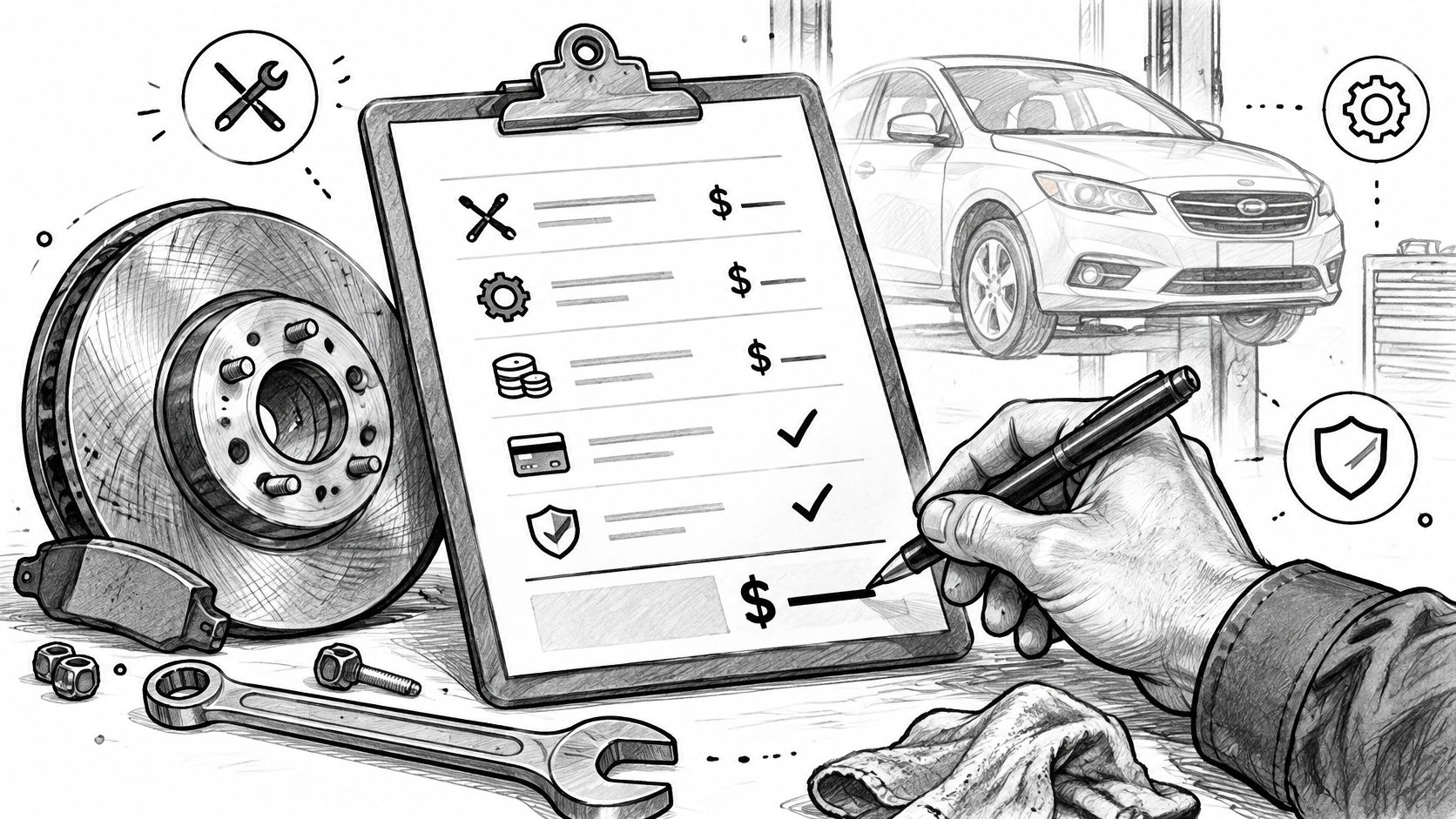
A brake job gets approved by phone on Tuesday, finished in the bay on Friday, and billed on Monday as a single number. The customer calls back asking what that number covers, and the honest answer lives in a text thread, a technician's memory, and a parts receipt in the office drawer.
That gap is what a working auto mechanic invoice template is supposed to close. Most template advice stops at fonts, a logo and a tidy parts-and-labor table. The part that decides whether an invoice survives a dispute is narrower: whether every charge traces back to an approval the customer gave, and whether the fields on the page match what your state expects to see.
The layout below is built around those two tests, in the order a shop fills the page.
Table of Contents
- Required Fields Every Repair Invoice Needs
- Sample Invoice Layout for a Brake Job
- How to Build the Invoice from the Repair Order
- Labor, Parts and Markup Lines That Hold Up
- State Rules That Change Your Template Fields
- Diagnosis, Declined Repairs and Changed Totals
- Sales Tax, Records and Payment Evidence
- Test One Job Before You Use the Template
Required Fields Every Repair Invoice Needs
A car comes in on Thursday. The customer approves front brakes by phone, picks the vehicle up Friday, and the invoice that goes out Monday reads "brakes" and a total. Nothing on the page says which axle, what parts went on, how many hours the job took, or who said yes to the work. When the customer questions the amount, the shop rebuilds the week from memory.
Treat the template as a labor and parts record, not a receipt with a logo. Each field should let a stranger follow one charge back to an approval and back to work that was performed.
Keep labor hours and the rate billed to the customer in separate fields. Record the rate the customer approved so the labor total can be recalculated from the invoice.
The Fields, in the Order a Shop Fills Them
| Field | What to Record | Why It Matters |
|---|---|---|
| Shop details | Business name, address, phone and state registration number | Florida requires a registration number on the invoice |
| Customer and vehicle | Customer contact, vehicle year, make, model and VIN | Ties the invoice to one vehicle record |
| Odometer reading | Record the current reading on the final invoice where required. Keep the intake reading in the job file if useful. | Florida requires the current odometer reading on the final invoice. |
| Invoice number | Unique sequential number | Makes missing or voided invoices easy to spot |
| Dates | Invoice date, drop-off date and completion date | Shows the timeline of the job |
| Authorization | Date, time, approver and method. Keep the authorization record with the job. | Shows the customer approved the scope before work began |
| Diagnosis and work performed | Findings and the corrective work completed | Explains what actually fixed the problem |
| Labor lines | Hours and approved rate for hourly work, or the authorized flat charge | Florida requires disclosure of the labor method on the written estimate. |
| Parts lines | Part description, part number, quantity, unit price and condition | Check the applicable replacement-part disclosures for Florida or California. |
| Tax, discounts and payments | Pre-tax subtotal, tax rate, discounts, deposits and balance due | Shows what the customer still owes |
| Warranty terms | Duration and mileage limit for each warranty | A warranty without limits is hard to enforce |
Do this once: copy the field list into a spreadsheet or an invoicing tool, then mark two things on it, every field your state requires and the two or three fields customers ask about most. Those marked fields become mandatory on the template; everything else stays optional.
Shops in Florida can't treat the registration number or the odometer reading as extras. Shops anywhere can treat the authorization date as the first thing a reviewer will look for.
Sample Invoice Layout for a Brake Job
A customer authorizes half an hour of diagnosis, then approves front and rear brake work. Here is how that job lands on one page before any of the build steps.
| Line | Item | Part number | Qty | Rate or unit price | Hours | Line total |
|---|---|---|---|---|---|---|
| 1 | Diagnostic labor | N/A | N/A | $110.00/hr | 0.5 | $55.00 |
| 2 | Front brake labor | N/A | N/A | $110.00/hr | 1.5 | $165.00 |
| 3 | Front brake pad set | PAD-F | 1 | $80.00 | N/A | $80.00 |
| 4 | Front rotors | ROTOR-F | 2 | $65.00 | N/A | $130.00 |
| 5 | Rear brake labor | N/A | N/A | $110.00/hr | 1.0 | $110.00 |
| 6 | Rear brake pad set | PAD-R | 1 | $60.00 | N/A | $60.00 |
Labor subtotal $330.00 + parts subtotal $270.00 = pre-tax subtotal $600.00. Assuming, for illustration, a 7% tax on parts only, tax is $18.90 and the invoice total is $618.90. Apply the $150.00 deposit received to leave a balance due of $468.90.
The table keeps diagnosis, front and rear labor, and each part on its own row so the customer can trace every amount. Part codes and prices are hypothetical. The SAAT Repairs Corp brake service breakdown explains the typical work behind those lines.
Below the grid, record the applicable tax jurisdiction and rates, the total, payments applied and the balance due. Keep the odometer reading and applicable warranty terms with the invoice. The taxable items and rate in this example are illustrative. Check the rules that apply to your shop.
How to Build the Invoice from the Repair Order
The invoice is a copy of a decision the customer already made. Writing it from memory at the end of a long Friday is how approved work and billed work drift apart. A numbered routine keeps the two versions of the job tied together, and it produces the approval trail that settles a dispute before one starts.
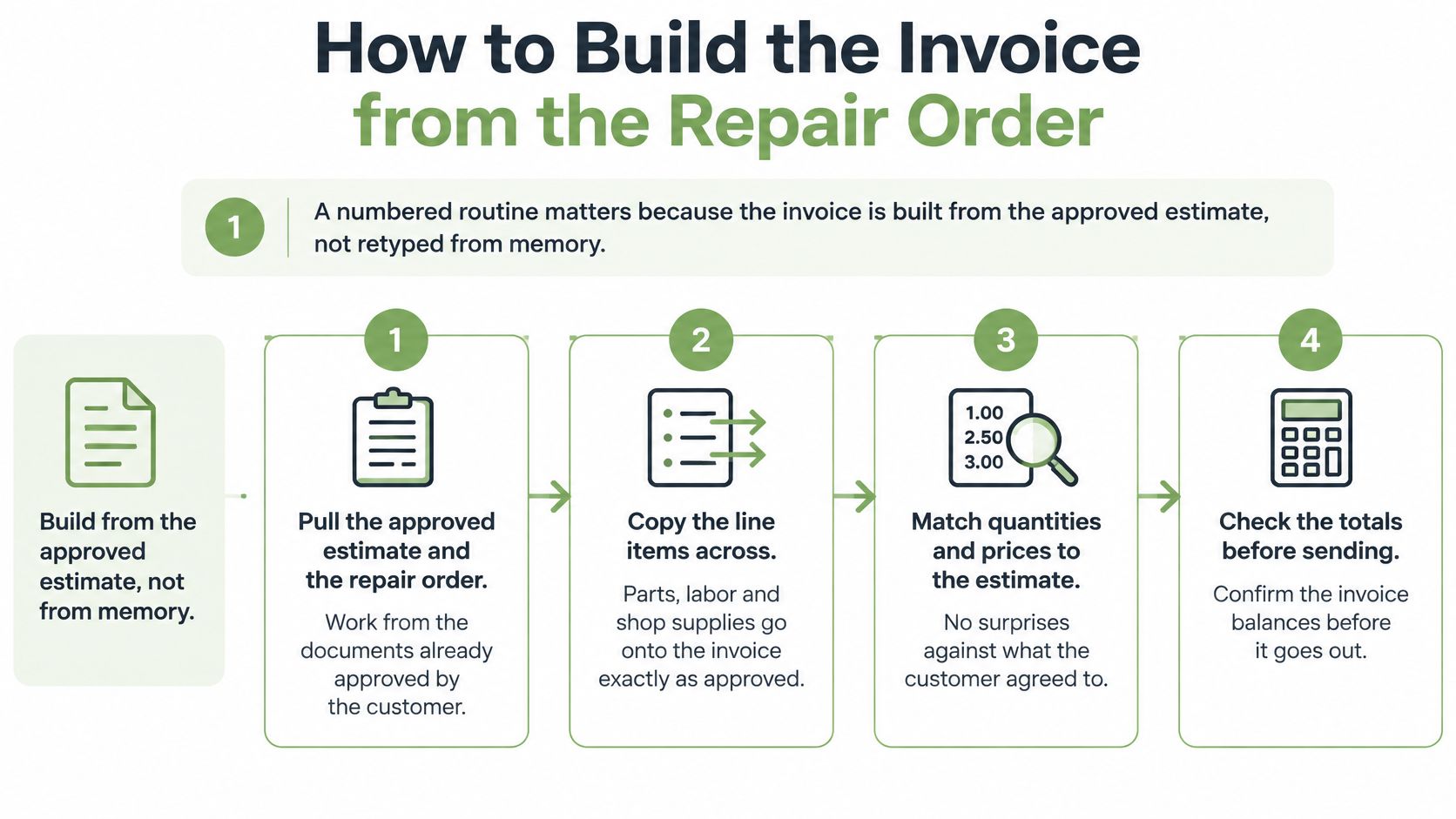
- Pull the approved estimate and the documented authorization. In California, California Bureau of Automotive Repair guidance permits written, oral or electronic authorization. For oral or electronic approval, record the date, time, approver and applicable phone number or email. Keep that record with the repair order. Convert the approved estimate to an invoice to carry the billing lines across.
- Record the customer, the vehicle and the odometer in and out. California's Bureau of Automotive Repair treats the work order as the record of the requested repairs, the estimate, customer authorization and the odometer reading, and its invoice guidance requires separate descriptions and prices for every service, repair and part, followed by labor and parts subtotals, applicable sales tax and the total (California Bureau of Automotive Repair work order and invoice guidance). Copying those fields from the repair order keeps the invoice inside the same authorization instead of creating a second, slightly different version of the job.
- Write one line per operation. Hours, rate and tax status on each line. A generic "repair" row hides which operation was approved and which was added later. Add a unit or fleet number when it helps the customer identify the vehicle billed.
- List every part separately. Part number, quantity, unit price, condition label and any markup. Bundling a set of parts into one charge is the fastest way to lose the argument about whether a part was replaced at all.
- Itemize diagnostic time, supplies used and any permitted disposal charges. Check local rules before billing these amounts. California requires itemizing supplies used on the specific vehicle and prohibits generic shop-supplies charges.
- Reconcile before sending. Approved estimate total, then authorized changes, then completed line items, then the invoice total. If those four don't agree, the difference needs a line and an explanation. Rounding the total until it matches is how disputes start.
- Apply tax by jurisdiction, then record payments as applied amounts. A deposit shows its date, method, amount applied and remaining balance. It records money already received toward the job, not a second sale.
- Number sequentially and file with the estimate. The job file holds the estimate, the approvals and the invoice together. That bundle is what makes a later question answerable in one look instead of an afternoon of digging through the cabinet.
What a Finished Invoice Looks Like
Every line traces to an approval, the balance matches the reconciled total, and a customer reading it cold can tell what was diagnosed, what was fixed, what it cost and what is still owed. If any part of that test fails, the invoice isn't finished.
Labor, Parts and Markup Lines That Hold Up
ARI analyzed 568,266 work orders from 1,780 U.S. independent shops that used its software between November 2025 and October 2026. The median shop’s average repair order was $612, with the middle half of shops between $417 and $885. A typical individual order was about $360, and labor was about 53% of the typical bill in that sample. Read the ARI benchmark.
Run the arithmetic on a $360 ticket. Labor at 53% implies about $191 in labor and $169 in parts or other charges before tax. Presented as one total, neither half can be checked. Presented as two subtotals, the customer can see the hours and the parts and argue with the part they disagree with rather than the whole bill.
ARI also reported median hourly labor rates of $100 to $125 and parts markups of 27% to 36% across its shop groups. Use your own authorized rates. In a separate look at collision repairs, CCC Intelligent Solutions reported a 4.7% rise in labor rates and a 3.7% rise in total repair costs in 2024.
Turning the Numbers into Line-Item Rules
- Show the parts math. Quantity, unit price, markup or discount, and line total on every part, so a $74 rotor and a $148 pair of rotors never look like the same charge.
- Keep diagnostic hours on their own row. Diagnostic time is the line customers question most, and a separate row with approved hours answers the question before it's asked.
- State the labor method. Hourly, flat-rate or both, named on the document. An itemized billing statement that mixes methods without saying so invites a comparison the shop can't win.
- Never ship an unexplained total. If a line exists, its derivation should be visible.
The test: hand the invoice to someone who wasn't in the shop and ask them to explain how the total was calculated. If they stumble, the customer will too.
State Rules That Change Your Template Fields
Copying a template from a shop two states away is how an invoice ends up missing a field that matters where you operate. Repair documentation isn't standardized across the United States, and the gaps aren't cosmetic.
Florida separates the written estimate under Fla. Stat. § 559.905 from the completed invoice under Fla. Stat. § 559.911. California likewise separates the pre-work estimate and documented customer authorization from the final itemized invoice. Check your local repair regulator before adopting the template.
| Jurisdiction | Fields the Source Requires | Template Action |
|---|---|---|
| Florida | Written estimate: disclose hourly or flat-rate labor, or both. Final invoice: current date and odometer reading, description of work, itemized charges, applicable warranty and part-condition disclosures, and shop registration number. | Keep estimate disclosures separate from final invoice fields. Document customer authorization for changes when applicable. |
| Michigan | Local requirements are outside the scope of these sources. | Confirm required fields with the state consumer protection agency. |
| California | Estimate before authorization. Final invoice: dealer registration and business details, separately priced work and parts, applicable part-condition disclosures, labor and parts subtotals, tax and total. | Record how the customer authorized the job and keep the required details with the estimate and job file. |
| Other states and countries | Local requirements are outside the scope of these sources. | Verify with the authority that regulates repair shops in your jurisdiction. |
Build a Neutral Core, Then a Local Layer
The workable approach is a jurisdiction-neutral core (shop, customer, vehicle, odometer, dates, authorization, labor, parts, tax, payments, balance) plus a compliance layer for the market the shop operates in. Capture authorization before work starts, timestamp every approved change, record part condition at installation, and get a completion sign-off from the technician. Issue a legible copy and retain the estimate, the approvals and the invoice as one file, because that chain is what holds up when a customer disputes a charge months later.
The second common failure is displaying a warranty promise with no duration or mileage limit. A warranty without limits is a promise the shop can't administer and the customer can't rely on.
Treat the template as a configurable document schema rather than a fixed legal form. GetBill does not warrant that invoices, estimates, reports, calculations, templates, payment links, tax settings or business records generated through the service will meet legal, tax, accounting or regulatory obligations, so the verification step stays with the shop.
Diagnosis, Declined Repairs and Changed Totals
A customer approves an hour of diagnosis, hears five recommended repairs, and signs off on three. The final bill lands above the estimate because a seized fastener stretched a routine job into a longer one. Invoices lose arguments in exactly this gap between approved scope and final total, a scenario most template advice skips entirely.
In Florida, Fla. Stat. § 559.905 generally requires a written estimate before diagnostic or repair work when the requested repair will cost the customer more than $150, subject to the law’s waiver provisions. The estimate discloses whether labor is hourly, flat-rate or both. The final invoice requirements are in Fla. Stat. § 559.911. For applicable changes or charges above the estimate, follow the notification and authorization rules in Fla. Stat. § 559.909.
Record the authorized diagnostic work and the findings first. Mark declined recommendations as not performed and do not charge for those repairs. Record approved changes with the date, time, approver and method, and keep the supporting communications when applicable. Reconcile the approved estimate and changes against the final invoice.
Transparency is a documented trail. The invoice records uncertainty as it was found and pairs each material change in scope with a fresh approval. That is a more honest promise than a locked estimate, because it shows the customer exactly where the number moved and who said yes.
Estimates do not always come from the shop. An insurer or an appraiser may prepare one, and the final cost can legitimately differ when original-equipment, aftermarket or used parts end up on the vehicle. The invoice should explain that substitution on its own line rather than absorbing it into a new total.
| Situation | What the Invoice Shows | What to Keep With It |
|---|---|---|
| Diagnosis authorized, no repair yet | Diagnostic labor as its own line with approved hours | Documented diagnostic authorization and findings |
| Customer declines some recommended repairs | Declined items listed as not performed, with no charge | Dated record of the customer's decision |
| Supplement after work starts | Added line marked as an approved change, with approval details | Approval record with date, time, approver and method, plus the original estimate |
| Final total above the estimate | Estimate and actual amounts side by side, with each change explained | Supplier invoices and notes on each substitution |
| Used, rebuilt or customer-supplied part | Part condition or source labeled on its own line | Supplier invoice or the customer's written part request |
A two-sentence variance note at the bottom of the invoice ends most of these conversations before they start. Name the change, name the approver, and show the dollar difference between the estimate and the final total. When the customer questions the bill weeks later, that note is the difference between a documented approval and an unexplained charge.
Sales Tax, Records and Payment Evidence
Parts, labor, shop supplies and towing may be taxed differently. Verify what is taxable, at which rate and in which jurisdiction with the applicable state or local tax authority before configuring the template.
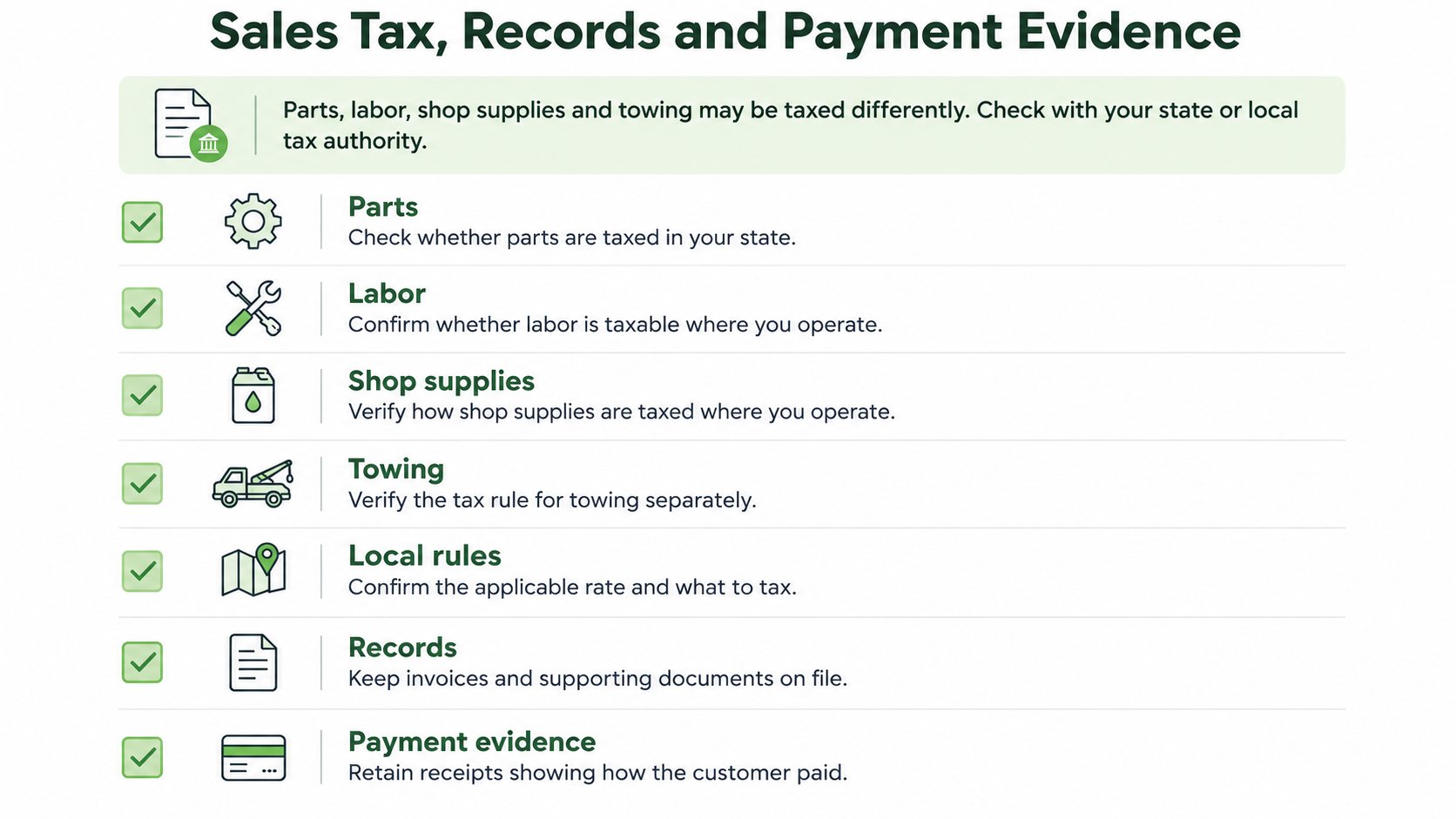
Four questions settle the setup: are parts taxable in your state, is labor, how are shop supplies treated, and does towing or a bundled service carry a different rule. Once those are answered, the document should show the jurisdiction and the rate, the pre-tax subtotal, each tax on its own line, the total charged, payments received and the total amount due. Splitting the tax lines this way is what lets a customer or an auditor see exactly which rule was applied to which charge.
Records are the second half of the same job. Sequential invoice numbering makes a missing or voided document obvious at a glance, and filing the estimate, repair order, supplier parts invoices and payment evidence under one job or vehicle number turns a stack of paper into a file you can defend. When a customer disputes a charge months later, that job file is the approval trail: what was quoted, what was authorized, what was substituted and what was paid.
Put Payment Terms in Writing Before the Work
State the due date on the invoice, whether that means due on receipt or within 15 days. List the accepted payment methods, the deposit policy and what happens to an unpaid balance. Check your state's rules on late fees and finance charges before printing either on the document, because phrasing that is fine in one state can be unenforceable in another.
The business issuing the invoice remains responsible for the goods or services, the payer relationship, payouts, chargebacks, refunds, disputes, taxes and compliance obligations. A well-built template supports those records. It does not replace them.
Test One Job Before You Use the Template
Before the template goes to a second customer, run it against work that's already closed. The point is to find the missing field on a finished job, where a mistake costs nothing, rather than on a live dispute.
- Identify the tax rules for your location and the jurisdiction you print on each invoice.
- Compare the template against the required fields for your state, using the jurisdiction table above.
- Rebuild one closed job from the last few months: its estimate, approvals, invoice and payment record.
- Check the arithmetic. Every line traces to an approval, the line totals add up to the invoice total, and the balance due matches the payments recorded.
- Ask about anything unclear on the tax side before it reaches a customer, with your state revenue department or a qualified tax adviser.
Then change what the test exposed. Add the missing field, split the bundled charge, rewrite any warranty term that lacks a time or mileage limit.
Once the shop has documented the customer’s approval, you can convert the estimate into an invoice in GetBill using the existing line items. Download the invoice as a PDF and record any partial payments received to track what remains due.
Use GetBill to create an itemized estimate, convert it to an invoice, share the PDF and record deposits or other partial payments. Keep the shop’s repair order and approval records with the job.