


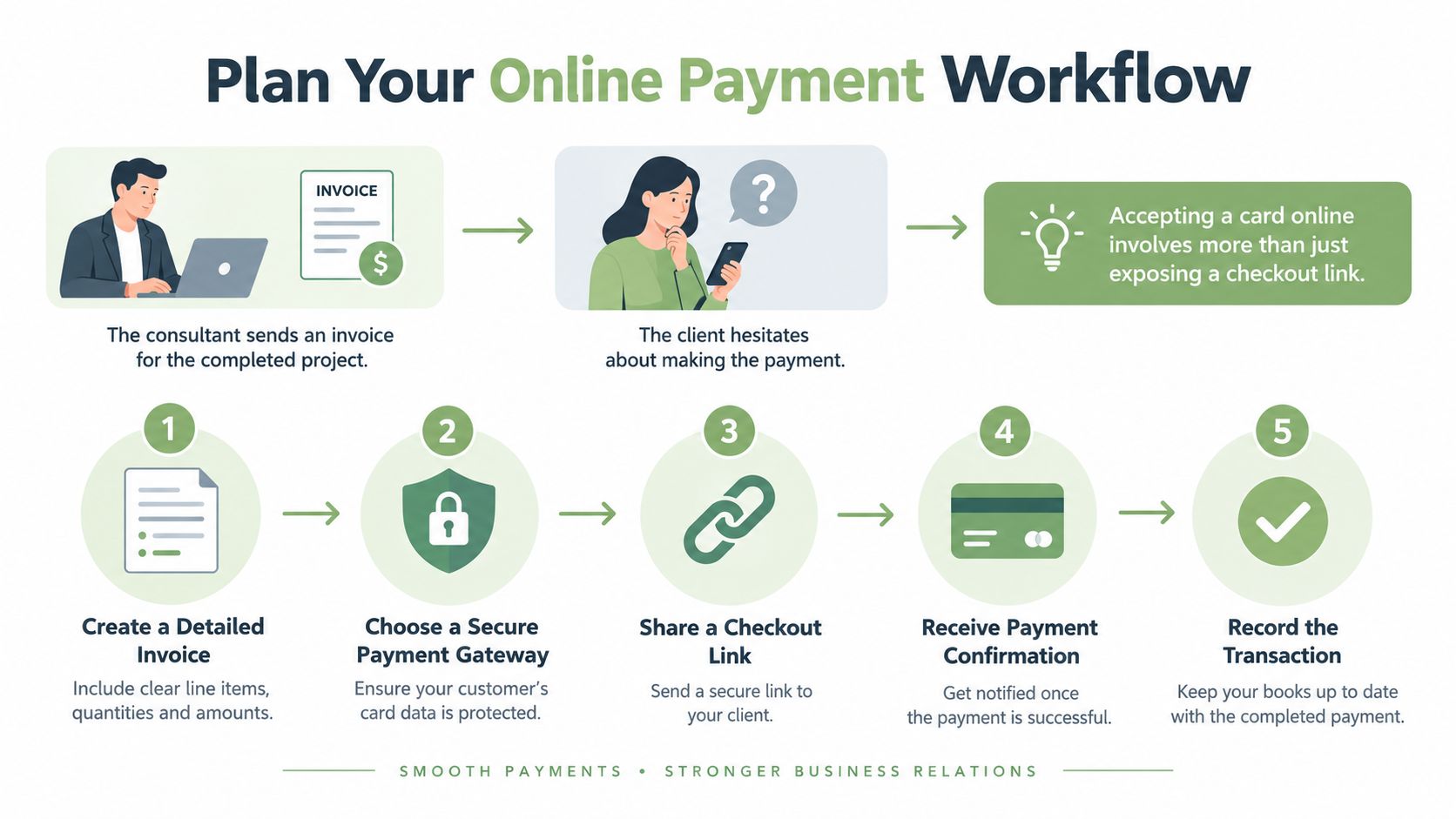
A consultant finishes a project, emails the invoice, and waits. The client opens it on a phone, can't tell whether the total includes a deposit already paid, and puts it aside. Nothing failed technically, yet payment stalled. Learning how to accept payments online starts by removing that uncertainty, not by adding a checkout button.
Table of Contents
- Plan Your Online Payment Workflow
- Choose a Processor and Prepare Your Business
- Create and Review the Client Invoice
- Connect Stripe and Share Secure Checkout
- Match the Payment Choice to the Client
- Test Payments and Resolve Failures
- Launch and Maintain Your Payment Process
Plan Your Online Payment Workflow
That stalled invoice usually has several small causes. The amount may not match the approved estimate, the payment action may be buried, or the client may not know how to confirm that payment went through. A dependable workflow treats the invoice, checkout, confirmation, and record as one sequence.
The World Bank reported that 64% of adults globally made or received at least one digital payment in 2021, while readiness differed substantially by region, according to the World Bank Global Findex 2021 chapter on digital payments. That gap matters in practice. Clients who pay online every week need little guidance, while others need clear instructions and a workable alternative when a preferred method isn't available.
A Five Part Readiness Check
- Prepare: Confirm the scope, price, currency, due date, and any deposit before issuing the document.
- Configure: Connect an approved processor account and verify which methods and currencies it supports.
- Share: Send one clear payment path, with the balance due visible before checkout begins.
- Verify: Mark the invoice paid only after a confirmed processor event, not after a browser redirect.
- Retain: Keep the invoice, confirmation, processor record, and delivery evidence together.
Owners should also decide early whether jobs normally require a deposit, staged payments, or a final balance after delivery. That choice affects invoice wording and follow up. Clear invoice payment terms set expectations before work starts and reduce questions at checkout.
The general practices are the owner's responsibility. The processor controls account approval, checkout availability, authentication, settlement, and dispute handling. Keeping those roles separate prevents wasted troubleshooting later.
Choose a Processor and Prepare Your Business
Processor selection is an operational decision, not a hunt for the longest feature list. The central question is where card data gets collected. A processor hosted payment page keeps raw card numbers out of the invoicing workflow, while collecting card details inside another application exposes the business to far more security work.
Hosted checkout doesn't erase merchant responsibility. PCI SSC tokenization guidance explains that tokenization can reduce card data risk when implemented securely, but secure token generation and mapping, authentication, credential protection, and a compliant environment remain necessary responsibilities. The practical lesson is simple. Let the processor handle card collection, and don't store card numbers in email, notes, or spreadsheets.
Run a Setup Audit Before Configuring Anything
Confirm the legal business name, contact details, bank payout information, and identity documents the processor may request. Decide which currency invoices will use and how service descriptions will appear to clients. Write refund, cancellation, and deposit terms in plain language before the first transaction creates pressure to improvise.
Fee presentation also needs a decision. Show clients the amount they owe and explain any tax or fee treatment that applies to the specific service and jurisdiction. Don't borrow fee rules from unrelated industries and assume they govern ordinary service invoices.
Regional availability deserves equal attention. A processor may support a business in one country but limit methods, currencies, or settlement timing in another. Owners comparing broader payment gateway options for small businesses should test those limits against actual client locations, not against a generic capability chart.
| Client situation | Practical approach | Main trade-off |
|---|---|---|
| Completed one time service | Send a full balance invoice with hosted checkout | Simple reconciliation, but a large total may prompt questions |
| Staged project | Invoice a deposit, then track later payments against the same job | Better cash flow, but more balance tracking |
| Client cannot use the online method | Agree on an offline alternative and record it manually | Keeps the job moving, but removes automatic confirmation |
| Cross border client | Confirm currency and method support before sending the link | Fewer surprises, but setup takes longer |
Practical rule: Choose the processor that fits the clients and regions already served, then expand methods only when a real payment pattern justifies the added reconciliation work.
A manual fallback completes the preparation. When a card is declined or a method is unavailable, the client needs a named contact and a next step, not a dead end.
Create and Review the Client Invoice
The invoice is the control point for the entire transaction. If the document is vague, hosted checkout moves confusion to a payment page. A photographer, for example, should separate the session, editing, prints, travel, and any deposit already received instead of sending one unexplained total.
Start from the estimate the client approved. Carry forward the same service descriptions and quantities, then flag every scope change in writing before issuing the final document. Reconciling those documents early is one of the simplest ways to avoid the three week invoice chase that starts when a client questions a line they don't recognize.
Build the Document From Reusable Records
An invoicing workflow can store client details and recurring services so names, rates, and descriptions stay consistent across jobs. Converting an approved estimate into an invoice preserves that history. It doesn't, by itself, prove that the client approved a revised scope, so changed work still needs explicit confirmation.
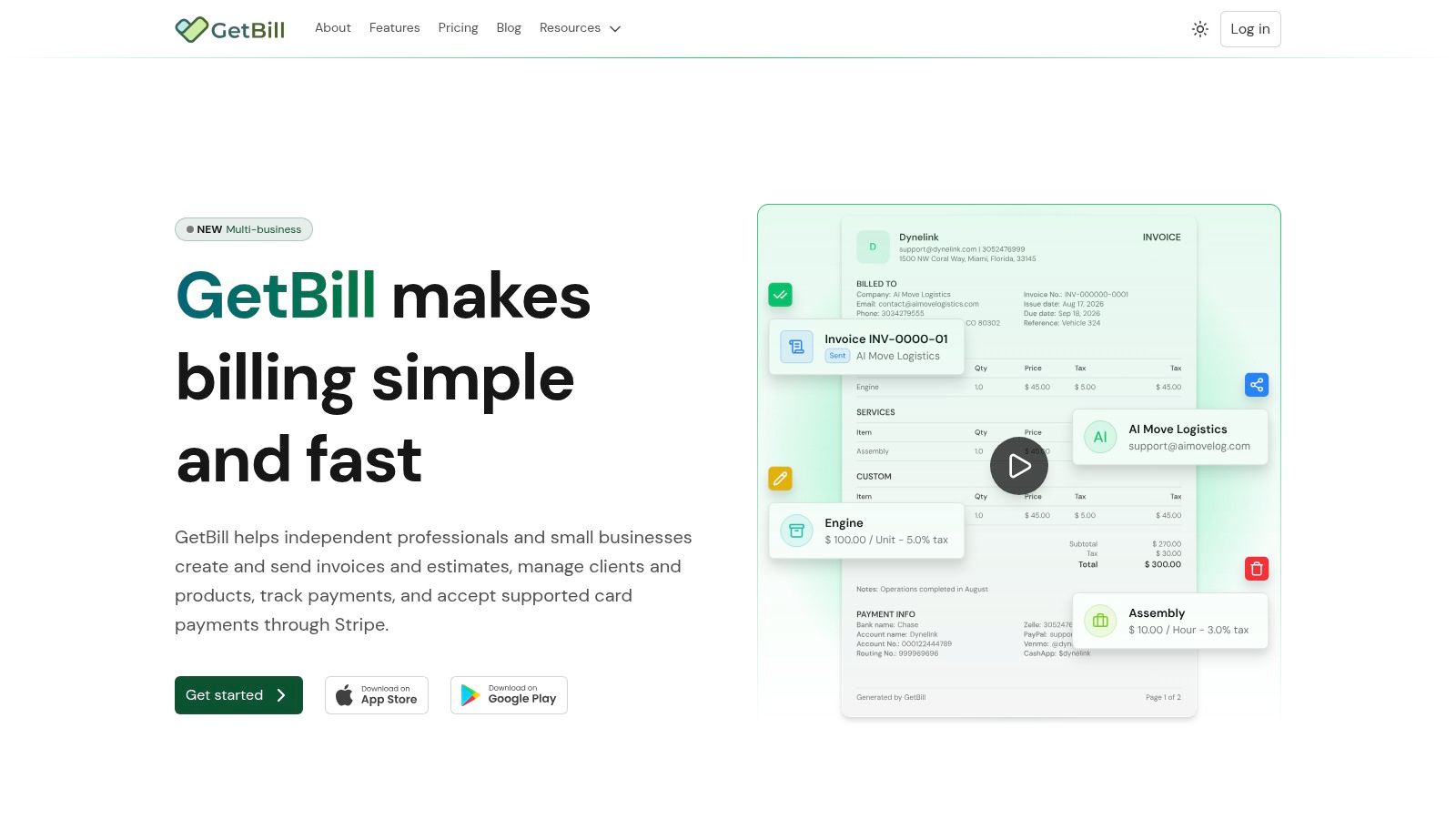
Branded PDFs and shareable links help clients verify that the request came from the business they hired. Consistency matters more than decoration. The business name, invoice number, service date, and contact details should match across the estimate, invoice, email, and payment page.
Before sending, check the details covered in guidance on payment information to include on an invoice. Confirm the currency, due date, deposit credit, remaining balance, and any tax or fee line. Then compare the total against the approved estimate one final time.
- Services rendered: Describe completed work in terms the client used during approval.
- Amounts: Show quantities, rates, subtotal, deposit applied, and balance due separately.
- Timing: State the service date and payment due date without relying on vague language.
- Next action: Make the payment link the obvious step, with a contact route for questions.
Records created here also support US federal tax reporting. IRS guidance on Form 1099-K says income from goods, services, or property must be reported even when a business receives no Form 1099-K, and self employed individuals generally report business payments on Schedule C, Form 1040. Retaining the invoice with the later payment record helps reconcile gross receipts, refunds, and processing expenses. Federal recordkeeping guidance doesn't create a universal invoice format or decide state sales tax treatment.
Connect Stripe and Share Secure Checkout
With the invoice reviewed, the payment path can be connected. Eligible users connect a Stripe account, enable supported online card collection for the invoice, and share a public invoice or payment link. In that arrangement, GetBill provides the invoicing and sharing workflow, while Stripe processes the card payment through the connected account.
That separation matters when something goes wrong. The invoicing tool controls the document and its recorded balance. Stripe controls account eligibility, card acceptance, authentication challenges, settlement, and the underlying transaction status. Payment availability depends on the connected account and region.
Send Clients to Hosted Checkout
Share the link through the normal invoice channel and keep checkout on the processor hosted page. Clients should never be asked to send raw card details by email, text message, or voicemail. The public invoice should show the business, amount, currency, and balance due before the client enters payment details.
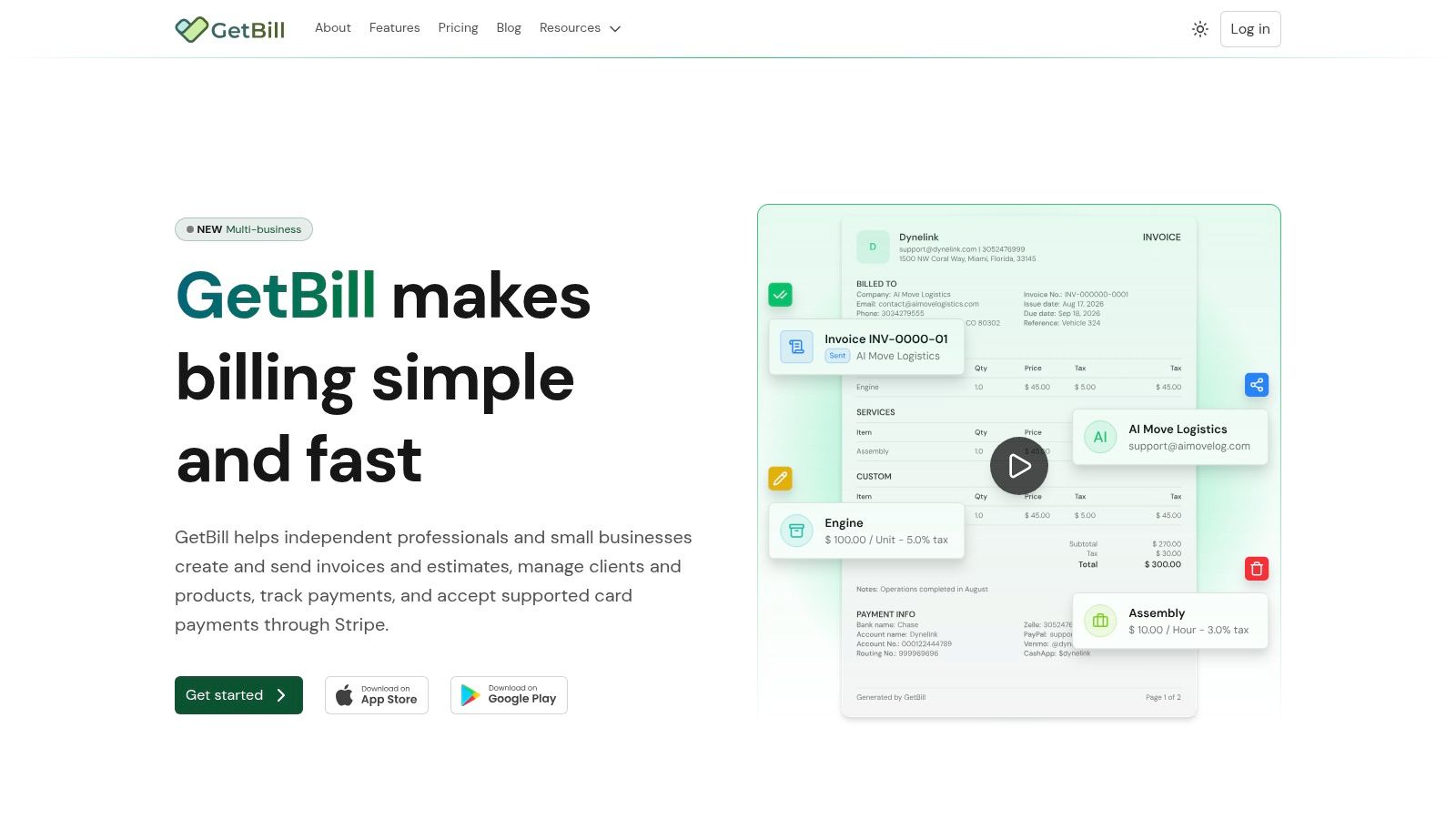
A clear explanation of how a Stripe checkout page fits into invoicing helps owners set the right expectation. The client leaves the invoice view to pay on a secure page, then returns after the processor finishes its checks. That return screen is useful feedback for the client, but it isn't the accounting evidence.
A browser redirect shows where the client landed. A verified processor event shows whether money was actually authorized and captured.
Post Payment From a Verified Event
A sound implementation confirms payment through a verified server side webhook before changing the invoice status. It records the processor transaction ID, invoice ID, amount received, currency, payment status, timestamp, and outstanding balance. Those fields allow the owner to trace one client payment from checkout to the invoice ledger.
Retry handling must be idempotent. Processors may deliver the same event more than once, and the system shouldn't create duplicate deposits when that happens. Amount and currency also shouldn't change after checkout creation, because the authorized transaction must match the invoice presented to the client.
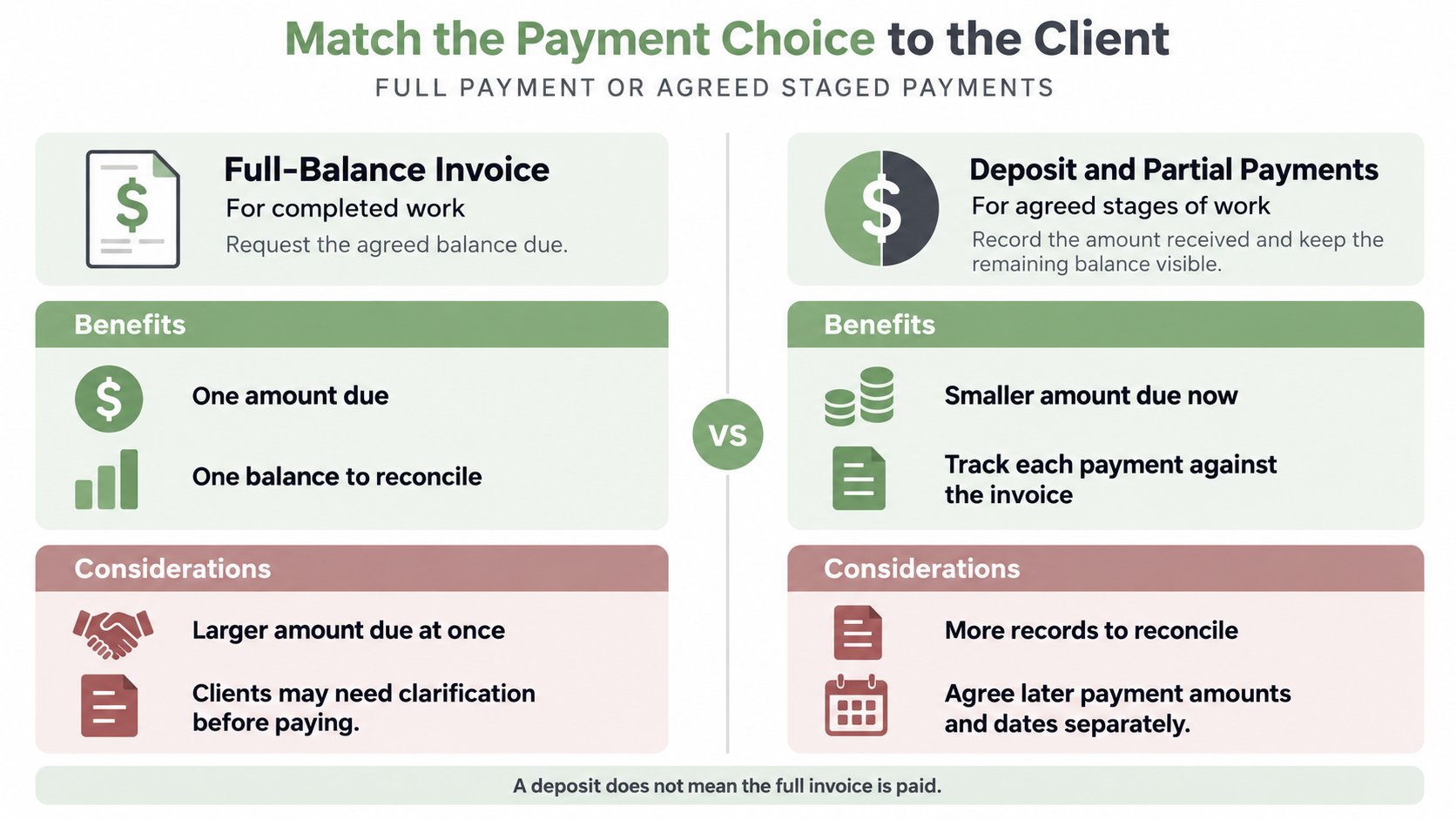
Partial payments need the same discipline. If a client pays a deposit, record that deposit and leave the remaining balance open. Don't mark the full invoice paid because one successful transaction exists. The posted amount, not the presence of a success screen, determines the balance.
Finally, send a confirmation that states what was received and what remains due. A client who paid in full needs closure. A client who paid a deposit needs the next milestone and balance in plain view.
Match the Payment Choice to the Client
Accepting a card and helping a particular client complete payment aren't the same achievement. A method can be enabled on the merchant account yet fail for that client because of issuer rules, authentication, currency limits, or regional support. The workflow needs a fit check before the link goes out.
Payment experience research reported that 57% of shoppers abandon when their preferred method is missing and 19% use an available alternative, according to research on consumer checkout expectations. Service invoices aren't shopping carts, but the usability point carries over, clients hesitate when the only available method doesn't work for them.
Choose by Job Structure
A full balance invoice suits completed work with an agreed final price, such as a finished cleaning visit or delivered design files. It produces one authorization, one posting, and a clean close. The trade off is client hesitation when the total is large or a final detail remains unresolved.
Staged work calls for deposits or partial payments where the account and plan support them. A contractor can collect a deposit before ordering materials, then record progress payments against the same job. That structure lowers exposure for both sides, but it creates more balances to track and more chances to misstate what remains due.
Adding every possible method isn't better. Each method can add different refund handling, settlement timing, dispute exposure, and reconciliation work. Offer the supported methods clients use, and keep the invoice to one clear payment action.
Build a Recoverable Fallback
Show the total and currency before checkout, then explain what happens after a decline. The client may retry with another supported card, complete an authentication step, or contact the business for an alternative. If payment happens offline, record it manually against the correct invoice and label the method accurately.
Never relabel an offline payment as an online card transaction. Clean records matter more than making the workflow look fully automated.
Test Payments and Resolve Failures
One successful test charge proves very little. Testing should cover the complete client journey, from opening the invoice to seeing the correct remaining balance. Owners who also run field operations software can compare that broader operational context in JobsiteStack's take on Jobber vs Square, but payment testing still belongs to the actual invoice flow clients will use.
Test the Paths Clients Actually Take
- Mobile and desktop: Open the public link and complete checkout on a phone and a computer.
- Declined payment: Confirm the client sees a recoverable message and the invoice stays unpaid.
- Duplicate clicks: Check that repeated actions don't create duplicate payment records.
- Interrupted authentication: Abandon the challenge midway and verify the status remains accurate.
- Partial payment: Pay a deposit and confirm only that amount posts against the balance.
- Refund path: Confirm the refund record connects to the original transaction and invoice.
Then reconcile three records, the processor statement, payment record, and invoice balance. Amounts, currency, timestamps, and transaction IDs should tell the same story. Investigate mismatches before contacting the client, because a posting delay and a failed authorization require different responses.
Diagnose Common Failures
A broken link may point to a voided or replaced invoice. Resend the current document rather than asking the client to reuse an old message. An unsupported method or region requires a processor check before another link is issued.
Sometimes the client reports success while the invoice remains unpaid. Check the verified processor event and transaction status first. The browser may have returned correctly while authorization failed, authentication stayed incomplete, or the webhook posting hasn't finished.
Balance mismatches usually trace back to deposits, refunds, or a revised invoice issued after checkout was created. Correct the underlying record and document the reason. Don't force the balance to zero to make the screen look tidy.
Dispute readiness belongs in the same routine. Stripe dispute documentation states that a cardholder can initiate a dispute through their bank and that dispute fee treatment varies by business location. Keeping the agreed scope, delivery records, communications, receipts, and refund evidence helps the merchant respond with context. Documentation supports a response, but it can't guarantee an outcome or override processor deadlines.
Retain the estimate, final invoice, approvals, service or delivery record, messages, payment confirmation, processor statement, and refund proof as one job file. That file serves reconciliation first and dispute response if it's ever needed.
Launch and Maintain Your Payment Process
Launch is a routine, not a single settings change. Before the first live invoice, confirm the processor account is approved, the client and region are supported, and the invoice total matches the approved scope. Send the public link over HTTPS, test the path, verify posting from the processor event, and reconcile the balance.
Know Where Questions Belong
Payment availability, authentication, settlement timing, and disputes go to Stripe because the processor controls those functions. Document accuracy, balances, and client communication stay with the business. Confusing those owners wastes time during an active payment problem.
Tax boundaries need the same clarity. Federal information return rules differ from state and local sales tax obligations, which depend on jurisdiction and service type. Under IRS guidance on reporting payments to independent contractors, a U.S. business client paying an independent contractor for services may have Form 1099-NEC reporting duties, depending on the applicable rules, payment type, and tax year. Those information-return duties are separate from sales tax, and current thresholds and filing instructions should be verified for the applicable tax year.
Consult a qualified tax or legal professional for classification, sales tax, or contract questions tied to a specific jurisdiction. Maintain the invoice to payment records either way, because every later answer depends on them.
Owners building a steadier path from estimate to reconciled payment can evaluate GetBill for itemized estimates, invoices, public sharing links, deposit tracking, and supported card payments through a connected Stripe account. Start with one real job, test the complete client journey, and confirm the records balance before making the workflow standard.