


A job is finished, the client has approved the work, and payment still hasn't arrived. The invoice may be the reason: a missing purchase-order number, an unclear service description, or payment terms that don't match the client's approval process can leave a perfectly good bill stuck in an inbox.
A reliable way to set up an invoice is to treat it as part of the client's payment workflow, not just a document that totals up a fee. Start with verifiable fields, build reusable client and service records, then check the approved scope, tax, payment instructions, and delivery format before sending.
Table of Contents
- Invoice Fields You Need Before You Send
- How to Set Up Client and Service Records
- How to Add Line Items, Discounts and Taxes
- How to Turn an Approved Estimate Into an Invoice
- How to Brand and Export a Professional PDF
- How to Send and Set Payment Terms
- Recording Deposits, Partial Payments and Corrections
- Send Your First Invoice This Week
Invoice Fields You Need Before You Send
A client, accounts-payable reviewer, or tax authority who never spoke with the business should be able to tell what was sold, by whom, to whom, and what is owed. This table gives a practical baseline for a small service business.
| Field | What to Enter | Example |
|---|---|---|
| Business identity | Legal or trading name, address, email and phone | Northline Design Studio, 18 Oak Street, billing contact on file |
| Client identity | Billing name and address, with the approver named if different | Harlow Retail Group, Accounts Payable |
| Invoice number | Unique, sequential and never reused | INV-2026-003 |
| Issue date | Date the invoice is sent or the work is completed | March 3, 2026 |
| Due date or terms | Date payment is required, or the agreed net term | Net 30, due April 2, 2026 |
| Service description | Specific work, not a single vague label | Logo refresh and style guide, second-round revisions |
| Quantity and unit price | Hours, units or project fee with its rate | 10 hours at $100 per hour |
| Totals | Subtotal, discounts, tax and total due | $1,000 subtotal, $0 discount, tax shown if applicable, $1,000 before tax |
| Payment instructions | Accepted methods and the payment reference to quote | Bank transfer, reference INV-2026-003 |
An invoice number should never be reused. A consistent sequence creates an auditable record of what was issued, and makes it easier to locate the original document if the client asks a question later. A consistent invoice-numbering system also helps keep invoice records distinct from estimates and payment records.
Compare “consulting, $1,000” with “10 hours of business consulting at $100 per hour.” The second line answers the client's approval question, what work is being billed, and the accountant's question, how the total was calculated. Itemized descriptions make it easier to check the agreed scope and resolve a disputed charge.
Jurisdiction matters. EU VAT rules generally require a full invoice to include fields such as the issue date, a unique sequential number, supplier and customer details, a description and quantity, the tax-exclusive unit price, and VAT information, including the rate and amount. The rules also call for a VAT identification number when applicable and a breakdown by rate or exemption. EU transactions may require specific wording, including “reverse charge” when the customer is liable for VAT. US freelancers generally face different requirements, so confirm applicable obligations for the business and transaction with a qualified tax professional. The European Commission's invoicing guidance sets out the EU VAT framework.
Before moving on, ask: Could someone who wasn't part of the project verify each billed line and the total from this invoice alone?
How to Set Up Client and Service Records
Reusable records reduce retyping and prevent billing details from drifting between estimates and invoices. Set them up before the first bill, especially when a client uses a procurement portal or separates the person approving work from the person paying.
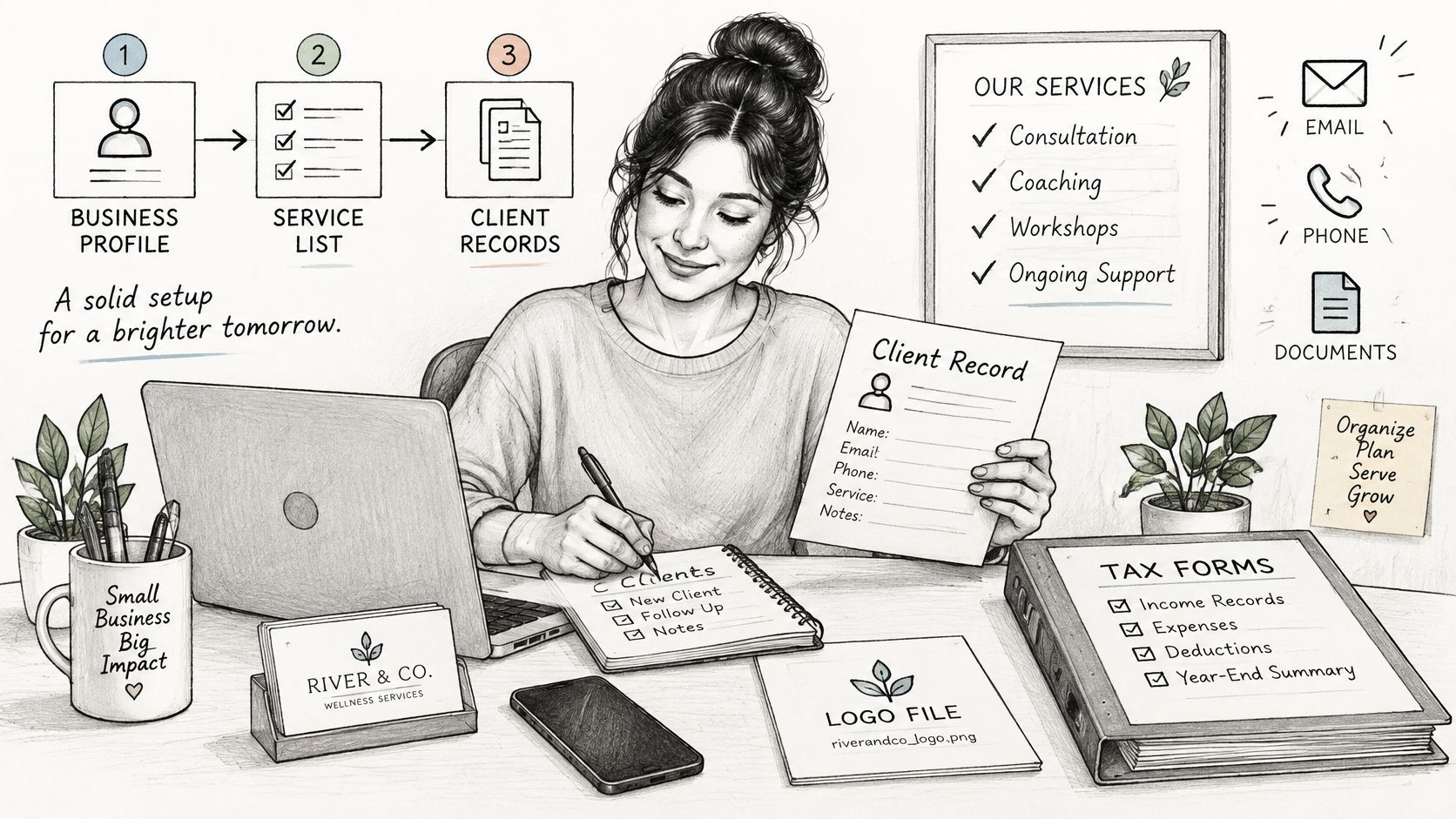
- Save the business profile. Enter the legal or trading name, mailing address, email, phone, logo file, and tax identification number if applicable. These details appear across billing documents, so correcting them once is safer than fixing them on every invoice. Customers can update most business information inside GetBill.
- Create a record for each paying client. Use the name and address the customer wants on its bills, not just the name used in everyday emails. For Harlow Retail Group, the billing contact can be Accounts Payable, even when a retail manager commissioned the design work.
- Add billing-intake notes for larger customers. Record the work approver, accounts-payable email or portal, purchase-order or contract reference, accepted file format, and whether the payment term starts at invoice receipt or approval. The UK Small Business Commissioner's guidance on getting invoices right highlights the practical difference between a commissioning contact and a payment contact, and recommends confirming purchase-order details and what the agreed payment term means.
A complete invoice can still be delayed if it lacks a customer's internal reference. A property manager might need a property code, while an agency may require a project name and purchase-order number before its accounts team can approve payment. For a broader onboarding process, organize contracts and deposits before onboarding so billing terms are captured before work starts.
4. Create service records. Save a standard description, unit type, and default price for recurring work. For a cleaner, that might be “scheduled site visit” with a set price per visit; for a consultant, it could be an hourly service.
5. Set billing defaults. Choose the default currency, payment terms, and tax treatment, then confirm service-tax rules with the relevant state revenue agency or a local tax professional if uncertain.
Before the first invoice goes out, have the business profile, client billing details, approval references, recurring service descriptions, and billing defaults in place.
How to Add Line Items, Discounts and Taxes
A client should be able to follow the math from each deliverable to the amount due. Use a separate line for each billed item, calculate quantity times unit price, apply discounts, then add tax only to amounts that are taxable under the rules for that service and location.
| Line Item | Quantity | Unit Price |
|---|---|---|
| Logo refresh and style guide | 1 | $1,200.00 |
| Revision rounds, billed hourly | 4 hours | $100.00 |
| Print file preparation | 2 files | $75.00 |
| Subtotal before discount | - | $1,750.00 |
| Discount, 10% on logo refresh | - | -$120.00 |
| Total before tax | - | $1,630.00 |
| Sales tax, if taxable | - | Apply the required rate to the taxable amount |
The logo refresh contributes $1,200. Four revision hours at $100 per hour add $400, and two print files at $75 each add $150, giving a subtotal of $1,750. The discount applies only to the logo refresh, so it reduces the amount by $120. That leaves $1,630 before tax.
Calculate each line to the currency's permitted decimal precision and make sure the displayed subtotal, discount, tax, and total reconcile. Don't type over a calculated total to force it to match a separate figure. If the figures don't reconcile, correct the quantity, rate, discount, or tax treatment that produced the difference.
Sales tax isn't determined by the invoice template. The applicable treatment can depend on the state, county, city, and service type, so the same service may be taxable in one place and not another. Confirm the rule with the relevant state revenue agency or a local tax professional, and check how the rule applies to the particular job.
Practical rule: The business remains responsible for choosing the correct tax treatment. GetBill does not warrant that invoices, estimates, calculations, templates, payment links, tax settings, or business records generated through its service will meet legal, tax, accounting, or regulatory obligations.
Before sending, add the applicable tax to the taxable amount, then verify that the line totals, subtotal, discount, tax, and final amount agree.
How to Turn an Approved Estimate Into an Invoice
The estimate should define the work before the invoice requests payment. If the invoice adds a deliverable that the customer didn't approve, the disagreement is about scope, not layout.
For a property manager, an estimate might cover repainting three units, identify the paint work included, state the assumptions and exclusions, and give a validity period. It could explicitly exclude drywall repair. Those terms help both sides distinguish the agreed repainting work from a later request.
- Write the estimate using invoice-ready descriptions. Include the scope, assumptions, exclusions, validity period, and total. Reusing the same descriptions later makes the approved work easier to compare with the bill.
- Get authorization through the agreed process. The customer might sign the estimate or provide a purchase-order number. Work approval and change-order requirements come from the contract and the customer's procurement process, so put those rules in the estimate terms.
- Build the invoice from the approved lines. Copy the estimate's items rather than retyping them, then add the customer's purchase-order reference and approver's name. With GetBill, an accepted estimate can be converted into an invoice with one click, without re-entering data.
- Check the total and any documented changes. The invoice should match the approved total unless a change was authorized and documented. For a closer look at how an estimate differs from a quote, see this guide to the difference between a quote and an estimate.
If the client paid a deposit, record it against the same invoice so the remaining balance is clear. Don't bill for work that hasn't been approved.
How to Brand and Export a Professional PDF
A finished invoice should make review straightforward for the client, not force accounts-payable staff to hunt for the amount or payment details.
- Apply business branding. Add a readable logo and use colors and typefaces consistent with the business's other materials. Keep decoration restrained so the client can still scan the billed work.
- Put identifiers at the top. Label the document “Invoice” and show its number, issue date, and due date where a reviewer can find them immediately. Don't make the recipient search through the footer for the document identity.
- Keep the amount visible. Place the total due and due date in the top third of the page. If a $1,630.00 total falls onto page two with no amount on page one, the reviewer may miss what is owed or delay processing.
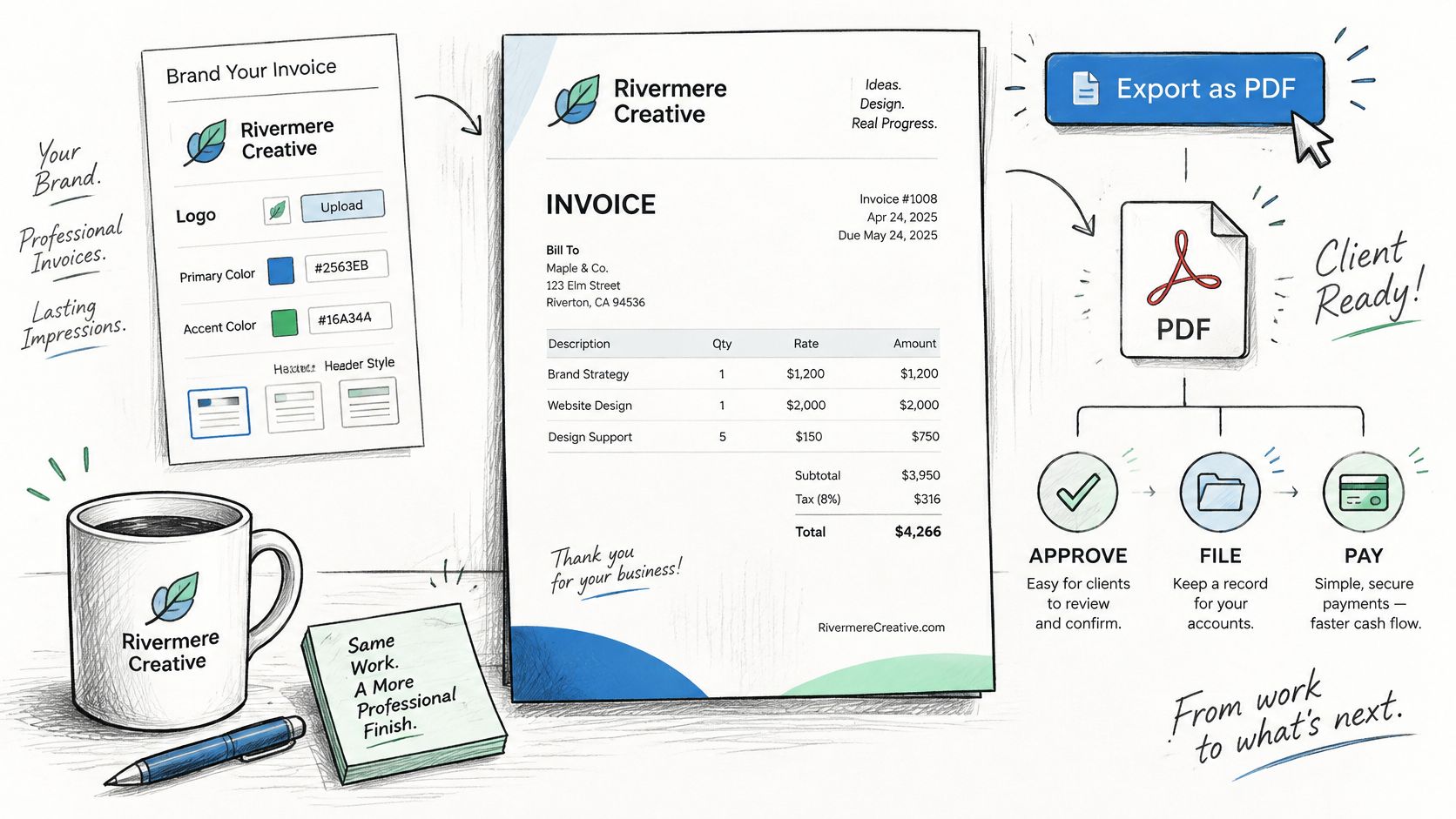
4. Make line items easy to scan. Keep descriptions short but specific, and group related work under a heading if the project has several deliverables. Avoid vague labels that hide what the client is paying for.
5. Add payment directions and contact details. State accepted methods and the reference the client should use. Include late-payment wording only when the contract provides for it and applicable law allows it.
6. Inspect the exported file. Open the PDF and check page breaks, fonts, client-name spelling, and the reconciled totals before sending. A preview can reveal a clipped amount or a second page that separates the total from its context.
7. Archive the final version. Keep the sent copy with payment evidence collected later. Some clients require a portal submission or structured electronic invoice rather than a PDF, so confirm the required format before delivery.
How to Send and Set Payment Terms
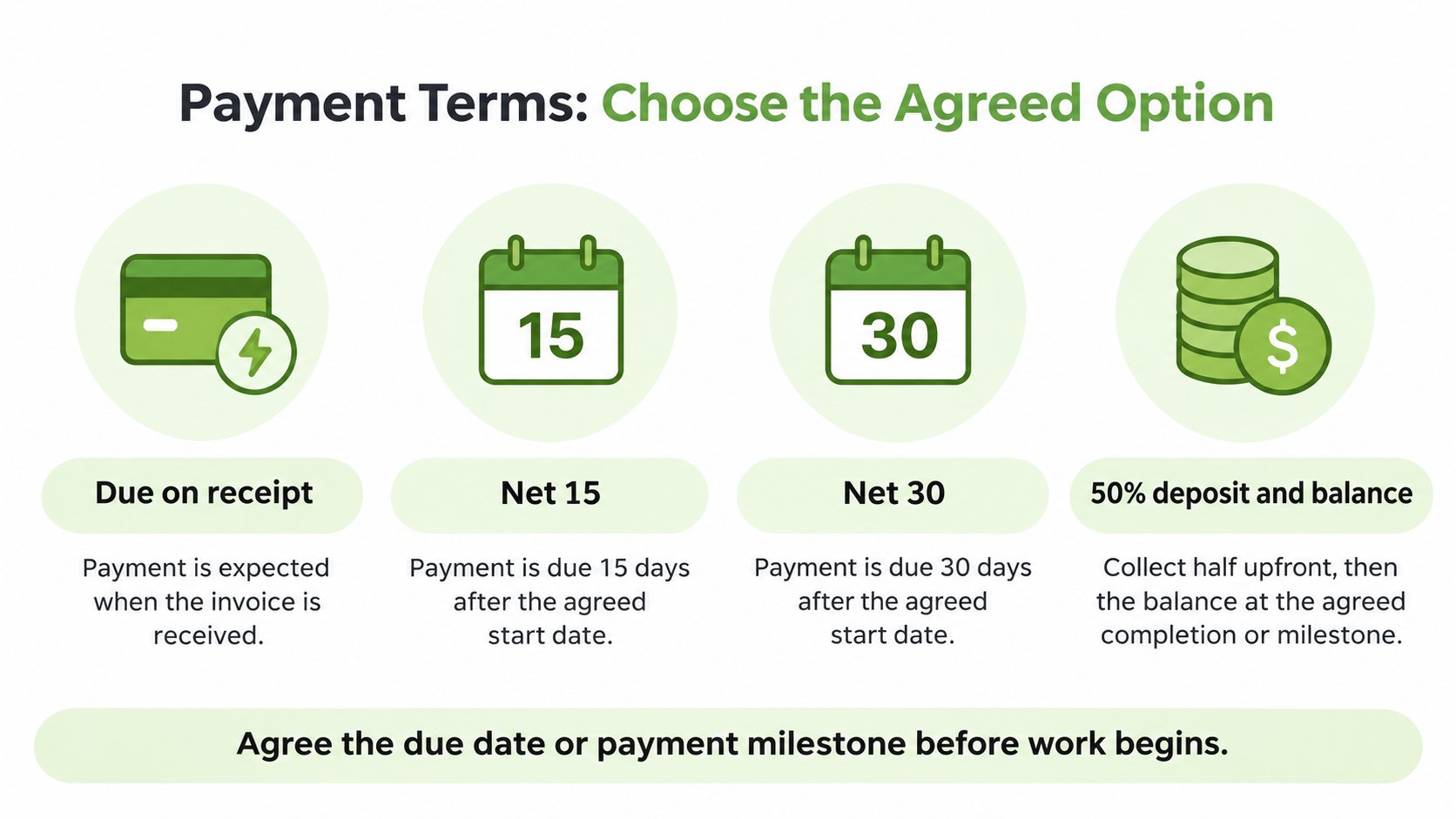
Choose terms that fit the client's approval cycle as well as the business's cash needs. State the exact amount and currency, due date, accepted payment method, payment reference, and whether the bill covers a deposit, progress payment, or final balance. The UK government's prompt-payment policy illustrates why clear invoice controls matter: its public-sector guidance identifies payment references, acceptance dates, and due dates as relevant details.
| Term | What It Means | Best Used When |
|---|---|---|
| Due on receipt | Payment expected when the invoice arrives | Small one-time jobs and clients who pay quickly |
| Net 15 | Payment due 15 days after the invoice date | Clients with short approval cycles |
| Net 30 | Payment due 30 days after the invoice date | Agencies and corporate clients with accounts-payable teams |
| 50% deposit, 50% on completion | Collect half upfront, then invoice the balance at completion | Projects with scheduling commitments or materials costs |
For a freelance photographer, a 50% deposit can reserve the session, with the remaining balance billed at completion. The right schedule should be agreed with the client before the work begins.
Before sending, run this four-part check:
- Customer identity: Confirm the billing entity, approver, and accounts-payable contact.
- Scope and quantities: Match the invoice lines to the approved estimate.
- Tax and arithmetic: Reconcile tax and totals against the line items.
- Payment instructions: Make the due date, accepted method, and reference visible.
Email the invoice to the agreed billing contact, which may be accounts payable or the client directly. For supported online card payments in GetBill, the payer enters payment details in Stripe-hosted checkout. Availability depends on the connected account and region. Record other payment methods separately as applicable; do not assume that a recorded bank transfer is an automated Stripe payment.
Treat a payment link like a document that requires careful handling. Anyone who obtains a valid public invoice or estimate link may be able to view it, so share links only with the intended recipient. Follow up on the due date, and if an already-sent invoice needs correction, issue a clearly linked corrected invoice or credit note rather than changing the original without notice.
Recording Deposits, Partial Payments and Corrections
Sending an invoice does not mean it has been paid. Confirm the customer payment status and apply the correct amount to the invoice before updating its balance. Reconcile bank transfers against the relevant bank record. For processor payments, keep payment confirmation, fees and the later payout reconciliation separate: a payout to the business bank account is a different event from the customer paying an invoice.
For a $3,000 photography shoot billed in stages, the running record could look like this:
| Event | Method |
|---|---|
| Invoice issued, full project, $3,000.00 total, $3,000.00 balance due | - |
| Deposit, 50%, $1,500.00 received, $1,500.00 balance remaining | Bank transfer |
| Payment at the session, 25%, $750.00 received, $750.00 balance remaining | Card |
| Payment on delivery, 25%, $750.00 received, $0 balance remaining | Bank transfer |
Each payment should include its date, amount, method, and reference to the same invoice number. Keep the original invoice total separate from payments received so the remaining balance stays visible. GetBill can record partial payments from cash, cards, or bank transfers and update the invoice balance.
For US federal recordkeeping, the IRS says business records should include a summary of transactions and supporting documents such as invoices, receipts, and deposit slips. An invoice shows what was billed, so keep payment evidence alongside it to document what was collected. The IRS's recordkeeping guidance in Publication 583 allows businesses flexibility in recordkeeping format, provided records clearly show income and expenses.
If an error appears after the invoice is sent, don't edit the original document. Issue a corrected invoice or credit note that identifies the original invoice number, and retain both documents with the payment record. For deposits, a deposit invoice template can help keep the upfront amount and remaining balance clear.
The business issuing the invoice remains responsible for the underlying service, payer relationship, payouts, chargebacks, refunds, disputes, taxes, and compliance obligations. Check any additional state or local recordkeeping rules separately.
Send Your First Invoice This Week
Choose one real client with an open job and prepare an invoice from the approved scope. Send it to the accounts-payable contact rather than only the project lead, then check customer identity, scope and quantities, tax and arithmetic, and payment instructions before it goes out.
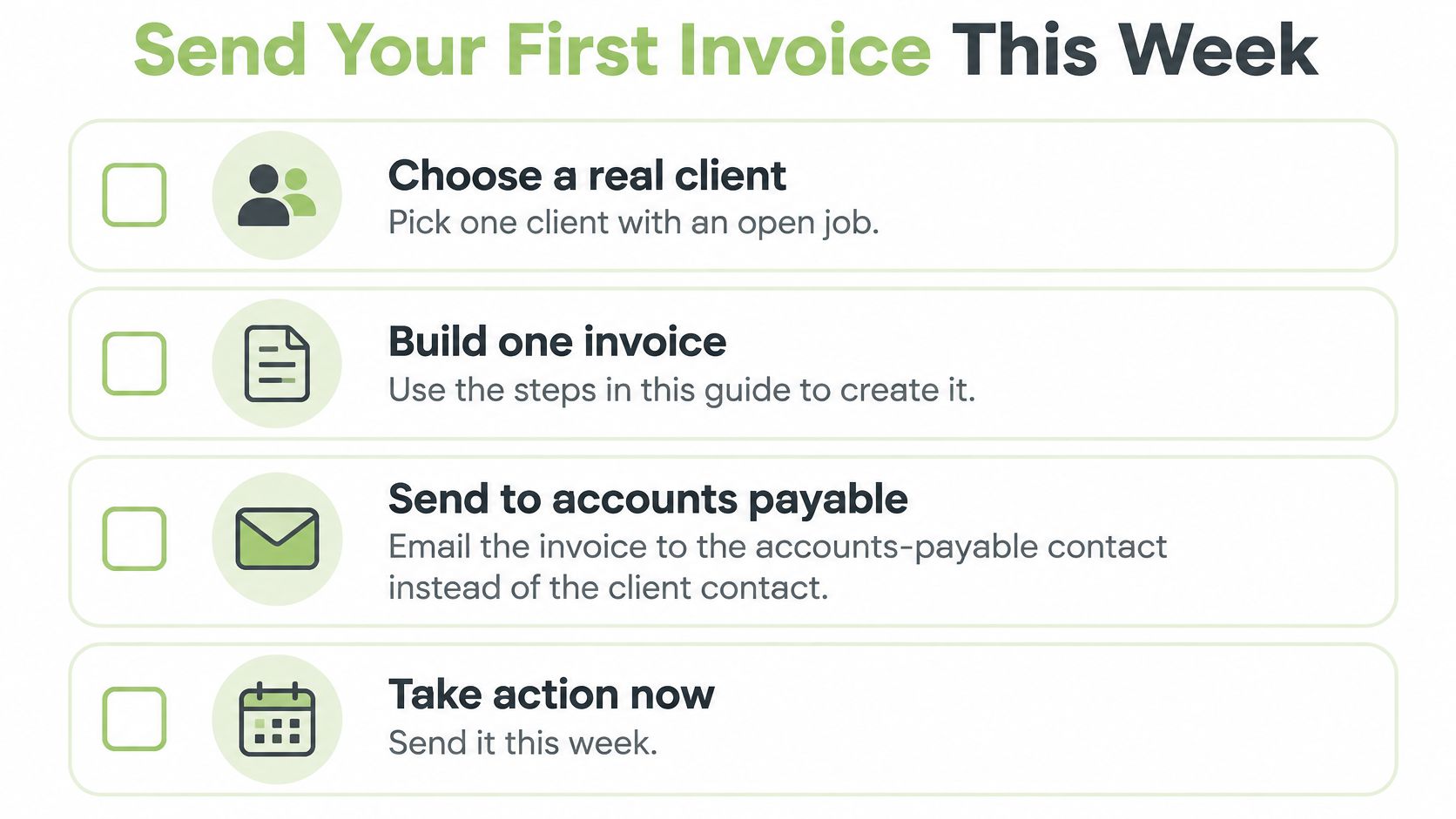
Put the due date on the calendar and schedule a follow-up for the day after it passes. Keep the field table handy for the next job, and read each new client's billing-intake notes before starting work. GetBill is one option to evaluate for estimates, invoices, and payment records; confirm its current features and plan limits on its website before deciding.
GetBill helps independent professionals and small service businesses create estimates and itemized invoices, generate branded PDFs, and record deposits and partial payments. Review GetBill if those billing workflows fit the way the business serves clients.