

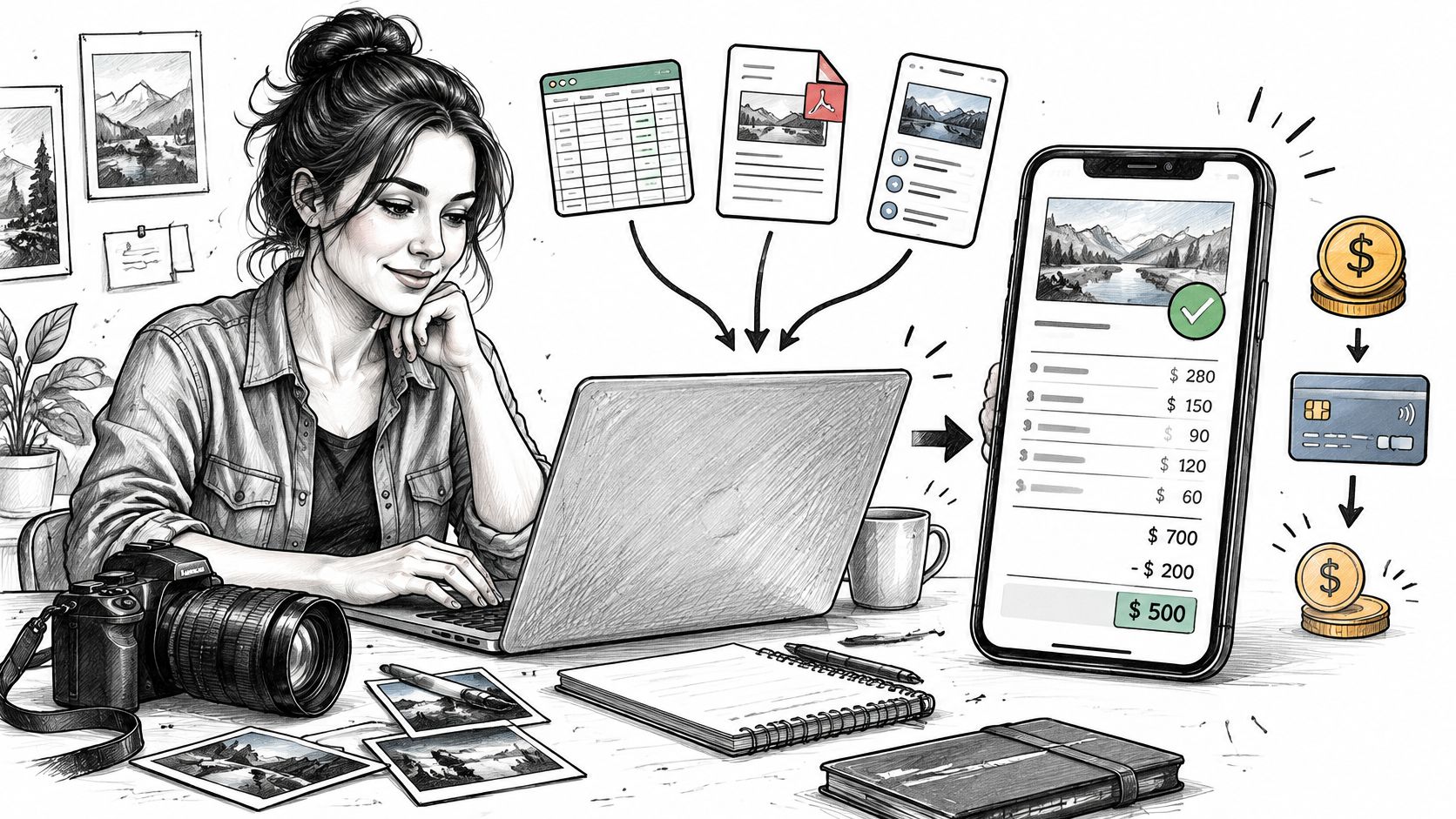
A client has accepted the estimate, the work's finished, and payment shouldn't be the hard part. Yet the deposit lives in a text thread, the final charge lives in a spreadsheet, and nobody can state the balance without checking both. A small business invoice app earns its place by keeping those records together.
Table of Contents
- What Your Invoice App Has to Finish
- Three Billing Setups Compared
- From Accepted Estimate to Open Balance
- Billing Patterns for Service Work
- Deposits Balances and Records to Keep
- Handling Late and Partial Payments
- Starter Pro and Business Plan Limits
- Choose the Workflow Then Set It Up
What Your Invoice App Has to Finish
Say a photographer's client stands ready to pay after a session. The accepted estimate covered session time, prints, and travel, but the invoice gets rebuilt from memory at a desk that night. A booking deposit was taken weeks earlier, and it isn't written on the document, so the client sees the full package price and asks whether the deposit counts.

That gap, not the template, is the buying test. A useful small business invoice app creates an itemized invoice from the agreed scope, produces a branded PDF, supports billing away from a desk, and offers card checkout where Stripe and the region allow it. It also shows the original charge, amounts already received, and the balance still open on one record.
Why the Balance Matters More Than the PDF
The overdue problem isn't rare. The 2025 Intuit QuickBooks Small Business Late Payments Report found that 47% of surveyed U.S. small businesses had at least some invoices more than 30 days overdue, and businesses with outstanding invoices were owed more than $17,000 on average. Those figures are U.S. specific, and they explain why a polished document that can't show what remains unpaid solves only half the job.
Practical rule: Judge the app by the payment history it preserves when a client pays late or in parts, not by how the first PDF looks.
That record decides practical questions. Can the next job start, or should a deposit come first? Is an amount overdue, partly paid, or not yet recorded? Owners looking to improve your business invoicing process benefit from treating those questions as the core workflow rather than an afterthought.
Separate that workflow from neighboring jobs. An invoice app records estimates, invoices, deposits, and balances. It doesn't replace accounting, payroll, tax filing, or collections, and it shouldn't be sold as if it does. The sections ahead cover three billing setups, the estimate to balance sequence, trade examples, records, late payment handling, and plan limits, so the choice rests on fit rather than feature volume.
Three Billing Setups Compared
Payment friction is widespread enough that extra screens rarely help. The Federal Reserve Banks’ 2024 Report on Payments, based on the 2023 Small Business Credit Survey, found that roughly four out of five U.S. small employer firms faced payments-related challenges. A setup should therefore cut re-entry and unclear balances first.
How Three Billing Setups Handle the Invoice Job
| Setup | Estimate reuse | Client document | Card checkout | Remaining balance |
|---|---|---|---|---|
| Spreadsheet or word processor | Retype or copy line items | Manual file, easy to send the wrong version | No built-in checkout | Owner calculates it |
| Static branded PDF template | Edit a copy of the last file | Polished file, no live payment page | Client pays outside the document | Manual and easy to miss |
| Dedicated app with connected Stripe account | Saved clients and items; one-click conversion where supported | Generated branded PDF plus a view link | Stripe-hosted checkout when the account and region qualify | Deposits and partials can be recorded against the invoice |
The spreadsheet wins on familiarity and loses on version control. Copying last month's file works until an old client's name, an outdated rate, or a deposit from another job rides along. The balance is whatever the owner remembers to subtract, and there's no payment page attached to the document.
A static template fixes appearance without fixing records. Branding looks consistent, but each job still starts by editing a copy, and payment happens somewhere else. When a client pays half by check and half later, the file itself doesn't know.
The dedicated app changes the record, not just the output. GetBill belongs in the third row where its verified tools apply. An accepted estimate can be converted into an invoice with one click, without re-entering data, PDFs are generated for download or printing, and clients can pay through Stripe-hosted checkout, with funds moving directly to the business's connected Stripe account.
Two limits belong in the same breath. Payment availability depends on Stripe, the connected account, and the region, so card checkout shouldn't be promised before those checks pass. A PDF workflow also isn't local tax reporting, a distinction the next sections keep visible.
Choose the row that matches invoice volume and how clients pay. Rare, simple bills can survive a spreadsheet. Repeated estimates, deposits, and card payments push toward the third row, because the cost of the wrong balance shows up on every job, not just the busy ones.
From Accepted Estimate to Open Balance
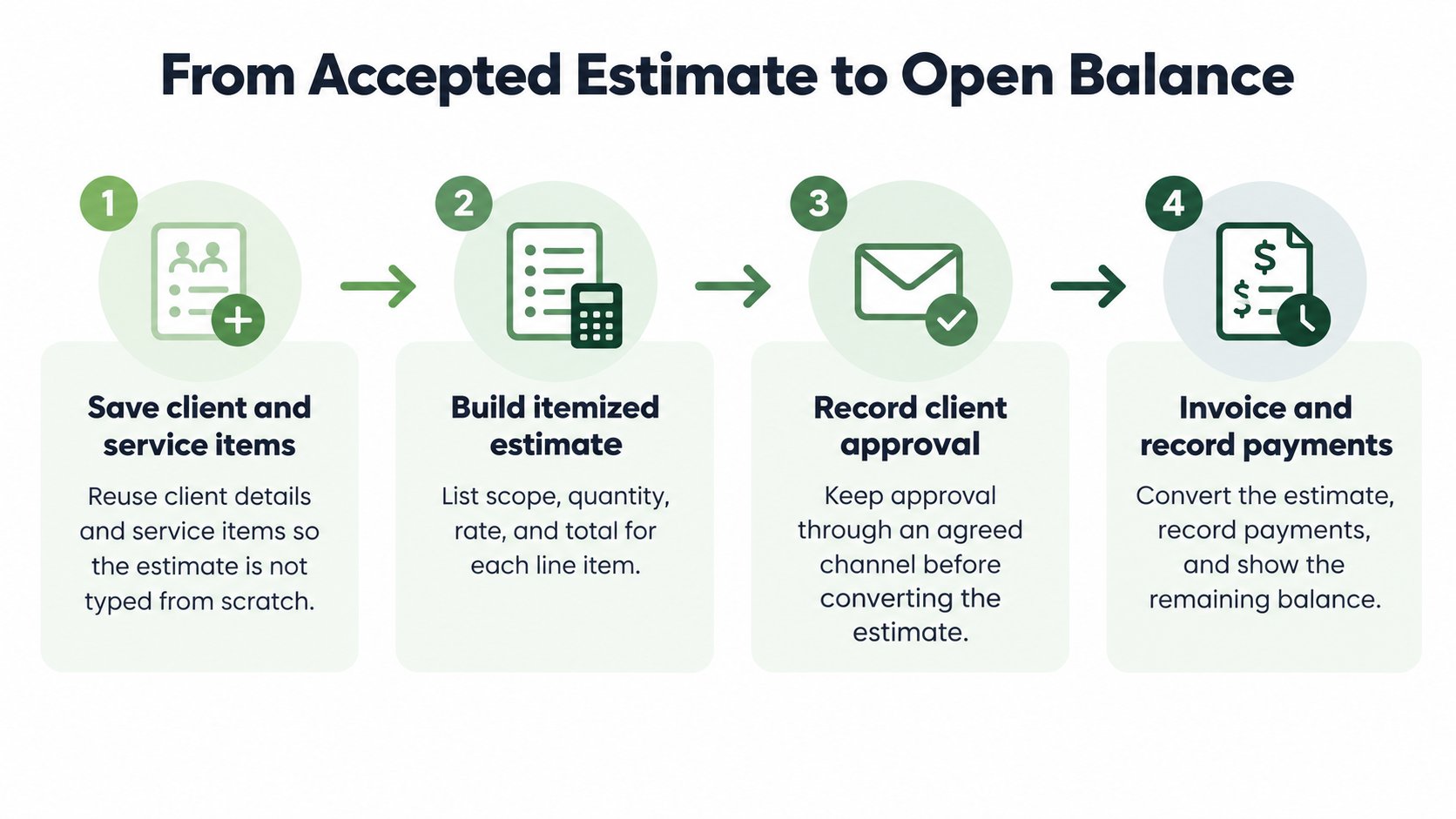
The sequence below works on the next job without reorganizing the whole business first. Each step removes one place where amounts usually drift.
- Save the client and reusable service items. Names, addresses, and standard services get entered once, so the estimate isn't typed from scratch under time pressure.
- Build an itemized estimate. List scope, quantity or hours, price, applicable tax, and notes a client can understand without a follow-up call.
- Send it and wait for acceptance. Email or a view link both work, provided acceptance comes through a channel the business monitors. The distinction between early price documents matters here, so owners unsure about wording can review the difference between a quote and an estimate before sending.
- Convert without re-entering lines. Adjust only what changed between acceptance and delivery, such as added hours or removed items.
- Generate and send the invoice. A branded PDF plus a secure view link gives the client a stable document and a current version.
- Include payment that matches reality. If Stripe is connected and available, card checkout can sit on the invoice. Otherwise, state the accepted offline method plainly.
- Record each payment against the invoice. A deposit or later payment gets logged so the unpaid balance stays visible to both sides.
Where a PDF Stops Being Enough
Cross-border work exposes a boundary that domestic billing often hides. According to Banqup's review of 2025 digital compliance changes, Germany required businesses to be able to receive structured e-invoices from the start of 2025, the UK government has announced mandatory e-invoicing for VAT invoices from April 2029, and the EU ViDA framework is expected to require intra-EU B2B e-invoicing by 2030. Those later dates are announced or expected requirements, not current duties for every small firm.
The point is narrower than it sounds. A professional PDF can satisfy many ordinary clients and still fail when a client or country demands a structured, machine-readable format. Stripe checkout doesn't settle local clearance or reporting rules either.
A visual invoice and a structured tax invoice are different documents, even when the totals match.
That boundary applies to the product too. GetBill does not warrant that invoices, estimates, reports, calculations, templates, payment links, tax settings, or business records generated through the service will meet legal, tax, accounting, or regulatory obligations. Owners billing across borders should confirm the required format before the first invoice, not after a client rejects it. One common misreading deserves clearing up as well. The FTC Rule on Unfair or Deceptive Fees covers live-event tickets and short-term lodging, so it shouldn't be presented as a pricing rule for a handyman's or photographer's service invoice.
Billing Patterns for Service Work
Different trades break an invoice at different points. The billing detail that protects one business may be irrelevant to another, which is why generic templates disappoint.
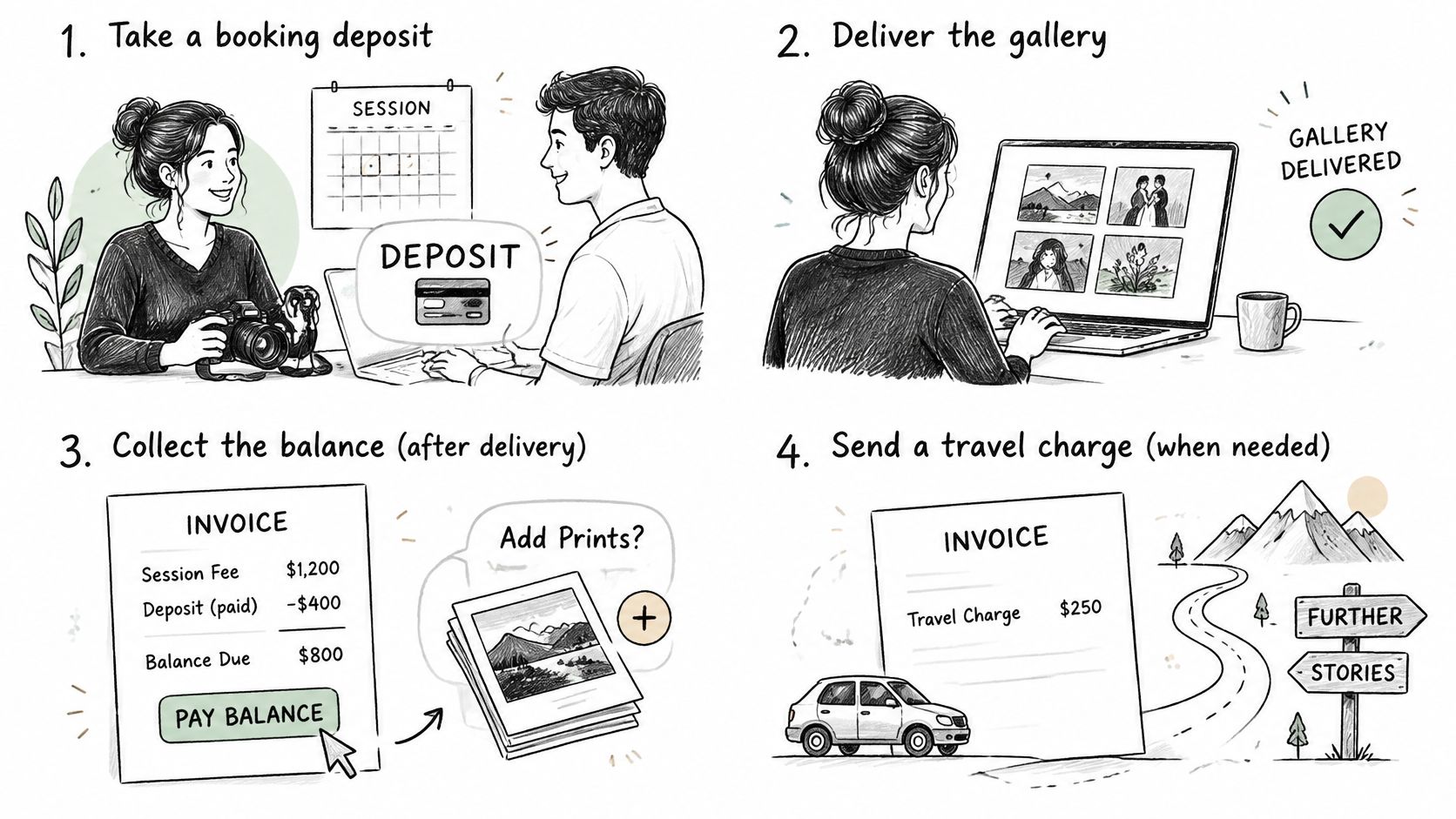
Four Jobs, Four Billing Details
- Photographer with a booking deposit: The session gets booked weeks before the gallery ships, so the invoice should name the session date, the package, and exactly what the deposit already covered. The balance line then explains itself at delivery.
- Cleaner on a recurring home: A line reading "services" proves nothing later. Property address, visit date, hours, and supplies tie the charge to a specific visit, which helps when a client questions one month among many similar ones.
- Consultant billing a milestone: A workshop delivered, a report accepted, a phase closed. Invoice notes should match the accepted estimate's language so the client can map the charge to the agreed milestone without hunting through email.
- Handyman billing on site: The invoice gets created in a driveway, not an office. Phone access decides whether billing happens while the work is fresh or days later from notes.
On-site billing isn’t a niche habit. The Federal Reserve Banks’ 2024 payments report, based on the 2023 Small Business Credit Survey, found that 38% of U.S. small employer firms collected payment at the time of service or purchase. That supports offering on-site billing when appropriate, but it doesn’t require every client to pay immediately.
Mobile access is what makes that timing realistic. GetBill has applications for Android and iOS, and each invoice gets a unique access link that clients can view and pay without creating an account. Removing account creation removes one reason a client postpones payment until later.
The link carries a caution worth stating plainly. Public invoice and estimate links may be viewed by anyone who obtains a valid link, so links go only to the intended recipient, never into group threads or shared inboxes where forwarding is casual.
Poor mobile signal is the other field reality. A generated PDF that can be sent once coverage returns, plus a stated backup payment method, keeps a dead zone from becoming a delayed invoice. No single payment schedule fits all four trades here, and no app in this category collects debts on the owner's behalf.
Deposits Balances and Records to Keep
Sending the bill is the visible half of invoicing. Reconstructing it months later, for a client question or a tax return, is the half that exposes weak records.
For U.S. federal recordkeeping, the IRS guidance on records small businesses should keep identifies invoices, receipts, deposit slips, sales slips, paid bills, and canceled checks as supporting documents for business transactions. The IRS doesn't prescribe one invoice layout. What matters is that the document identifies the customer, the amount, the date, and the service well enough to tie the work to the charge.
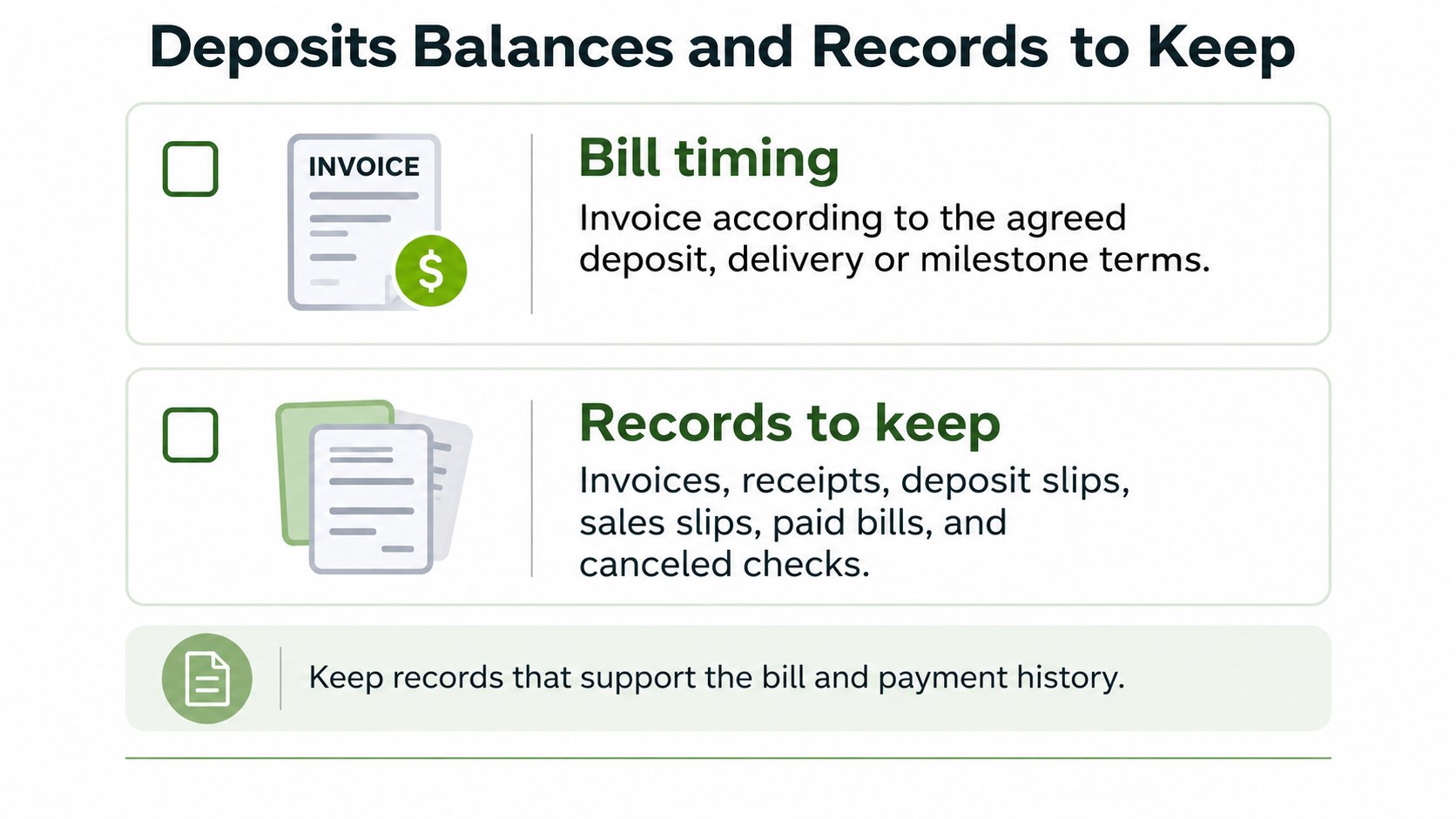
A two-part job tests any system. Say a contractor collects a $600 deposit and later bills a $1,400 balance. The invoice, each payment record, and the remaining balance should sit together so the full transaction can be rebuilt without guesswork. Owners formalizing that first payment can adapt the structure in this invoice deposit template guide to their own terms.
Records to Keep for Each Payment Event
| Record | What it proves | Example |
|---|---|---|
| Estimate and acceptance | Client agreed to scope and price | Accepted estimate for a $2,000 photo package |
| Deposit receipt | Money received and its date | $500 booking deposit received on the day of acceptance |
| Balance payment | Later money applied to the invoice | $1,500 card payment that cleared |
| Open balance | What the client still owes | $1,500 after the $500 deposit; $0 after the final $1,500 payment |
| Bank deposit record | Source and date of the deposit | Statement line matching the deposit |
Timing needs its own care. For federal income tax timing, IRS Publication 334 gives a constructive receipt example in which a cash-method taxpayer who receives a valid $500 check on December 30 must generally include it in income for that tax year, even if the check is not deposited until January 3. That example governs federal income tax timing only. State sales tax treatment can differ and shouldn't be inferred from it.
Don't confuse two kinds of deposits either. Federal tax deposits, which the IRS requires by electronic funds transfer, concern the business's own taxes. They say nothing about how clients must pay an invoice.
Within that frame, the app's role stays specific. Synced webhooks mark invoices as paid automatically once transactions clear, and payments are processed for the business's connected Stripe account without the app taking custody of funds. The issuing business still owns refunds, disputes, taxes, and the client relationship. The app records. It doesn't recover debts or file returns.
Handling Late and Partial Payments
An overdue invoice needs a schedule decided before emotions enter the exchange. Improvised follow-up drifts, and drift reads as permission.
- Write the payment date into the invoice terms. A specific date beats a vague expectation, and both sides can point to it later.
- Send a reminder before the date passes. A short note confirming the amount and the open balance catches clients who lost the document. Owners drafting that message can borrow phrasing from this guide to payment reminder wording and adjust the tone to the relationship.
- Send a second reminder after the date passes. Save each reminder with its send date, so the follow-up history is a record rather than a recollection.
- Record every partial payment against the invoice. The remaining balance stays on the document the client sees, so both sides argue from the same number if they argue at all.
Escalation rules work best when they're set in advance. Pause new work when a balance passes an agreed date. Require a deposit before the next booking. Put any installment arrangement in writing when a client asks for one, with amounts and dates. When a written demand fails, a lawyer or collections service becomes the next step, not another reminder.
Late fee and interest rules vary by state and country, so local requirements need checking before any such charge appears on an invoice. Owners weighing how overdue balances affect hiring, purchasing, and reserves will find useful context in this overview of cash flow planning for business owners.
An invoicing app can record reminders, partial payments, and the open balance. It can't negotiate, force payment, or provide legal collections, and any tool implying otherwise deserves skepticism.
Starter Pro and Business Plan Limits
Plan limits decide how many estimates, invoices, and emails you can send in a cycle. That matters less for the PDF's design than for the payment history you keep beside each client: the estimate that started the job, the invoice that replaced it, and the open balance after a deposit. The table below states what each tier includes. Where a cell says not listed, treat the feature as unconfirmed rather than assume it.
Published Plan Limits
| Plan | Monthly price | Capacity | Stripe card payments | Profiles and branding |
|---|---|---|---|---|
| Starter | $9.99 | 50 invoices, 50 estimates, and 50 GetBill emails per monthly cycle | Not listed for Starter | No multiple profiles or white-label listed |
| Pro | $19.99 | Unlimited invoices, estimates, emails, stored attachments, clients, and products | Included through a connected Stripe account | No multiple profiles or white-label |
| Business | $29.99 | Everything in Pro | Included through a connected Stripe account | Multiple business profiles and white-label documents |
The Starter plan is listed at $9.99 per month and includes separate monthly allowances of 50 invoices, 50 estimates, and 50 emails sent from GetBill. The homepage also lists 50 stored attachments, 50 clients, and 50 products. Count each allowance separately rather than treating 50 documents as a combined limit. A business that exceeds one of those allowances can compare Pro, where the listed billing resources are unlimited. Stripe checkout is not listed for Starter on the homepage; confirm the current plan terms before subscribing.
The Pro plan costs $19.99 per month and includes unlimited invoices, estimates, emails, stored attachments, clients, and products, plus online payments through Stripe. Unlimited clients and products matter for repeat work, because saved records cut retyping when the same customer books a second job. Card payments settle to the business's connected Stripe account, and GetBill does not hold the funds.
The Business plan costs $29.99 per month, includes everything in Pro, and adds multiple business profiles and white-label documents. An owner billing under two trade names, such as a studio and a separate field service, is the natural fit for that tier.
Two clarifications prevent common misreads. Stripe availability still depends on the connected account and region on every plan that includes it. White-label documents are not a white-label payment gateway, since checkout remains Stripe-hosted.
Sizing rule: Count last month's invoices, estimates, and sent emails, then pick the tier that month fits inside with room to spare.
Web subscriptions are managed through GetBill or the Stripe-powered billing portal when that portal is available. Ignore savings forecasts and faster-payment promises when comparing these tiers. Document volume, number of business identities, and whether card checkout is required decide the tier, in that order.
Choose the Workflow Then Set It Up
Selection comes before setup, and the comparison table's rows make the selection concrete. A spreadsheet suits rare, simple bills where one person sends everything and deposits never complicate the total. A static PDF suits low volume where clients already pay by check or bank transfer. A dedicated small business invoice app fits when estimates repeat, several people send bills, or card payment through the business's own Stripe account forms part of the sale.
Setup should start with one real job, not the whole business. Create a single estimate for an upcoming job using saved client and service items. Send it, wait for acceptance, convert it without retyping, and send the branded PDF through a view link. Record the deposit so the open balance is visible before work starts.
Then check two things against reality. Compare that job's document count with the plan limits, and confirm Stripe availability in the region before promising card payment to the client. One clean job proves more than a week of feature comparison.
Keep the product's role in proportion throughout. The service helps independent professionals and small businesses create and send invoices and estimates, manage clients and products, track payments, and accept supported card payments through Stripe. It's a business productivity service, not a bank, payment processor, money transmitter, escrow service, or financial adviser, and it doesn't take custody of Stripe funds. Owners whose test job runs cleanly can review the service directly and decide whether the workflow earns a permanent place.
GetBill helps small service businesses turn accepted estimates into itemized invoices, record deposits and partial payments against an open balance, and offer Stripe-hosted card checkout where the account and region allow it. Owners ready to run one real job through that workflow can visit GetBill and set up the first estimate today.