


The condenser is back together, the homeowner has a card out, and the invoice on the tablet still reads "labor" and "parts." Nobody captured the serial number. The diagnostic fee vanished inside the labor line. Last week's deposit is missing from this document. That bill may collect today's payment and then fail the next three jobs it was supposed to support: a callback months later, a warranty claim, and a bank match at quarter end.
An HVAC invoice template has to do more than ask for money. It is the cash-flow record, the callback file, and the shared history of the same visit. Generic product receipts skip the fields that change by job type. A diagnostic visit, a maintenance agreement, and a full changeout do not share the same lines. A blank form that rolls them into one price leaves the shop exposed when the refrigerant, the scope, or the remaining balance gets questioned.
Build one set of headers, then add only the lines the job type needs. Drop any field the trade never uses.
Table of Contents
- The Fields Every HVAC Invoice Needs
- Layouts for Visits, Repairs, Maintenance and Installs
- Refrigerant Records That Protect You on Callbacks
- Which Document to Send at Each Payment Stage
- Keeping Invoices Usable as Tax and Audit Records
- Comparing Spreadsheets, Invoicing Apps and Field-Service Platforms
- Confirm the Fields and Test One Job This Week
The Fields Every HVAC Invoice Needs
Fill these twelve fields in the order a technician meets them on site. Treat the table as the working checklist, not a wish list.
| Field | What to record | Why it matters |
|---|---|---|
| Invoice number and dates | Sequential number, issue date and due date | Ties deposits and balances to bank records |
| Customer and service address | Billing name, billing contact and job site address | Separates the payer from the place the work happened |
| Equipment details | Make, model, serial number and location on site | Supports warranty claims and later diagnostics |
| Service type | Diagnostic, repair, maintenance, replacement or installation | Sets the pricing method and which line items apply |
| Labor | Hours and rate, or a flat-rate price | Keeps diagnostic and emergency labor visible |
| Parts and materials | Part number, quantity, unit price and markup | Allows comparison of quoted and actual cost |
| Refrigerant entries | Refrigerant type, amount and unit (lb, oz or kg) | Document on the service invoice or in a linked record, as the applicable rules require |
| Permits, disposal and fees | Each item itemized with its taxable status | Stops permit and disposal costs hiding inside labor |
| Tax lines | Rate and taxable base for each item, by jurisdiction | Sales tax rules differ by state and locality |
| Deposits and payments | Amount received, payment method and date | Shows what has already been paid |
| Balance due and terms | Remaining amount, due date and any late-payment terms | States the exact amount the client must pay |
| Scope exclusions and warranty | Items not included and the warranty period | Limits disputes over what the price covered |
The three fields shops leave blank
Equipment identity is the first gap. Make, model, serial number, and where the unit sits (attic, roof, mechanical room) are what a manufacturer and the next technician both ask for. Without them, a warranty registration and a callback start from zero.
Labor shape is the second. Hours and rate, or a named flat price, keep a diagnostic or after-hours visit visible. Folding that time into "service" makes the credit, if any, impossible to explain later.
Money already received is the third. Amount, method, and date of each deposit or progress payment have to sit above balance due, with the due date written out. A total with no payment history cannot be matched to the bank.
Tax lines stay jurisdiction-specific. Record the rate and the taxable base for parts, labor, and fees separately, because states and localities do not treat repair labor, parts, and installation the same way. Exclusions close the document: duct changes, electrical upgrades, crane time, and disposal that the price does not cover.
Practical rule: one template, built from these headers. Delete a row only when that trade never sells the thing.
Copy this skeleton into a spreadsheet, a document, or billing software:
Header: invoice number, issue date, due date. Bill to and job site as separate addresses. Equipment: make, model, serial number, location. Service type. Lines for labor, parts, refrigerant, permits, and disposal, each with quantity, unit price, and taxable yes or no. Totals: subtotal, tax by jurisdiction, deposits received, balance due. Footer: exclusions, warranty period, and a short note naming the state or locality whose rules were applied.
Layouts for Visits, Repairs, Maintenance and Installs
Keep the core template fixed and add lines for the job at hand. In a 2025 myCLEARpinion survey reported by ACHR NEWS, 30% of responding HVAC contractors said they charged for visits to assess equipment, while 70% offered free visits. If you charge a fee, itemize it and tell the client before the visit whether it will count toward an approved repair.
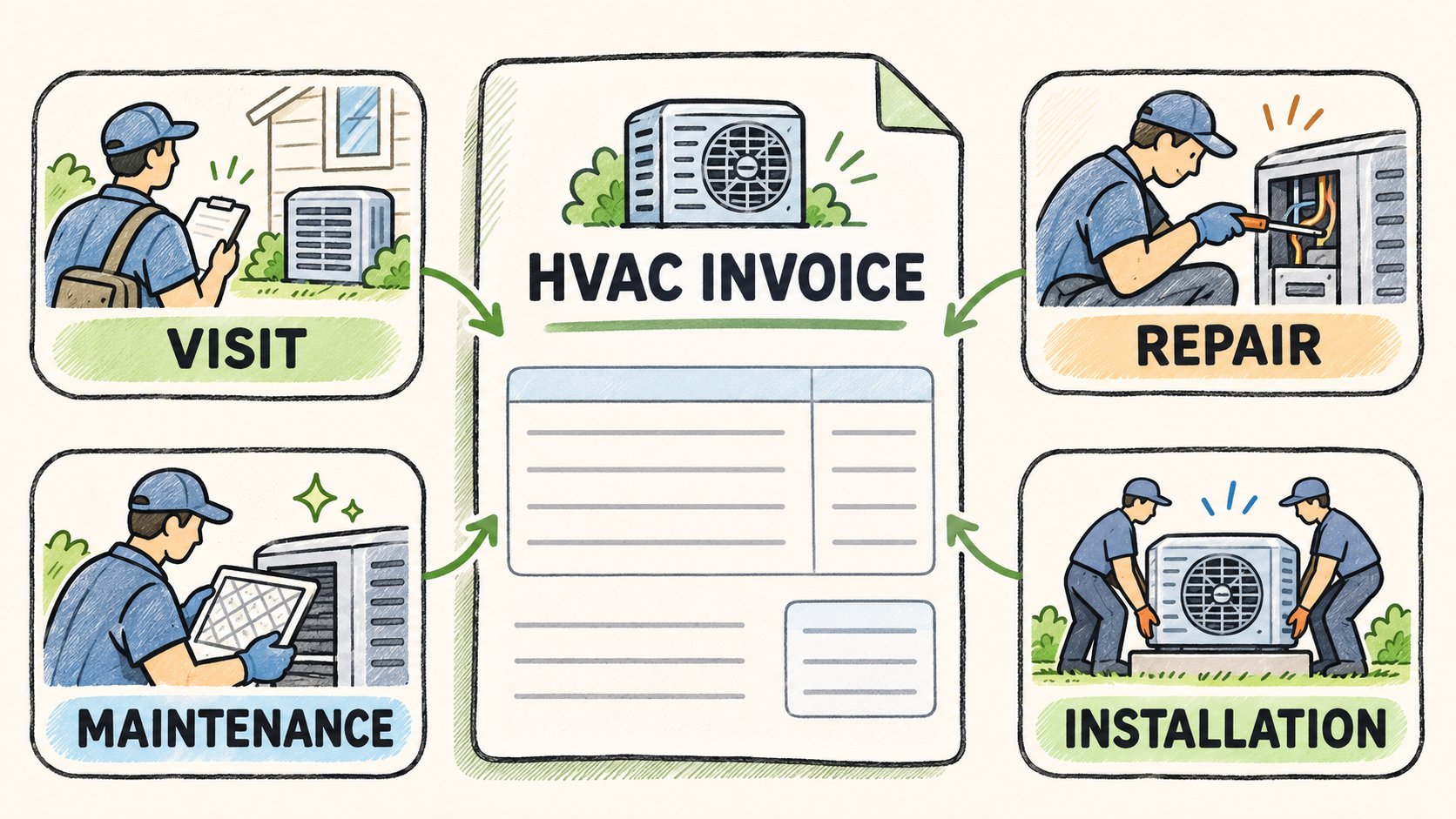
The same idea shows up in other trades. A clear handyman invoice format separates the trip from the repair so the client can see what was approved. HVAC work needs that split even more, because refrigerant and equipment lines sit beside the visit.
| Job type | Add to the invoice | Pricing note |
|---|---|---|
| Diagnostic visit | Visit fee as its own line, with the rule for crediting it if the repair proceeds | Fee practice differs across contractors, so state the rule on the estimate |
| Repair | Failed part, labor hours, refrigerant entries and any dispatch charge | Use the same pricing method as the estimate, flat-rate or time-and-materials |
| Maintenance visit | Tasks performed as a checklist, plus the next service date | Often priced flat; show recurring agreement terms apart from one-time work |
| Equipment replacement | Equipment, accessories, permits, commissioning and disposal as separate lines | Separate lines let you compare quoted and actual cost |
| Emergency after-hours call | After-hours labor rate and any surcharge as separate lines | Show the after-hours rate on the estimate before work starts |
How each layout should price
A diagnostic visit carries the fee and the credit rule in plain language, such as "fee credited in full if the repair is approved today." Leaving the rule off the estimate is how the fee gets disputed after the truck leaves.
A repair adds the failed part, labor hours, refrigerant entries, and any dispatch charge. Flat-rate or time-and-materials is a choice. Switching methods between the estimate and the invoice is not. The client approved one method.
A maintenance visit is usually a flat checklist: filters, coils, drains, electrical, and the next service date. Agreement coverage stays in its own block so a one-time capacitor does not look included.
An equipment replacement splits equipment, accessories, permits, commissioning, and disposal. Those lines are how quoted cost is compared with actual cost after the job.
An emergency after-hours call shows the higher labor rate and any surcharge before work starts. Saying the rate only on the final bill is the dispute.
Pick the layout that matches the most common job, and keep that pricing method identical from estimate through final invoice.
Refrigerant Records That Protect You on Callbacks
Refrigerant lines are where invoices fail on callbacks and on reviews. A single word, "refrigerant," with no product name and no unit, cannot support a warranty, a job-cost check, or a later leak visit.
Under EPA Section 608 recordkeeping rules, a technician servicing U.S. stationary equipment with 50 or more pounds of ozone-depleting refrigerant must give the owner an invoice showing the amount added. The owner or operator keeps the service date, type of service and quantity added. Where applicable, technicians also provide records of leak inspections and repair verification tests.
Disposal is a separate recordkeeping task. EPA describes disposal records for certain appliances in the 5–50 lb range, including equipment using substitute refrigerants such as HFCs. Record the recovery location and date, refrigerant type, monthly amounts recovered, and amounts sent for reclamation as applicable. For leak repair, 40 CFR 84.106 sets separate rules starting in 2026 for covered equipment with a full charge of 15 lb or more and qualifying refrigerant. The rule excludes the residential and light commercial air conditioning and heat pump subsector, among other exceptions. Check which rules apply to the equipment, refrigerant, and work performed. On the job record, name the refrigerant on the cylinder label and record each quantity with its unit.
| Term | How to record it | Example entry |
|---|---|---|
| Added | Quantity charged into the system, with unit | 1.5 lb R-32 added |
| Recovered | Quantity removed from the appliance and held in a recovery cylinder | 3 lb recovered before a component swap (hypothetical) |
| Reclaimed | Recovered refrigerant processed by a reclaimer | Reclaimer receipt reference, no on-site quantity |
| Leak-check result | Pass or fail, method used and date of verification | Pass, electronic leak detector, verified on the service date |
Keep the four terms apart
Added is what went into the appliance. Recovered is what came out and sits in a recovery cylinder for reuse or reclaim. Mixing those two into one quantity makes both compliance and job cost ambiguous. Reclaimed means a reclaimer processed the gas. The on-site invoice should point to the reclaimer's paperwork, not invent a quantity the technician did not weigh. A leak-check result needs pass or fail, the method, and the date. "Checked" is not a result.
Keep the manufacturer, model, serial number, technician identity, and service date in the job record. Keep photos of the nameplate, cylinder label, and test readings with that record. You can attach relevant documents to the invoice so the client can match the supporting records to the charge.
State and local rules can add requirements on top of the federal baseline. Put a jurisdiction note field on the template and fill it per job. Do not hard-code U.S.-only wording into a form used in more than one market, and do not treat one invoice layout as proof that every country's documentation rule has been met.
Which Document to Send at Each Payment Stage
An installation can require ordering equipment before collecting the final balance. ServiceTitan's 2025 platform data shows a $17,040 average among qualifying completed residential installations in its dataset. Set payment amounts using your own estimate and the terms the client approves. Itemize equipment, labor, permits, and related work so the client can match each charge to the scope.
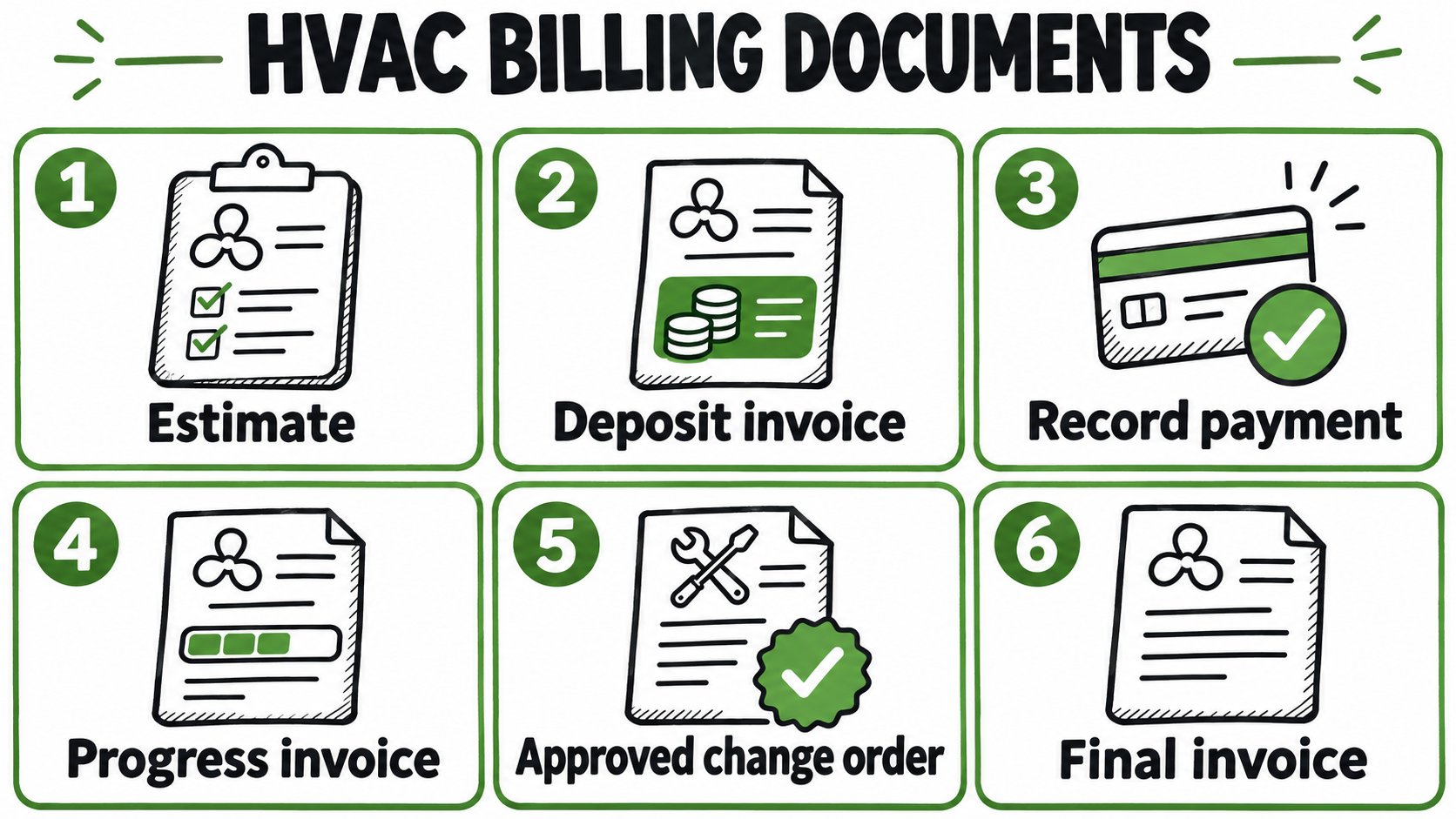
Use the estimate number to connect the deposit request, progress invoices, approved changes, and final balance. Issue a receipt when payment clears.
Six documents, in order
- Send the estimate first. State the pricing method, scope exclusions (duct modifications, electrical upgrades, condensate drainage, crane work, disposal, permit fees), and which permits are assumed. The client is approving a scope, not a slogan.
- On approval, issue a deposit invoice. Write both the percentage and the dollar amount. A percentage alone cannot be reconciled to a bank deposit.
- When the deposit clears, record it as a payment received. Keep the original estimate number on the document so the approval and the cash stay tied together.
- For each finished stage, issue a progress invoice. Show prior payments and only the current charges. Do not restart the job total as if nothing has been paid.
- Add each approved change order as its own lines, with the approval date. A verbal extra that never hits a line becomes a dispute at the final walkthrough.
- Issue the final invoice with the full scope, every payment, and the remaining balance. Send a receipt only after that balance clears. The receipt is proof of payment, not a substitute for the invoice.
A replacement with a change order
Say a replacement is estimated at $8,000. A 30 percent deposit is $2,400. During the job the client approves a $1,500 change order for electrical work that was excluded. The final invoice shows $8,000 plus $1,500, minus the $2,400 already received, and a balance due of $7,100. Each of those figures has its own line, date, and document type.
The common error is editing the original estimate after the client approved it. That erases the number they agreed to. Issue a change order instead, and leave the estimate intact.
Keeping Invoices Usable as Tax and Audit Records
An invoice is a business record, not only a payment request. The IRS guidance on the records to keep lists invoices, sales slips, paid bills, receipts, deposit slips, and canceled checks among the supporting documents for the books. Those records should show the amounts and sources of gross receipts, which is why a unique number, the customer, the work description, itemized labor and materials, tax, and payment status matter when revenue is reported.
What federal retention and estimates require
U.S. federal retention is not one number for every paper.
- Employment-tax records: keep them at least four years after the tax becomes due or is paid, whichever is later.
- Records that support an individual return: generally keep them at least three years.
Those periods are federal and U.S.-specific. They are a floor for organizing files, not a substitute for an accountant's advice on a particular return.
Self-employed owners generally pay income tax as they go. IRS Publication 583 states that estimated payments generally apply when an individual expects to owe $1,000 or more when filing, calculated with Form 1040-ES. Corporations generally face a $500 threshold. The IRS overview of business taxes for the self-employed lists the quarterly dates as April 15, June 15, September 15, and January 15, subject to that year's instructions and calendar adjustments. A deposit and a later balance should be booked the same way, then matched to the bank and to the final invoice. Missing a required quarterly payment can lead to an underpayment penalty. The invoice itself does not calculate the estimate.
Estimated-tax dates follow the federal calendar. They do not decide whether repair labor is subject to sales tax in a given city.
Subcontractors and sales tax are different duties
Payments the HVAC business makes to subcontracted installers can create a separate filing. The IRS page on operating a business says a business that pays independent contractors may have to file Form 1099-NEC for nonemployee compensation. Collect the contractor's tax information before payment when that is appropriate, and keep the payee, service date, amount, and payment method. That duty is about payments the shop makes, not the invoice sent to the homeowner. Do not print a generic 1099 statement on every customer bill. Whether a payment is reportable depends on the facts and current instructions.
State and local sales tax is a different system. It varies by jurisdiction and by whether repair labor, parts, or installation is taxable. Federal estimated-tax thresholds do not answer that question.
The business that issues the invoice remains responsible for the goods or services, the payer relationship, payouts, chargebacks, refunds, disputes, taxes, and compliance. Software that produces invoices, tax settings, or PDFs does not warrant that those records meet legal, tax, accounting, or regulatory obligations. Confirm treatment with a tax adviser for the states and localities where the work is performed.
Comparing Spreadsheets, Invoicing Apps and Field-Service Platforms
No format wins for every crew size. Match the tool to how often equipment history, deposits, and dispatch show up in the week.
| Option | Strongest at | Main trade-off | Equipment and refrigerant records |
|---|---|---|---|
| Spreadsheet or word template | No software cost and full layout control | Totals, tax and balances are manual, and missing fields are easy to overlook | Only what you add by hand |
| General invoicing app | Fast estimate-to-invoice flow, payment links and PDFs | Built around billing and clients, so equipment fields may need custom setup | Varies by app; confirm custom fields first |
| HVAC field-service platform | Scheduling, dispatch and job history linked to billing, where offered | Higher cost and setup effort, with features a small shop may not use | Varies by platform. Verify fields, records, and exports before buying. |
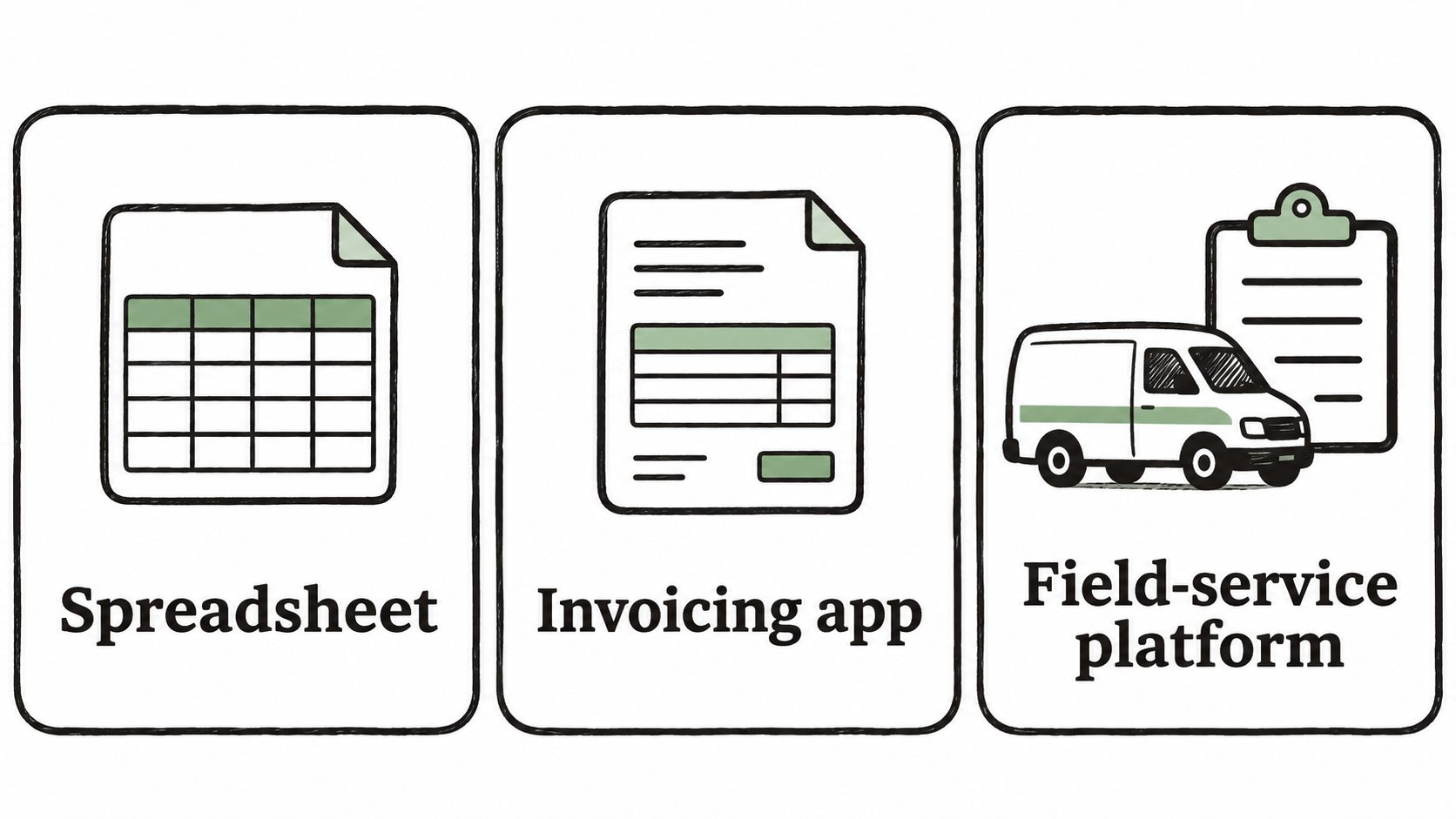
Which situation fits which format
A spreadsheet or word file costs nothing and can mirror the twelve-field header exactly. Totals, tax, and the remaining balance are typed by hand. One skipped serial number or a deposit typed on the wrong row is easy to miss, and two technicians will drift into two layouts within a month. It fits a solo technician with few recurring jobs who will fill every cell.
A general invoicing app is built for a fast path from estimate to invoice, a payment link, and a PDF. That suits a sole operator or a small crew whose main pain is slow billing, not dispatch. Equipment make, model, serial number, refrigerant units, and a jurisdiction note may need custom fields. Confirm those fields exist before paying for a plan. A side-by-side look at invoice software versus spreadsheets is worth reading when the question is growth, not a brand shortlist.
An HVAC field-service platform may link scheduling, dispatch, and job history to billing. The trade-off is cost and setup. Check whether the provider stores the equipment fields and exports the refrigerant records your jobs require.
For a small crew billing replacements, test the equipment fields, deposit tracking, and final balance using one completed job before choosing a tool.
Before buying, run one real replacement through the tool and check three things: serial numbers stored on the job, refrigerant amount with a unit, and a place for the jurisdiction note. If any of those requires a workaround, the format is not ready.
Confirm the Fields and Test One Job This Week
- Pick one finished job that had a deposit or a change order.
- Rebuild that invoice with the twelve core fields and the layout for that job type.
- Check every refrigerant entry against EPA and state requirements, and fill the jurisdiction note.
- Send the estimate. Record the client’s approval through your usual channel, then convert it to an invoice and record each payment against the balance.
- Compare the rebuild with the original and list every field that had to be invented.
Run the same job through an invoicing app and check it against the core fields before committing. After the client approves through your usual channel, convert the estimate to an invoice. Share a PDF or an invoice link and verify the balance after recording each payment.
The business that issues the invoice still owns tax and compliance. Software does not replace an adviser's review.
Once the client approves an estimate through your usual channel, convert it into an itemized invoice in GetBill. Record deposits and partial payments, check the remaining balance, and share the invoice by PDF or link.