

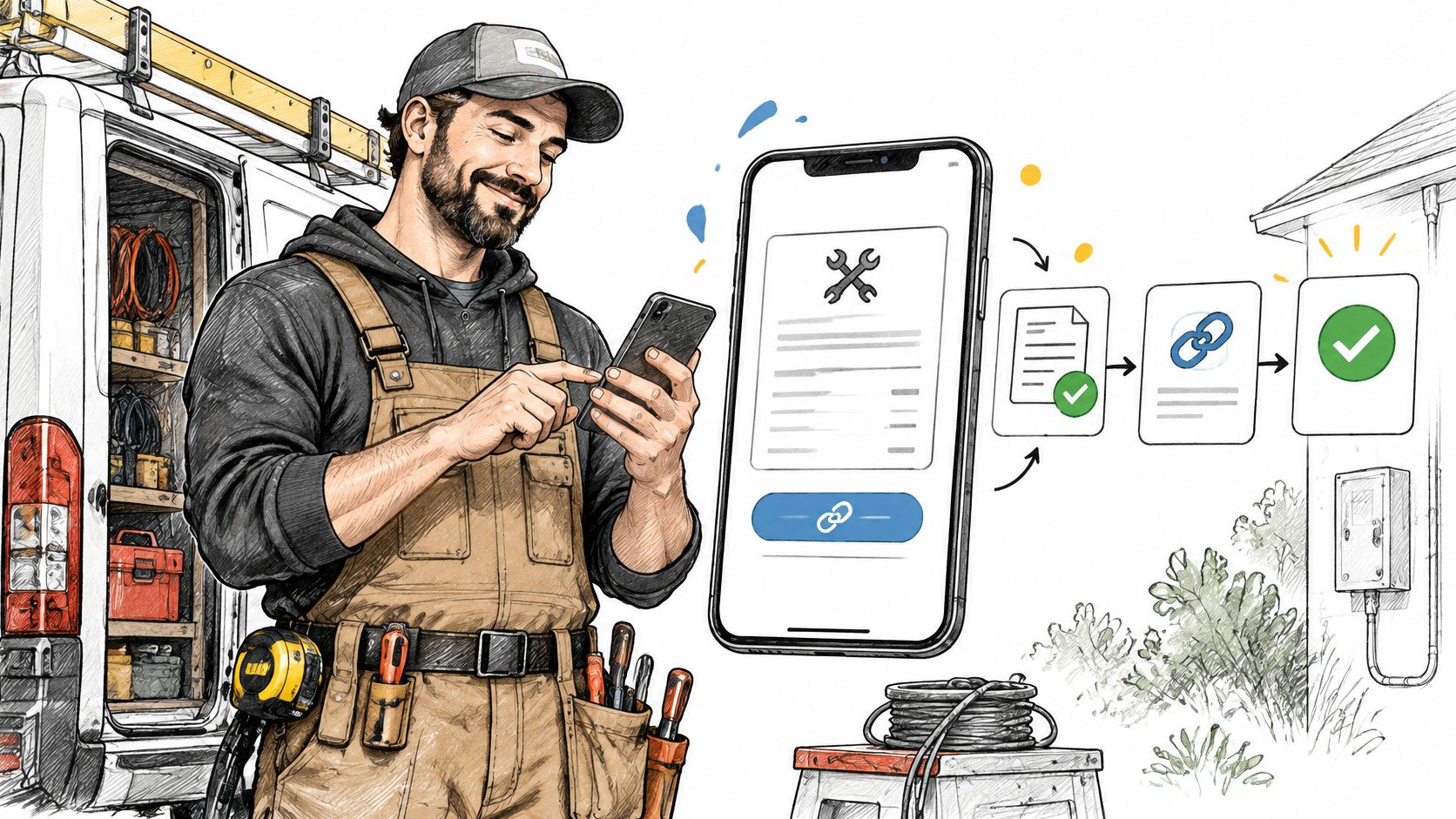
An electrician finishes a repair, puts the tools back in the van, and confirms that the homeowner approved the estimate on site. The invoice should go out before the van leaves the driveway. Instead, the job joins a pile of notes waiting for an evening at the computer.
Mobile invoice software can remove that delay. But the true challenge comes later, when the client pays a deposit, questions a charge, or leaves a balance unpaid. A useful app must help the owner track what's owed, not merely produce a polished document.
Table of Contents
- What Mobile Invoice Software Is and Why It Matters
- Core Features and What Each One Solves
- How Mobile Invoicing Fits the Estimate-to-Payment Workflow
- Tracking Deposits and Partial Payments Without Duplicate Invoices
- Benefits for Freelancers and Small Service Businesses
- Compliance and Records You Still Own
- Protecting Card Payments on a Phone
- Choosing a Mobile Invoice App and Testing It
What Mobile Invoice Software Is and Why It Matters
Mobile invoice software is an application for creating, sending, and tracking itemized estimates and invoices from a phone or tablet. Depending on its capabilities, it also stores client records, records payments, and shows outstanding balances.
Think of a carbon-copy invoice book carried in a pocket, except the documents can be stored, searched, and delivered electronically. The important improvement isn't the screen. It's keeping the client, approved work, invoice, and payment connected.
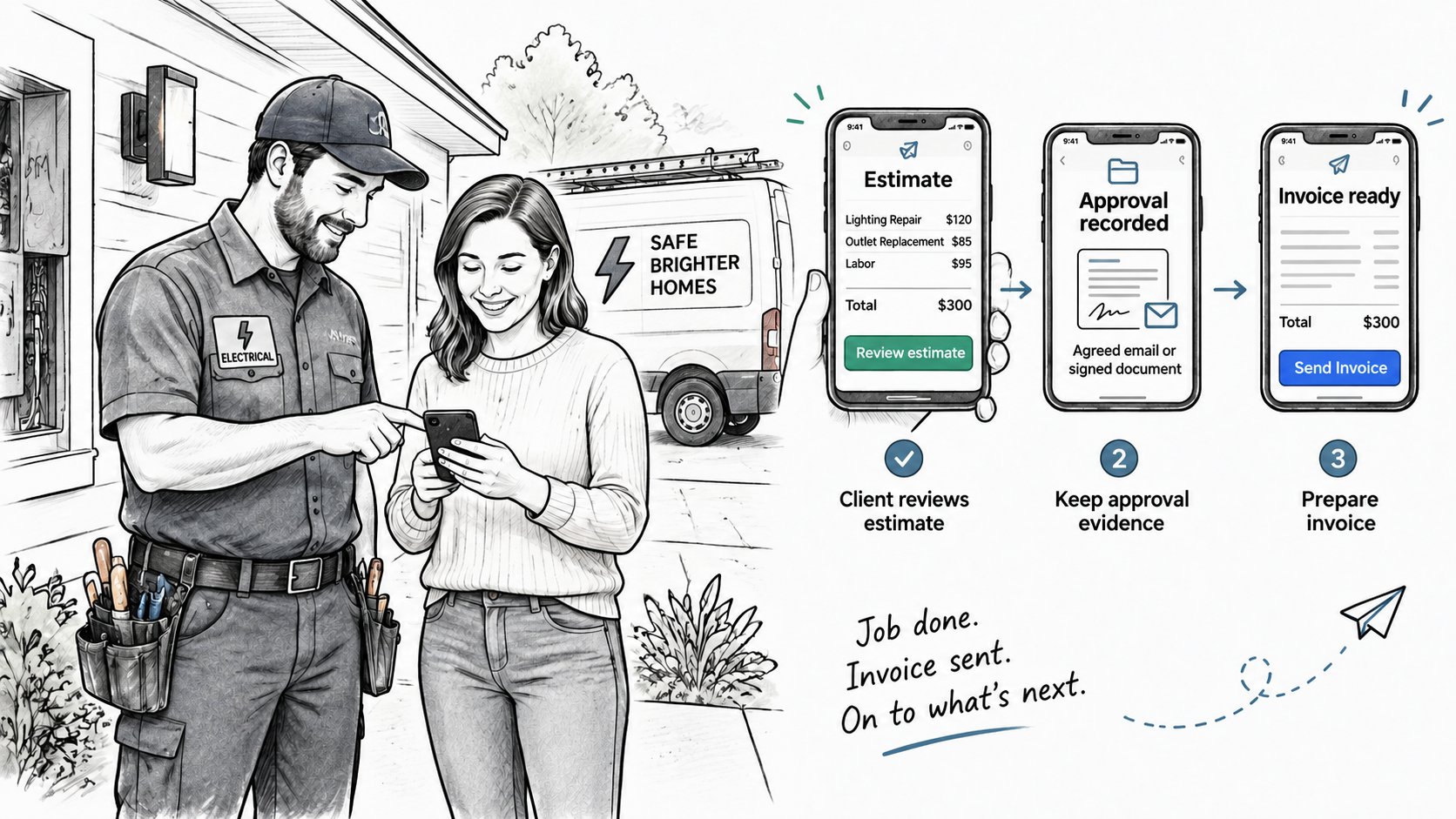
For the electrician, that means entering the repair description while the details are fresh, checking the billing contact with the homeowner, and sending the document immediately. For a consultant, it might mean preparing an estimate after a client meeting rather than reconstructing the discussion later.
Identify the actual billing problem
Digital invoicing has broader business relevance. In 2025, 79% of 1,150 finance, IT, and tax decision-makers across 18 countries said its benefits outweighed its challenges, according to Vertex's commissioned Sapio Research survey. That survey concerns e-invoicing generally, not small-business mobile apps specifically.
The buying decision still starts with the owner's workflow:
- Billing speed: Estimates and invoices wait until the owner returns to a desk.
- Record keeping: Client details, documents, and payments sit in disconnected places.
- Bookkeeping: Bank reconciliation, expense classification, and financial reporting need attention.
These aren't interchangeable problems. A phone-based billing tool can address the first two without being a full accounting system, payroll application, or tax-filing service.
Practical rule: Choose software for the step that currently breaks, not for the longest feature list.
An owner who already sends invoices promptly but can't reconcile receipts may need accounting support more urgently than a new invoice designer. An operator who loses evening hours recreating job details has a stronger case for mobile billing.
Core Features and What Each One Solves
The core features of mobile invoice software should be evaluated by the billing task each one completes, not by how attractive the demonstration looks.
| Feature | What It Does | Why It Matters | What to Verify |
|---|---|---|---|
| Mobile invoicing | Creates itemized invoices and estimates on a phone | Enables billing from the job site | Device and operating system support |
| Offline support | Drafts documents without signal and syncs later | Helps in basements and remote sites | Offline editing and sync behavior, confirmed with the vendor |
| Templates | Reuses logos, line items, tax fields, and notes | Keeps documents consistent with less typing | Which fields can be edited |
| Payment links | Collects payment through a connected provider | Gives clients a direct payment route | Provider, region, and card eligibility |
| Estimate-to-invoice conversion | Turns an accepted estimate into an invoice | Avoids retyping approved scope | Whether acceptance is tracked |
| Partial payments | Records deposits and remaining balances | Prevents an overstated final bill | How balance history is displayed |
| PDF and email delivery | Sends a branded PDF or document link | Gives clients a record to retain | Who can open the link and what it reveals |
Offline drafting isn't the same as offline payment
A contractor may be able to draft an invoice in a basement without being able to send it or collect a card payment there. Those are separate operations. A proper test includes losing connectivity, editing the draft, reconnecting, and checking for missing changes or duplicate documents.
Offline support must be confirmed rather than assumed. The presence of an Android or iOS app doesn't establish that it works without signal.
Templates deserve similar scrutiny. A cleaner benefits from reusable service descriptions, but an old price or inappropriate tax note can spread across multiple clients if nobody reviews the saved record.
Connected features should solve a connected problem
GetBill helps independent professionals and small businesses create and send invoices and estimates, manage clients and products, track payments, and accept supported card payments through Stripe. That combination is relevant when the owner's difficulty is moving between client details, billable work, and payment status.
It doesn't mean every function in the comparison table is included. In particular, offline support and client acceptance tracking require their own confirmation.
Payment links also need a practical eligibility check. Supported payment methods are governed by the connected provider, account configuration, and region, rather than by the appearance of a payment button.
Before choosing a plan, the owner should test a representative estimate containing the business's actual service descriptions, taxes where applicable, and payment terms. A written list of nonnegotiable functions makes it easier to reject a tool that looks polished but leaves a critical step manual.
How Mobile Invoicing Fits the Estimate-to-Payment Workflow
A workable billing sequence preserves the approved scope while changing the document's purpose from proposed work to money due. The owner shouldn't have to rebuild the job at each stage.
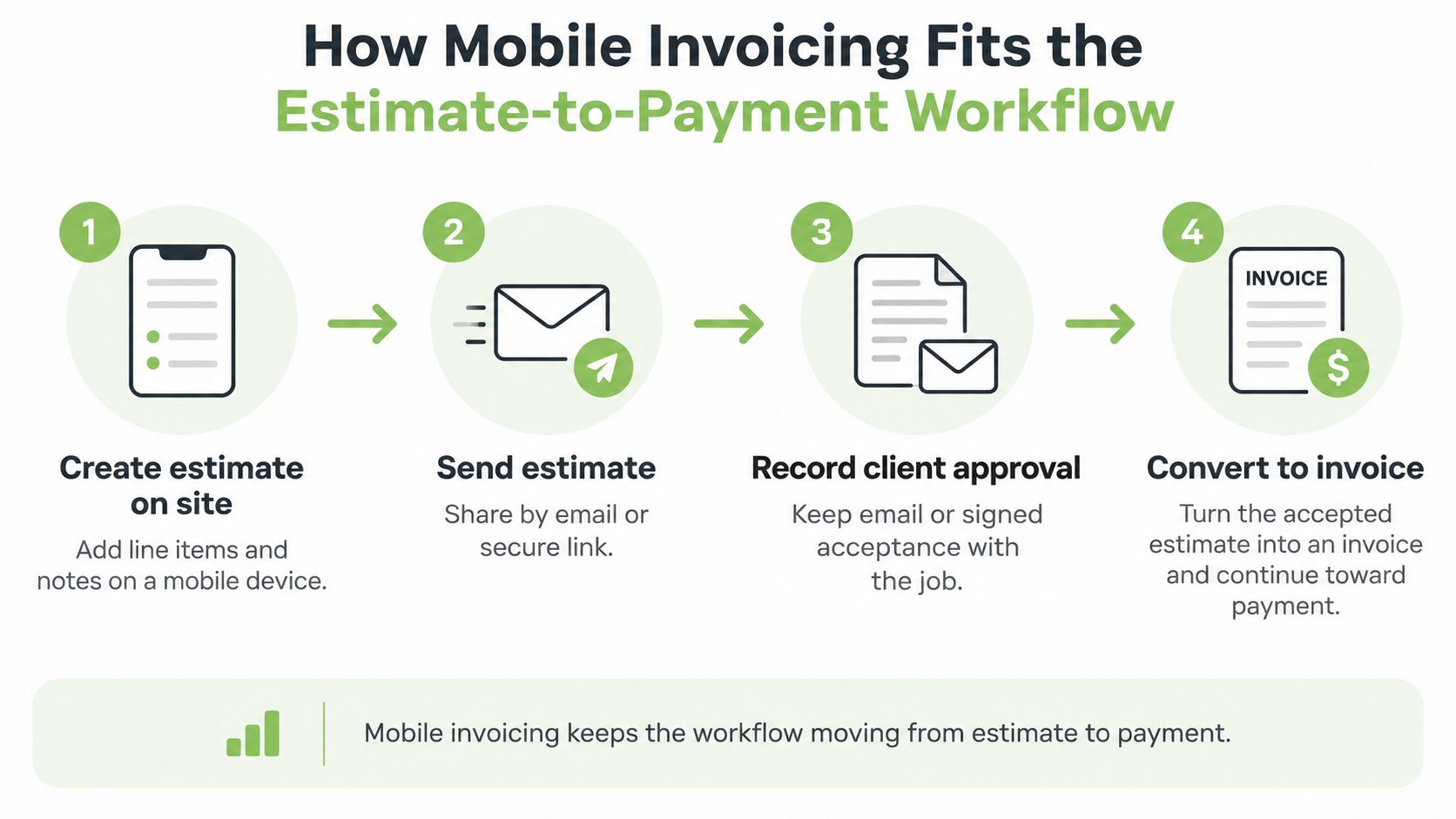
- Prepare the estimate on site. Include service descriptions, quantities, prices, exclusions, and relevant notes. Mark it clearly as an estimate so the client doesn't mistake proposed work for an immediate payment demand.
- Send the estimate to the decision-maker. Email or an appropriate document link gives the client something concrete to review. Confirm the recipient, particularly when the person requesting the work isn't the person authorizing expenditure.
- Record acceptance. Keep approval evidence with the job, whether it arrives through a supported approval workflow, email, or a signed document. Sending an estimate isn't proof that the client accepted it, and public online acceptance shouldn't be assumed.
- Convert the approved scope into an invoice. An accepted estimate can be converted with one click without re-entering data in GetBill. The quote-to-invoice workflow guide provides a useful reference for this handoff; approved extras should remain distinguishable from the original scope.
- Deliver the invoice. The application can email invoices directly to client inboxes with a secure viewing link. Each invoice has a unique access link, allowing the client to view and pay without creating an account.
- Collect through the agreed method. The client can use a supported payment link or make an agreed bank transfer. Transfer instructions should identify the invoice reference so the owner can match the receipt correctly.
- Verify the result. A submitted payment and a cleared payment aren't necessarily the same thing. The owner should check the resulting balance and status rather than treating the client's payment screenshot as final confirmation.
Keep lead handling separate from billing
Before billing, confirm the client, the authorized scope, the invoice recipient and the agreed payment terms. Keep approval evidence with the job so the estimate, invoice and payment record remain connected.
A healthy workflow leaves every document traceable to the same job. The owner can move from proposal to collection on a phone, while retaining evidence of what the client authorized.
Tracking Deposits and Partial Payments Without Duplicate Invoices
Suppose a photographer sells a wedding package for $3,000, receives a $1,000 deposit, and collects the remaining $2,000 after the event. These are hypothetical amounts, but the record-keeping problem is concrete: the original package and the payment against it must remain connected.
Issuing another full-value invoice can duplicate the receivable. Leaving the deposit off the record creates the opposite communication problem, an invoice that appears to demand money the client has already paid.
| Record | What It Should Show |
|---|---|
| Original invoice | Agreed package and complete itemization |
| Deposit entry | Amount, receipt date, method, and reference |
| Balance due | Original total less recorded payments |
Preserve the transaction history
GetBill supports recording partial payments from cash, cards or bank transfers and keeps invoice balances updated. Check the invoice’s payment status after a supported card payment, and accurately record cash and outside transfers. A bank payout is a separate event from recording a payment against an invoice.
A deposit invoice template guide helps structure the client-facing document. For businesses deciding between advance, progress, and final billing, autobankstatement's guide to choosing invoice models for client bookkeeping provides additional terminology.
A balance-due document should explain the remaining debt, not create a second debt.
Separate disagreements from collection work
If the client disputes an extra service, identify the undisputed amount and the disputed line within the record. Log the date and reason, seek payment of the agreed portion under the contract, and resolve the disputed charge without deleting history.
For overdue balances, the business should set a reminder policy, such as contacting the client on the due date and again a week later. Each message and response should be logged, whether reminders are sent manually or through a separately verified tool.
Payment tracking isn't bookkeeping reconciliation. The business still needs to match receipts to bank activity, maintain tax records, and decide how to handle collections or write-offs with its tax professional.
Benefits for Freelancers and Small Service Businesses
The strongest benefits come from eliminating a specific handoff, not merely replacing paper with a screen. Each advantage has a limit that matters during selection.
Less administrative work after the job
A handyman who prepares the invoice before leaving the property avoids reconstructing labor and materials at night. That only works if the service list is usable on a phone; an overcrowded form can move the same administrative burden into the driveway.
Reusable records can also reduce errors. A cleaner can select an existing client and service rather than retyping an address and description, but saved information still needs review when prices, scope, or tax treatment change.
The cost argument needs careful interpretation. A UK government consultation response reports industry estimates of 60–80% lower invoicing costs after moving to e-invoicing, but those estimates aren't a savings promise for a small service business emailing PDFs.
An easier payment route and a retrievable record
A designer who sends a clear balance with a payment link removes the client's need to ask how to pay. That reduces friction, but it doesn't guarantee faster collection from a client waiting on internal approval or struggling with cash flow.
A consultant also benefits from retaining the estimate, invoice, and payment evidence together. GetBill automatically generates PDFs that clients can download, print, or archive, although an attractive PDF alone doesn't establish that work was authorized or delivered.
A branded PDF isn't the same as a structured e-invoice. A PDF presents information for a person to read; structured invoicing enables receiving systems to process defined data fields. Recipient-side automation is an important part of the potential cost benefit.
Measure the change: Compare administrative effort and collection results, not the appearance of the invoice.
A useful before-and-after log records:
- Processing time: Work spent preparing, checking, and sending documents.
- Correction frequency: Reissued documents caused by pricing, scope, or customer-detail errors.
- Days to payment: Time between issuing the invoice and receiving payment.
These measures show whether the app improves the owner's actual operation rather than merely changing its presentation.
Compliance and Records You Still Own
A professional-looking PDF doesn't satisfy every invoicing requirement. The business must establish what its customer and relevant authorities require before assuming that an emailed document is sufficient.
Some jurisdictions require structured invoice formats, approved transmission channels, or clearance processes for particular transactions. A mobile billing application shouldn't be treated as evidence that those requirements have been met.
Establish the transaction requirements
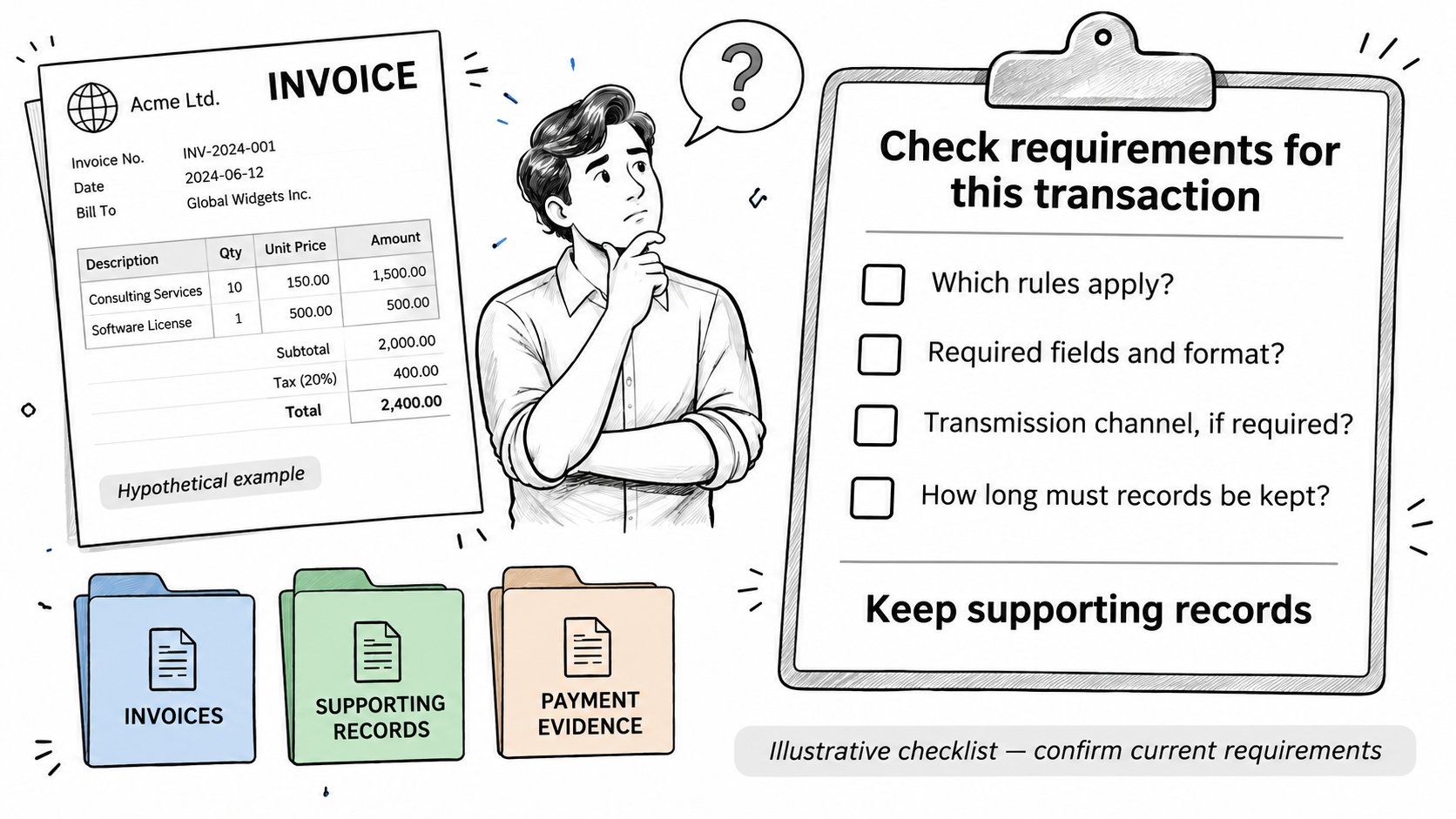
An owner serving an overseas customer should take a concise checklist to a qualified adviser:
- Jurisdiction and buyer: Supplier and client countries, plus business, consumer, or government status.
- Registration and format: Relevant tax registrations, required invoice schema, and mandatory tax fields.
- Transmission: Any approved-network, clearance, or electronic-signature requirements.
- Retention: Required archiving period and acceptable storage method.
The exact obligation must be checked against current official guidance for that transaction. Software capability and legal applicability are separate questions.
Keep US tax and pricing rules in scope
For a US sole proprietor, partner, or S-corporation shareholder, federal estimated tax payments generally apply when the taxpayer expects to owe at least $1,000 at filing, according to the IRS business guide. A hypothetical $4,000 project deposit should be recorded, but that receipt alone doesn't determine the tax obligation; expenses, other income, and the applicable accounting treatment matter.
Form 1040-ES supports the federal estimated-tax calculation. State sales-tax registration, collection, and filing requirements, along with local obligations, require separate jurisdiction-specific review.
The FTC's Rule on Unfair or Deceptive Fees guidance states that the rule took effect May 12, 2025, and covers live-event tickets and short-term lodging, not ordinary handyman, photography, or consulting invoices. Separate contract, state, or industry requirements may still apply.
GetBill doesn't warrant that its generated documents, calculations, payment links, tax settings, or records meet legal, tax, accounting, or regulatory obligations. The issuing business remains responsible for its services, payer relationship, payouts, chargebacks, refunds, disputes, taxes, and compliance.
Protecting Card Payments on a Phone
A payment link doesn't remove the need for security planning. Even when an invoicing application doesn't store card numbers, the phone can expose client documents, account access, and payment-related information.
The PCI Security Standards Council's mobile payment guidance recommends protecting device access, encrypting payment-account data, and masking the primary account number on receipts. It also identifies secure development, testing, and applicable PCI DSS controls as important safeguards.
Secure the device and account
- Lock access: Enable a biometric or strong passcode lock and multifactor authentication on the invoicing account where available.
- Maintain devices: Install operating-system updates and review which phones, tablets, and browsers retain account access.
- Remove unnecessary access: Log out of shared devices and remove former staff promptly.
- Prepare for loss: Confirm how an owner can revoke sessions when a device is lost, replaced, or sold.
The vendor should explain in writing how payment-account data is encrypted before leaving the relevant protected environment, how receipts mask card numbers, and which PCI DSS controls apply to its service. A generic security badge isn't an adequate answer.
Keep card entry with the payment provider
Clients should enter payment details through the payment link rather than dictate them over the phone. Staff shouldn't photograph cards, record card numbers in invoice notes, or read them into voice transcription.
If payment fails, the client should retry through the supported checkout process instead of sending card details by message. The Stripe Checkout safety guide provides context for evaluating that payment route.
Document sharing also needs restraint. Invoice links should reveal only necessary billing information, and staff should treat a valid access link as something that can be forwarded beyond the intended recipient.
Choosing a Mobile Invoice App and Testing It
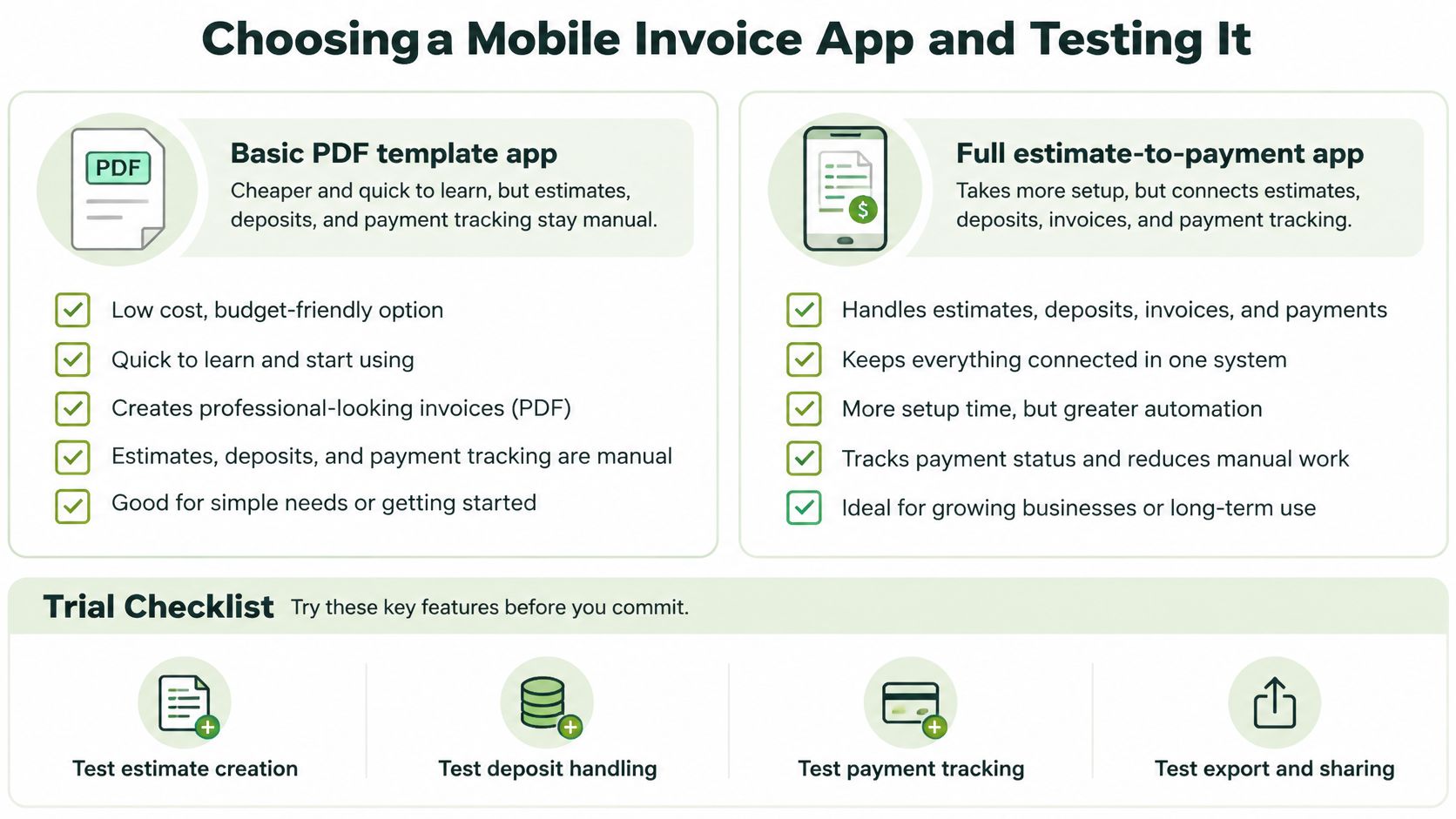
A basic PDF template app can offer a lower-cost, quick-to-learn starting point, but the owner may still handle estimates, deposits, and payment tracking manually. A fuller estimate-to-payment application takes more setup and is worthwhile only if its connected workflow replaces that manual work.
Compare operational fit
| Criterion | Question to Ask | Red Flag |
|---|---|---|
| Device support | Does it run on existing phones and tablets? | Web-only tool that fails on site |
| Offline drafting | Can invoices be drafted without signal and synced later? | No clear vendor answer |
| Estimate-to-invoice | Can an accepted estimate convert without retyping? | Manual re-entry for every job |
| Payment options | Which providers, regions, and cards are supported? | Unclear processor or no payment link |
| Partial payments | Can deposits and remaining balances be tracked? | Balance appears only on a printed PDF |
| Records and exports | Can invoices and payment history be retrieved for the accountant? | Documents can't be retrieved later |
| Public links | Who can open them, and what do they reveal? | Unnecessary customer information is exposed |
GetBill has Android and iOS applications, and invoice payments are processed for the business's connected Stripe account without the application taking custody of the funds. Its public document links can be viewed by anyone who obtains a valid link, which matters when choosing what information belongs on an invoice.
Run a complete field test
- List the documents the business issues most often, including a typical estimate and deposit request.
- Choose a trial or suitable entry plan and enter a representative job.
- Carry that job through recorded acceptance, a deposit, and final billing.
- Compare the balance, payment status, and PDF with the client-facing document.
- Confirm the processor, supported region, settlement destination, and settlement terms.
- Record the time and manual intervention each step requires.
Plan limits deserve the same attention as features. The Starter plan includes 50 invoices, 50 estimates, and 50 emails per monthly cycle; the owner should compare those allowances with actual billing volume before committing.
The best candidate is the one that passes the business's real billing test, including the awkward payment cases, without requiring hidden spreadsheet repairs.
GetBill offers mobile estimates, invoices, reusable client and service records, and payment tracking for small service businesses. Visit GetBill to evaluate it with a representative job, then check the deposit, remaining balance, and client-facing invoice before adopting it.