

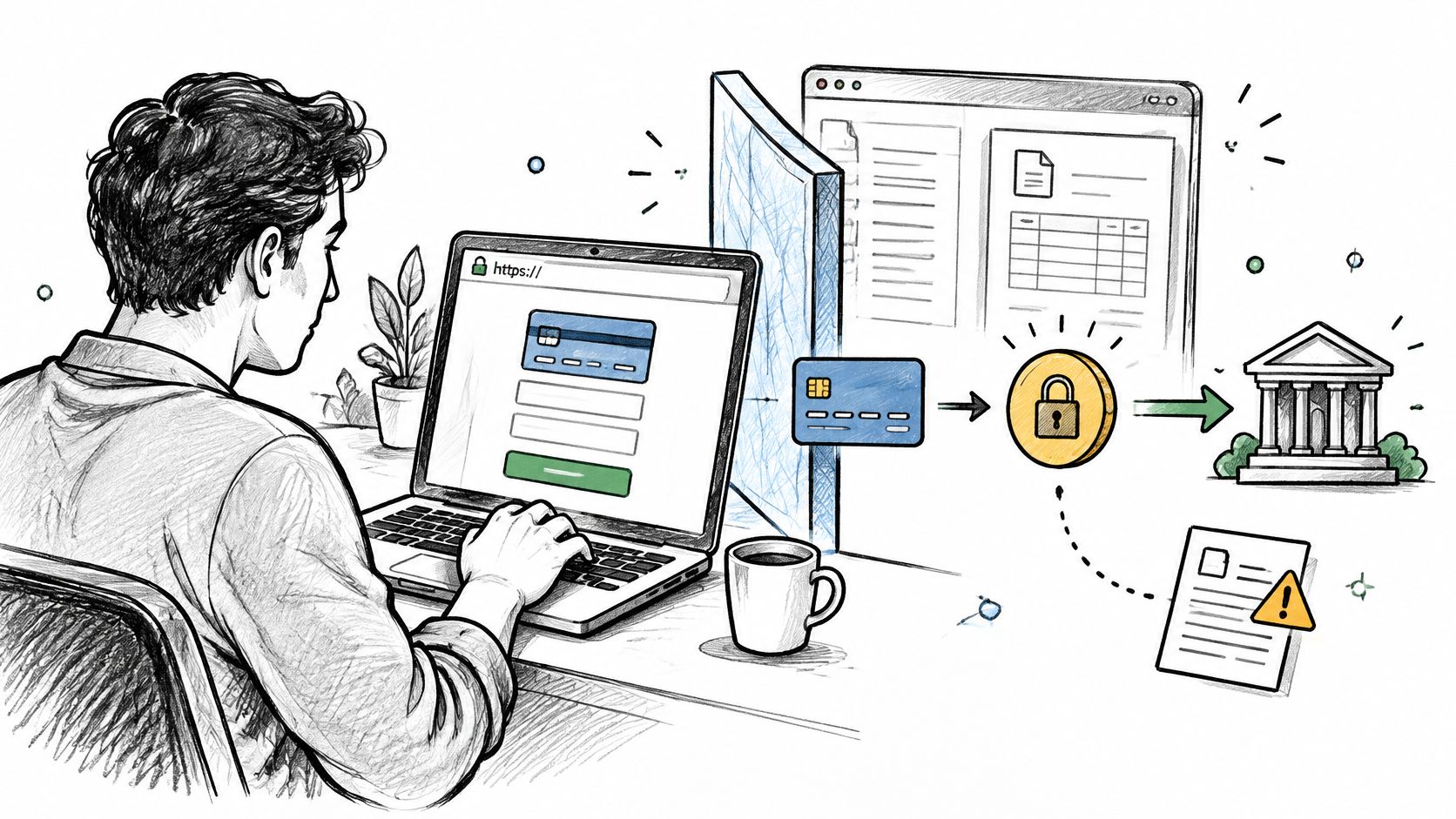
Stripe Checkout is a secure way to take card payments because card details are entered on Stripe's hosted page rather than on your invoice, but a secure checkout does not protect you from disputes. That distinction shapes everything that follows for a small service business.
If the payment page is safe, why can the business still lose money on a payment that went through cleanly? Because payment security and dispute defensibility are different problems, and confusing them leaves owners exposed after the money arrives.
Table of Contents
- Is Stripe Checkout Safe to Use for Client Payments
- How Hosted Checkout Keeps Card Data Off Your Systems
- How Fraud Screening and 3D Secure Handle Risky Payments
- Where Client Payments Go and What Stripe Sees
- When Disputes Happen, Keep the Records That Protect You
- Set Up Stripe Checkout Safely Before Your Next Invoice
Is Stripe Checkout Safe to Use for Client Payments
Stripe Checkout is safe for client payments in the specific sense that the card form is served by Stripe, not by your invoice, email, or website. Your client enters card details in Stripe's environment, and your business receives a payment status and a reference rather than the card number itself.
Safety isn't a single feature, though. It is a stack of layers, and each layer stops one kind of problem while leaving another kind with the business. Reading those limits side by side is what turns a reassuring label into a usable decision.
Security Layers and Their Limits
| Security layer | What it protects | What it does not cover |
|---|---|---|
| Encryption in transit | Card and invoice data sent between the client's browser and Stripe | Phishing emails that send clients to a fake payment page |
| Stripe-hosted payment page | Card number and expiry entered on Stripe's page, not yours | Notes, emails or forms you control |
| Radar fraud screening | Scores each payment and can allow, block or send it for review | A guarantee against later customer disputes |
| 3D Secure authentication | Adds bank verification when required or when risk is suspected | Recovery of funds in every dispute |
| Tokenization | Replaces card numbers with Stripe references in your billing records | Protection if you store card numbers yourself |
Encryption in transit protects data on its way between the browser and Stripe, but it can't help a client who has been sent to a convincing fake page by a phishing email. The strength of the pipeline doesn't matter if the client never reaches the legitimate pipeline.
The hosted page keeps card fields off your site, yet it has no reach over what you type elsewhere. A card number written into an invoice note, pasted into an email, or collected on a contact form sits outside every protection Stripe provides.
Three Fears Worth Correcting
- Myth, a payment link is automatically safe for anyone who opens it: Confirm the sender and destination before paying. Business users should secure the account they use to administer GetBill; recipients should receive public document links only through an agreed channel. A forwarded link can expose information, but possession of a link does not itself establish authorization or verify the recipient's identity.
- Myth, a secure checkout protects the business from disputes: It protects the transaction, not the agreement behind it. A client can still claim the work was unauthorized, undelivered, or different from what was promised.
- Myth, a blocked payment always means fraud: Fraud screening can stop a genuine client whose circumstances look unusual. Offering another payment method keeps that lead alive instead of treating a decline as a verdict.
Owners comparing jurisdictions can use UK checkout rules explained from AmaJova as context for how checkout expectations differ outside the United States. For United States pricing, the FTC rule on unfair or deceptive fees covers live-event tickets and short-term lodging, so it shouldn't be presented as a general federal rule for handyman, photography, or consulting invoices. Separate state and local pricing laws may still apply where the business operates.
One boundary is absolute rather than technical. Users may not create or send fraudulent, deceptive, unlawful, or misleading invoices or payment requests using GetBill, and no checkout feature makes a misleading invoice acceptable.
Three checks for today: The payment link opens a Stripe-hosted page, the address uses HTTPS, and no email or invoice note anywhere in the workflow asks for a card number.
Run those checks on a live invoice rather than on a settings screen, because the client's actual path is the only one that counts. If any step asks the client to send card details back to you, the hosted checkout isn't being used as intended.
How Hosted Checkout Keeps Card Data Off Your Systems
The protection comes from the path the payment takes, not from a badge on the invoice. Trace it step by step and the boundary becomes obvious.
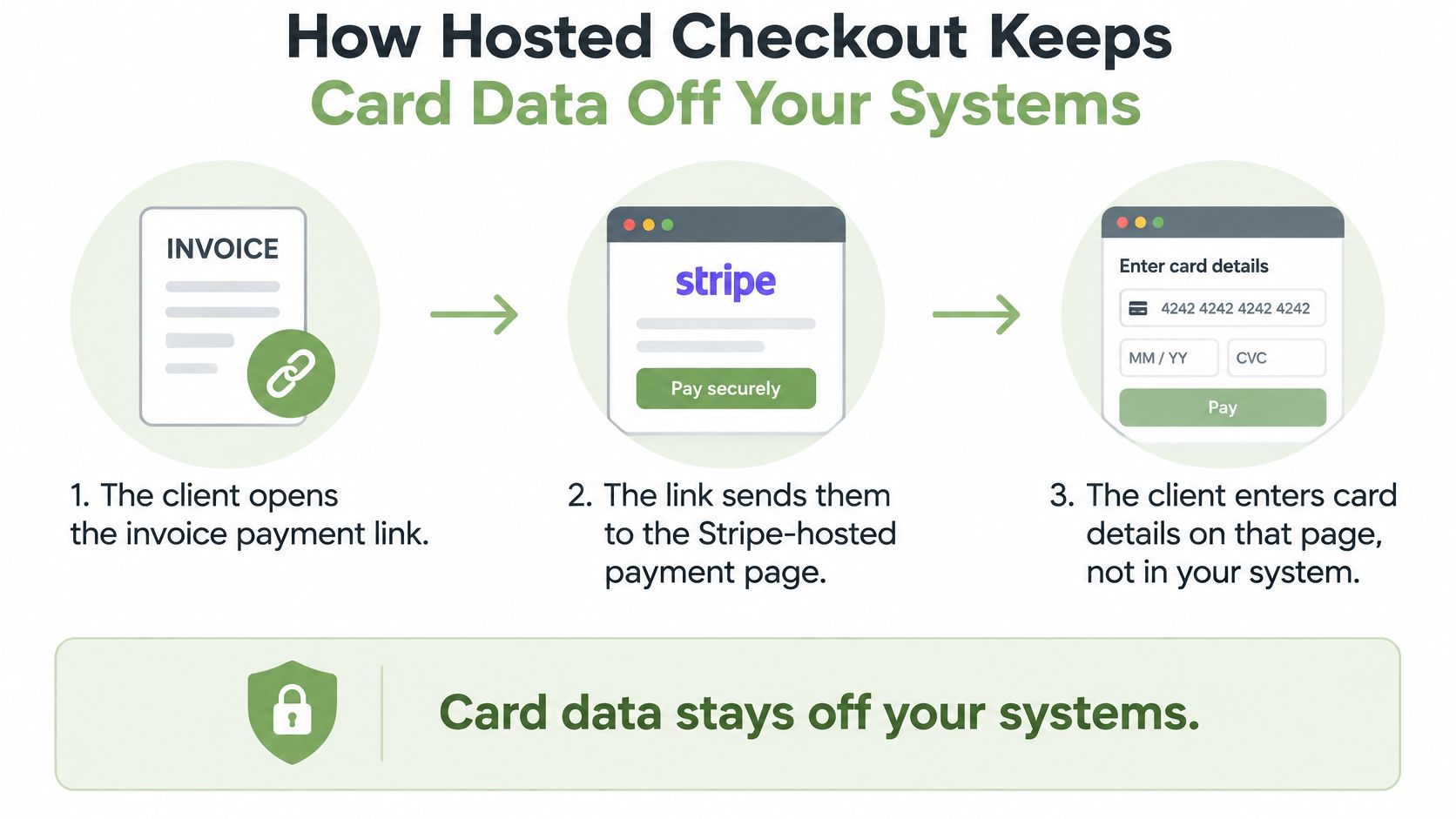
- The client opens the invoice payment link from the email or message you sent.
- The link sends them to the Stripe-hosted payment page, away from your invoice.
- The client enters card details on that page, not in your system.
- Stripe processes the payment and returns its status to your connected account.
- Your billing record updates from that status, not from anything the client typed.
Where the PCI Boundary Sits
Card and bank details for invoice payments are entered directly into Stripe's interface and are not stored by GetBill, which is the practical point for a small business. Fewer card handling components on your side means fewer places where a compromised plugin, a stray script, or careless logging can capture a card number.
The PCI Security Standards Council guidance on SAQ A states that SAQ A eligibility requires every element of the payment page delivered to the customer's browser to originate directly from a PCI DSS validated third-party provider. Merchants must also avoid electronically storing, processing, or transmitting account data on their own systems.
That condition is easy to break without noticing. A custom script, an added field, or a payment page component you control can change your eligibility for the lighter SAQ A pathway, even if the card box itself came from Stripe.
Fully hosted pages and compliant iframes resist transparent theft of card data as it is entered, while direct post and JavaScript form builds don't give the same protection. That's why the redirect matters more than the visual design of the page around it.
Businesses sending invoices by email should keep the email itself free of payment fields and let the link do the handoff. The email carries the invoice, Stripe carries the card data, and neither should absorb the other's job.
A billing record should hold the Stripe payment reference, amount, currency, date, and status, and nothing that looks like card data.
Reduced exposure isn't the same as no responsibility. Account access, software updates, and accurate records stay with the business, because outsourcing card capture doesn't outsource the rest of running a billing system.
How Fraud Screening and 3D Secure Handle Risky Payments
A static card check asks one question, whether the number is valid. Screening asks a better one, whether this particular payment behaves like a legitimate one.
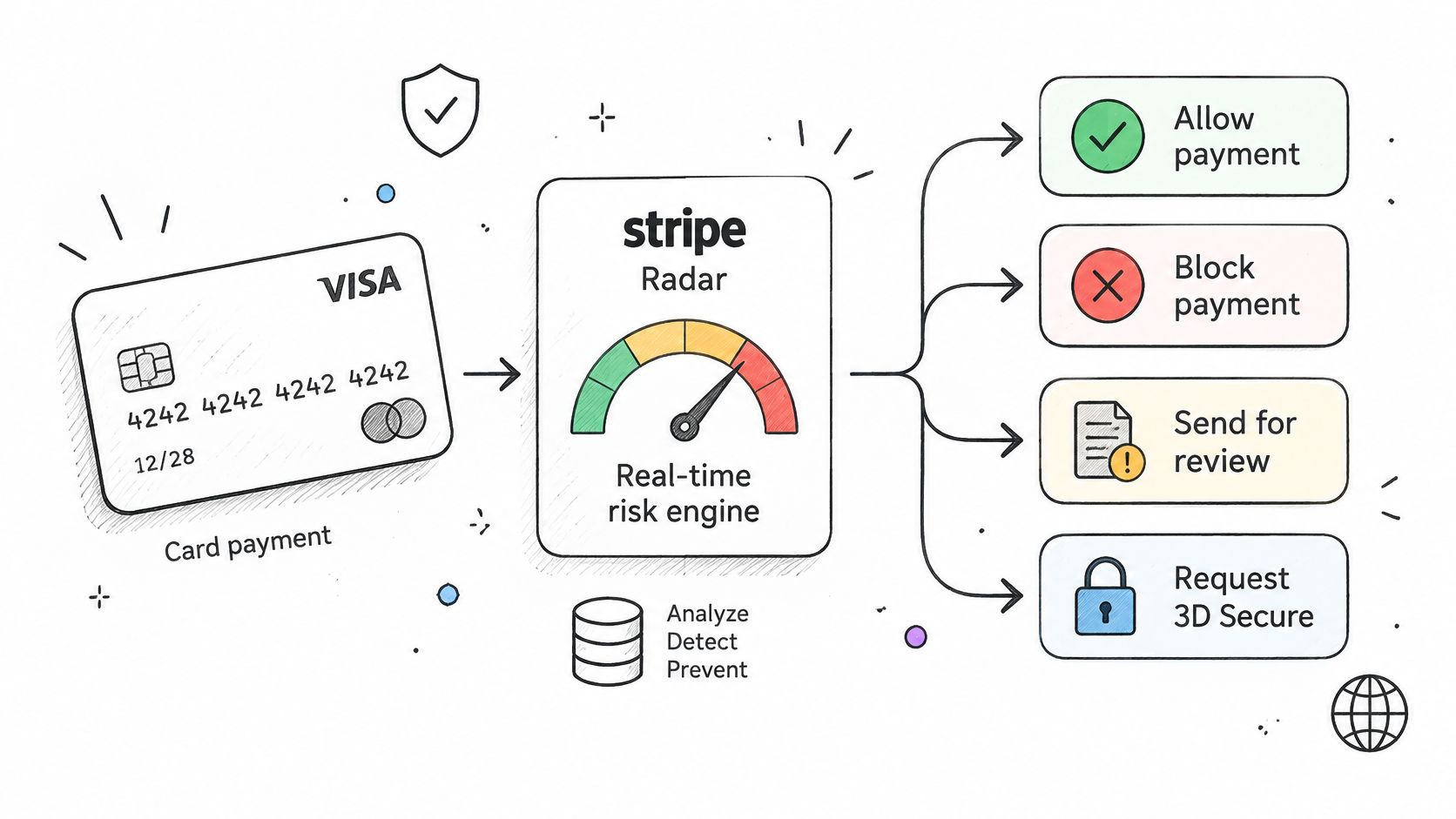
According to Stripe's Radar transaction fraud documentation, Radar evaluates hundreds of risk factors for each transaction and can allow, block, send a payment for review, or request 3D Secure authentication. Those four outcomes are a decision sequence, not a pass or fail stamp.
Low-risk payments usually go through without an extra challenge, which protects conversion for repeat clients paying a routine balance. Higher-risk payments may trigger bank verification or be declined, and that friction is the cost of catching stolen card details before they become your problem.
Legitimate Payments That Look Unusual
Service work produces exactly the patterns that screening flags. A client pays a deposit from another country while traveling, an employee uses a corporate card, a customer pays from a new phone, or someone is connected through a VPN. None of those facts proves fraud, and each one can make a valid payment look odd in isolation.
That's the trade-off owners need to manage rather than complain about. Blocking too aggressively turns away genuine clients, while relying on one signal such as IP address misses fraud that looks normal on that single measure. Combining payment, device, behavioral, and transaction context signals is what makes the decision defensible.
| Risk outcome | What happens to the payment | What you should do |
|---|---|---|
| Low risk | May proceed; issuer approval and authentication requirements still apply | Send the link as normal |
| Elevated risk | May be allowed or reviewed; 3D Secure depends on applicable requirements and configured rules | If a bank authentication prompt appears, ask the client to complete it in the legitimate checkout |
| High risk | Payment is blocked or held for review | Contact the client and offer another payment method |
| Failed authentication | Payment is not completed | Ask the client to retry or verify their details only on the legitimate Stripe-hosted page, or contact their bank. Never ask them to send card numbers or authentication codes |
The business response matters as much as the screening result. A client who abandons a bank prompt often just didn't recognize it, so a short message explaining that their bank may ask for verification can recover the payment without any change to your settings.
Treat a declined payment as a reason to call the client, not as a lost lead.
That call also protects the business. If the person on the phone can't explain the payment or pushes to bypass verification, you have learned something the screening already suspected.
Where Client Payments Go and What Stripe Sees
Clients reasonably ask where their money goes, and owners should be able to answer without guessing. The money path is short. The client pays through Stripe Checkout, funds move directly to the business's connected Stripe account, and the billing app doesn't take custody of those funds.
Invoice payments are processed for the business's connected Stripe account, and GetBill does not take custody of the funds. That separation matters if a client worries that an invoicing tool is holding their deposit, because the answer is that Stripe holds the payment relationship.
What Stripe Receives With a Payment
When a client pays through Stripe-hosted checkout, Stripe may receive the client's email address, invoice number, business name, currency, amount, and processing-fee information. Nothing on that list is exotic, but it does shape how an invoice should be written.
- Business name clarity: The client should see the business name they expect, since an unfamiliar name on a statement is a common trigger for confusion and disputes.
- Invoice description discipline: Descriptions shouldn't contain sensitive personal details about the client, the site address, or the nature of private work.
- Privacy terms visibility: Questions about how payment data is handled belong in privacy terms the client can read before paying.
Stripe collects the identity, bank, and payout information it needs to provide its services when the business connects its account. Owners sometimes find that onboarding intrusive, but it is what allows payouts to reach a verified business account rather than an unverified recipient.
Payout timing depends on the Stripe account settings, so check it there instead of assuming a schedule when quoting payment terms to a client.
Checks Before the First Live Invoice
Verify that the connected account name is correct, the currency and country match the business, and the bank details shown in Stripe belong to the business owner. A mismatch in any of those three is easier to fix before a client pays than after a payout has gone to the wrong place.
When Disputes Happen, Keep the Records That Protect You
A successful checkout documents a processed payment. It does not, by itself, show what the client agreed to, whether the work was delivered, or which terms applied. For a service business, those records help explain why a deposit or balance was charged.
3D Secure authentication can shift liability for certain fraud disputes. The shift is not guaranteed, and outcomes depend on the transaction, the evidence, and applicable rules. Authentication and a clear record of the work address different parts of a dispute.
Evidence to Keep for Each Payment
| Evidence | What it helps show | Where to keep it |
|---|---|---|
| Signed or accepted estimate | Scope and price the client agreed to | Linked to the invoice record |
| Scope change messages | Work requested beyond the original estimate | Project folder with email archive |
| Delivery confirmation | Work was completed and handed over | Project folder |
| Stripe payment reference | The payment matches the invoice amount and date | Billing record |
| Cancellation and payment terms | Terms the client accepted before paying | Estimate PDF |
Keep the deposit invoice with the accepted estimate, record scope changes in writing, and save delivery confirmation and the terms accepted by the client. This creates a timeline that connects the agreed work to the payment. For a related explanation of tracking changes in QuickBooks and Xero, see how audit trails record what changed and when.
For deposits and balances, store the invoices and project records together. A reviewer should be able to follow the sequence from estimate to deposit, any scope change, delivery, and final balance without searching across scattered files.
Accepting cards through Stripe can make payment easier for clients, while also bringing the possibility of disputes. This guide to credit card acceptance for small business covers the trade-offs. A consistent record routine helps make the payment easier to explain.
Build the evidence file as the work progresses. Reconstructing it after a dispute arrives may leave gaps in the agreement, delivery record, or payment timeline.
Set Up Stripe Checkout Safely Before Your Next Invoice
Check account configuration before requesting a client payment. Checkout problems can also involve the issuer, authentication, connectivity or service availability. Contractors evaluating configuration choices can read about choosing a Stripe setup for contractors from HomeProBadge, then run the checks below against their own account.
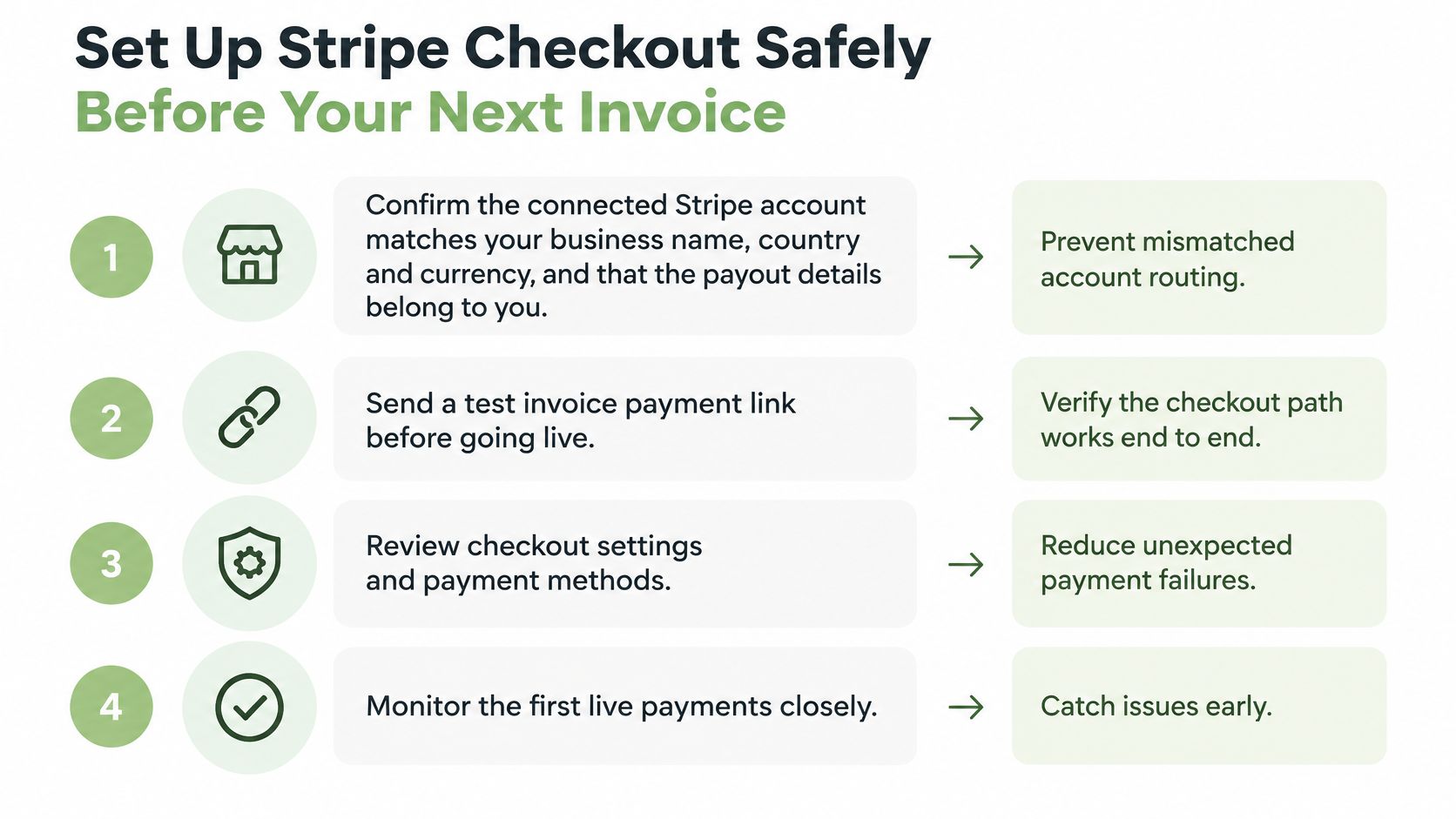
- Confirm the connected Stripe account matches your business name, country, and currency, and that the payout details belong to you, because mismatched routing is hard to unwind after a client pays.
- Send a test link to yourself and confirm it opens a Stripe-hosted page over HTTPS, because the client's real path is what you're relying on.
- Keep card numbers out of invoice notes, emails, estimates, and custom forms, because the hosted page only protects data entered on that page.
- Limit payment settings and invoice administration to staff who need them, because broad access turns a single compromised login into a billing problem.
- Share public invoice and estimate links only with the intended recipient, because forwarding can expose document information. Use an agreed channel to record approval of an estimate; request payment through an invoice with a supported payment option.
- Mark invoices paid from Stripe's payment status, not from a browser redirect alone, because a redirect can be interrupted or misread.
- Attach the accepted estimate, scope changes, and delivery proof to each invoice before requesting the balance, because evidence gathered late is weaker.
- Never send passwords, Google authentication codes, full payment card numbers, bank credentials, private keys, or access tokens to support, because legitimate support doesn't need them to help you.
One Product Note and One Habit
A business can connect its own Stripe account to GetBill, and Stripe collects the identity, bank, and payout information needed to provide its services. Supported card brands can be accepted through Stripe, subject to the connected account, currency, and region.
Owners still deciding on their payment mix can use how to accept payments online to compare card checkout against other methods before committing a deposit workflow to one channel. Availability depends on Stripe, the account, and the region, so a method that works for a peer may not be open to your business.
Review the checklist before the first live invoice, not after the first failed payment.
That review can identify account-name, currency and payout mismatches before requesting a client payment. After that, the habit is simple. Keep card data on Stripe's page, keep records with the invoice, and treat every decline as a conversation rather than a conclusion.
If your business sends estimates and invoices and wants clients to pay by card without card details touching your own systems, GetBill lets you connect your Stripe account and accept supported card payments on invoices, with availability depending on Stripe, your account, and your region. Set it up before your next deposit request, run the checks above on a test link, and keep the estimate and delivery records attached to each invoice.