

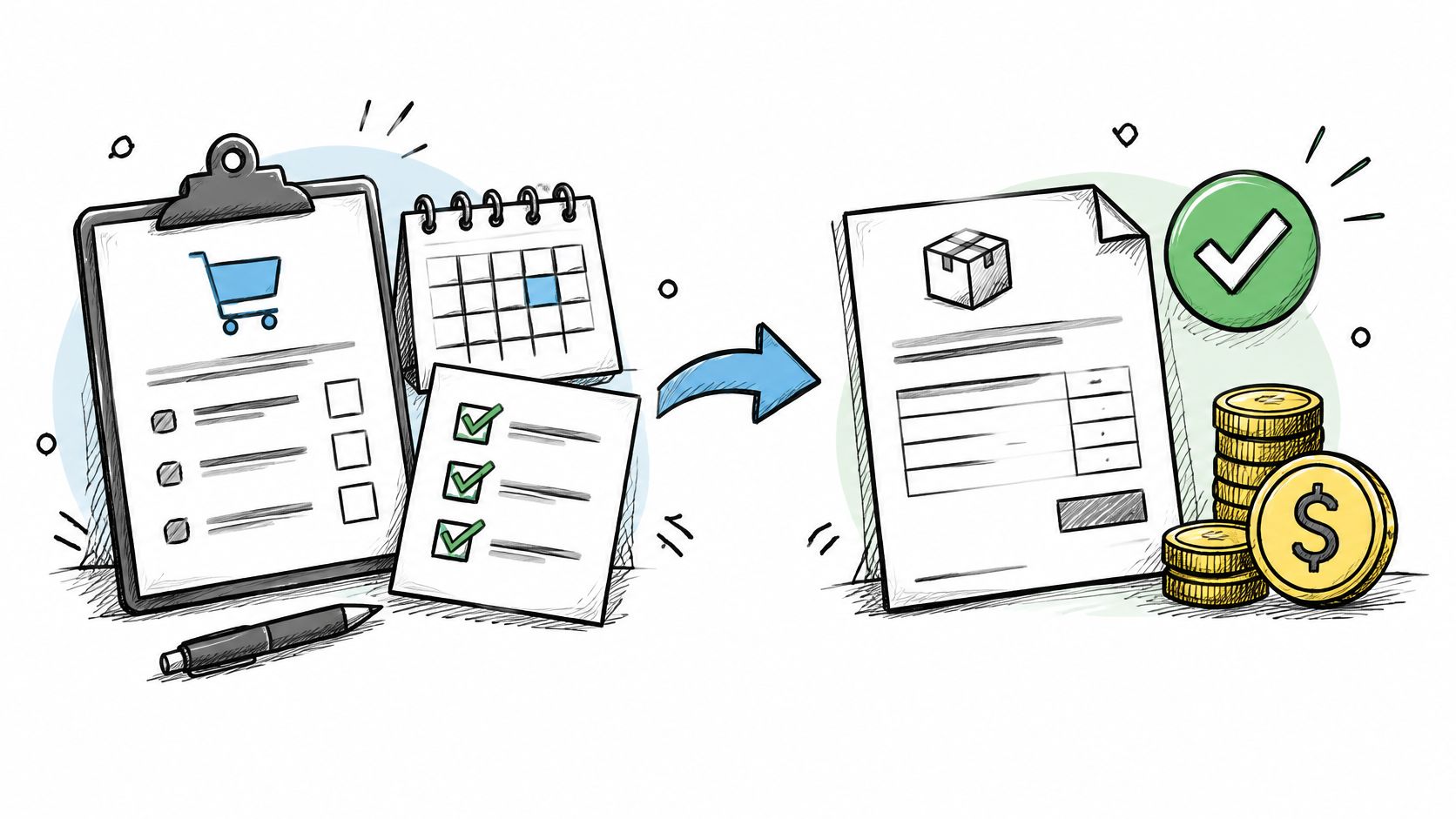
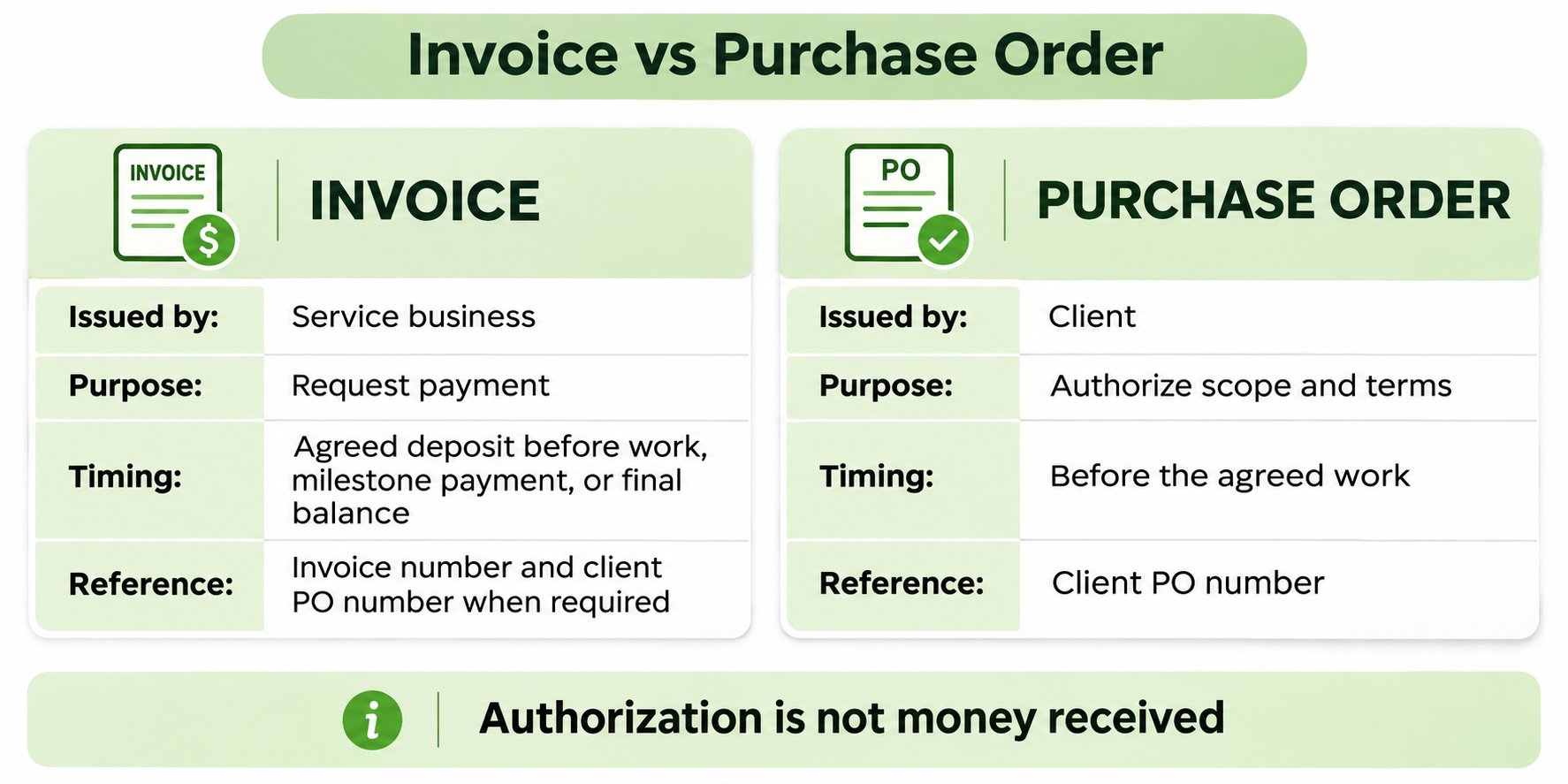
The client issues a purchase order to authorize agreed scope and commercial terms. The service business issues an invoice to request payment: an agreed deposit before work, a milestone payment during the job, or the remaining balance afterward. The purchase order itself is not payment.
That split sounds academic until a finished job sits unpaid because the wrong document, or the right document without the right reference, reached the wrong person. For a small service business, the difference between an invoice and a purchase order determines who approves the spend, what proof is needed before payment, and whether a bill can even be entered into the client's system.
Table of Contents
- Why Mixing Them Up Delays Your Payment
- Invoice and Purchase Order Side by Side
- Fields That Belong on Each Document
- How Clients Match Your Bill Before Paying
- From Approved Estimate to a Payable Invoice
- A Purchase Order Does Not Put Cash in the Bank
- Set the Paperwork Before You Start the Job
Why Mixing Them Up Delays Your Payment
Say a cleaner finishes a recurring office job on Friday and emails the invoice that same afternoon. The office manager approved the cleaning, the work is done, and the amount matches the estimate. Two weeks later, accounts payable replies that the bill can't be entered because it has no purchase order number.
The cleaner didn't make a math error. The problem is that the person who requested the work and the person who releases payment aren't the same person. Larger buyers separate those jobs on purpose, so one employee can't both order work and approve paying for it without a record in between.
Who Approved What Actually
The buyer's purchase order authorizes scope and commercial terms. The service business's invoice requests an agreed deposit, milestone payment or final balance. In the cleaning example, the office manager agreed to the work, but accounts payable still needs the required authorization record before processing the final bill.
Practical rule: Ask how the client pays before asking when the client pays. A due date means little if the invoice can't enter the payment queue.
That gap creates three avoidable delays:
- Missing reference: The invoice is correct but carries no purchase order number, so accounts payable returns it for reissue.
- Wrong entity: The bill names the location or contact person instead of the legal entity that issued the order.
- Unrecorded completion: The work was done, but there's no sign off, timesheet, or delivery note proving it.
The chart in the next section separates the two documents line by line. After that come the fields each one should carry, the matching test clients apply before paying, and a path from estimate to collected balance. One limit runs through all of it. A purchase order can be mandatory for the client's payment process without being cash the business can spend.
Invoice and Purchase Order Side by Side
Use this table to distinguish the buyer’s authorization from the seller’s payment request. Check the client’s purchasing requirements before work starts. As explained in Stripe’s deposit-invoice guidance, a seller can request an upfront payment before full delivery. Clearly identify whether the invoice requests an agreed deposit, milestone payment or final balance.
| Criterion | Purchase order | Invoice |
|---|---|---|
| Who issues it | Buyer or client | Service business or supplier |
| When it is created | Before goods or services are delivered | Before work for an agreed deposit, during a milestone, or after delivery for the final balance |
| Main job | Authorizes items or services, quantity, price, and delivery or performance terms | Requests payment and records the amount due |
| Question it answers | What did the buyer authorize? | What is the supplier billing? |
| Service-business stand-in | Client purchase order, or an approved estimate when no purchasing department exists | Itemized request for an agreed deposit, milestone payment or final balance |
| Effect on cash | A pre-delivery authorization, not a receipt of funds | A payment request; not proof that money has been received |
| What it cannot do alone | Prove the work was delivered or that payment is due | Expand the scope the buyer authorized |
Reading the Rows With Real Jobs
Start with the issuer and timing rows. A wedding photographer's client emails, "Book the wedding for $2,400." That's an approval, and for a direct consumer client it may be enough to hold the date. It isn't a purchase order unless the client's buyer issues one through a purchasing process. The photographer's later bill for the delivered gallery, showing the deposit paid and the remaining balance, is the invoice.
A property manager's written order for two hours of emergency plumbing, naming the location and the required completion date, works the other way. That order functions as the purchase order because it authorizes defined work before anyone picks up a wrench. The plumber's bill after the visit, priced from the hours worked, is the invoice.
What Each Document Protects
The trade off is straightforward. The purchase order protects the buyer's authorization and budget. It records that someone with spending authority approved this scope at this price. The invoice creates the seller's claim to be paid. It records that the work happened and states what is now owed.
Do not assume these documents settle every contractual term. For example, under FAR 13.004 for U.S. federal acquisitions, a supplier’s acceptance of the government’s order establishes a contract. For each job, confirm how scope, ownership, cancellation, revisions, acceptance and payment terms are agreed under the applicable rules; avoid adding new terms only after the work is finished.
With a homeowner who has no purchasing department, an approved estimate records the agreed scope and price. It is distinct from an invoice, which requests payment under those terms. That request may be for a deposit before work, a milestone during the job or the final balance afterward.
Fields That Belong on Each Document
Hold this table beside an estimate or a bill before sending either one. Most rejections trace back to a field that's missing, not a price that's disputed.
| Field | On the purchase order | On the service invoice |
|---|---|---|
| Parties | Buyer legal entity and supplier | Service business and client being billed |
| Scope | Services or goods the buyer authorizes | Agreed deposit, milestone amount or completed services being billed |
| Quantity or time | Ordered quantity, hours, or milestones | Agreed advance amount or completed hours, units or milestones |
| Price | Agreed unit price or total authorized | Rate billed, adjustments, and line totals |
| Dates | Required delivery or performance date | Invoice date, service period, and payment due date |
| Money terms | Proposed payment terms | Applicable taxes, deposit received, and remaining balance |
| References | Purchase-order number | Invoice number plus the client purchase-order number when one exists |
Where the Two Documents Must Agree
The purchase order should name the buyer's legal entity, the supplier, the authorized services, the quantity or hours, the agreed price, and the required timing. If any of those are vague, the service business should ask for clarification before starting, because the invoice will later be tested against exactly those lines.
The invoice should name the service business and client and clearly identify the agreed deposit, milestone or completed services being billed. Include the invoice date, relevant service period, due date, applicable taxes, payments already received and remaining balance. Where the client issued a purchase order, include its number where accounts payable can find it.
Clear wording for due dates, late charges, and accepted payment methods prevents a second round of emails, and the guide to standard invoice payment terms covers how those phrases are typically structured.
Separating Optional Work From Done Work
A cleaning estimate can show a base price and optional oven cleaning separately. Bill the oven cleaning only if the client authorized it: identify any agreed advance payment clearly, then include the completed service on the final invoice and credit payments already received. An optional line in an estimate is not authorization to charge for it.
An estimate can offer choices. An invoice should request only an agreed deposit, milestone amount or final balance, clearly identifying what is being billed and crediting payments already received.
Tax and pricing display rules aren't national for ordinary services. Sales tax, pricing, and contract rules depend on the state and locality where the work is performed, so they should be checked there. The FTC guidance on the Unfair or Deceptive Fees Rule confirms the rule took effect May 12, 2025, but covers only live-event tickets and short-term lodging, not ordinary handyman, cleaning, photography, or consulting invoices.
How Clients Match Your Bill Before Paying
On the client's side, paying an invoice is a control exercise, not a courtesy. According to Microsoft's guidance on three-way matching policies, accounts payable compares the invoice against the purchase order and an independent receipt or acceptance record before approving payment.
The Three Records Being Compared
The comparison usually checks supplier identity, purchase order reference, line descriptions, quantities, unit prices, taxes, totals, and completion status. Agreement across all three records tells the payer the purchase was authorized, received, and billed correctly. It doesn't guarantee payment on a particular day, but a mismatch almost always stops the clock.
For physical goods, the third record may be a packing slip, shipping receipt, or product receipt. For services, the equivalents are familiar:
- Signed timesheet: Confirms hours worked during the billed period.
- Milestone acceptance: Confirms the client approved a phase before the next one is billed.
- Job completion note: Confirms the site visit or repair finished as ordered.
- Approved delivery record: Confirms files, reports, or other deliverables reached the client.
A two-way match, invoice to purchase order only, can confirm price and authorization. It can't prove the service was received. That's why a consultant's invoice with the right rates still stalls when no one has approved the timesheet behind it.
Exceptions That Trigger Human Review
A client’s accounts-payable team may need to review differences in quantity, price, purchase-order references or evidence of completion. Confirm which records are required and send matching references and clear line items. This is a buyer-side payment control; it does not mean GetBill provides automated three-way matching or guarantees payment.
When a client rejects an invoice, the fix is specific. Reissue it with the purchase order number added, the same line items and prices as the order, and the completion record attached. Don't change the total, renumber lines, or rewrite descriptions in the process. The goal is to make three documents agree, not to create a fourth version accounts payable has to interpret.
From Approved Estimate to a Payable Invoice
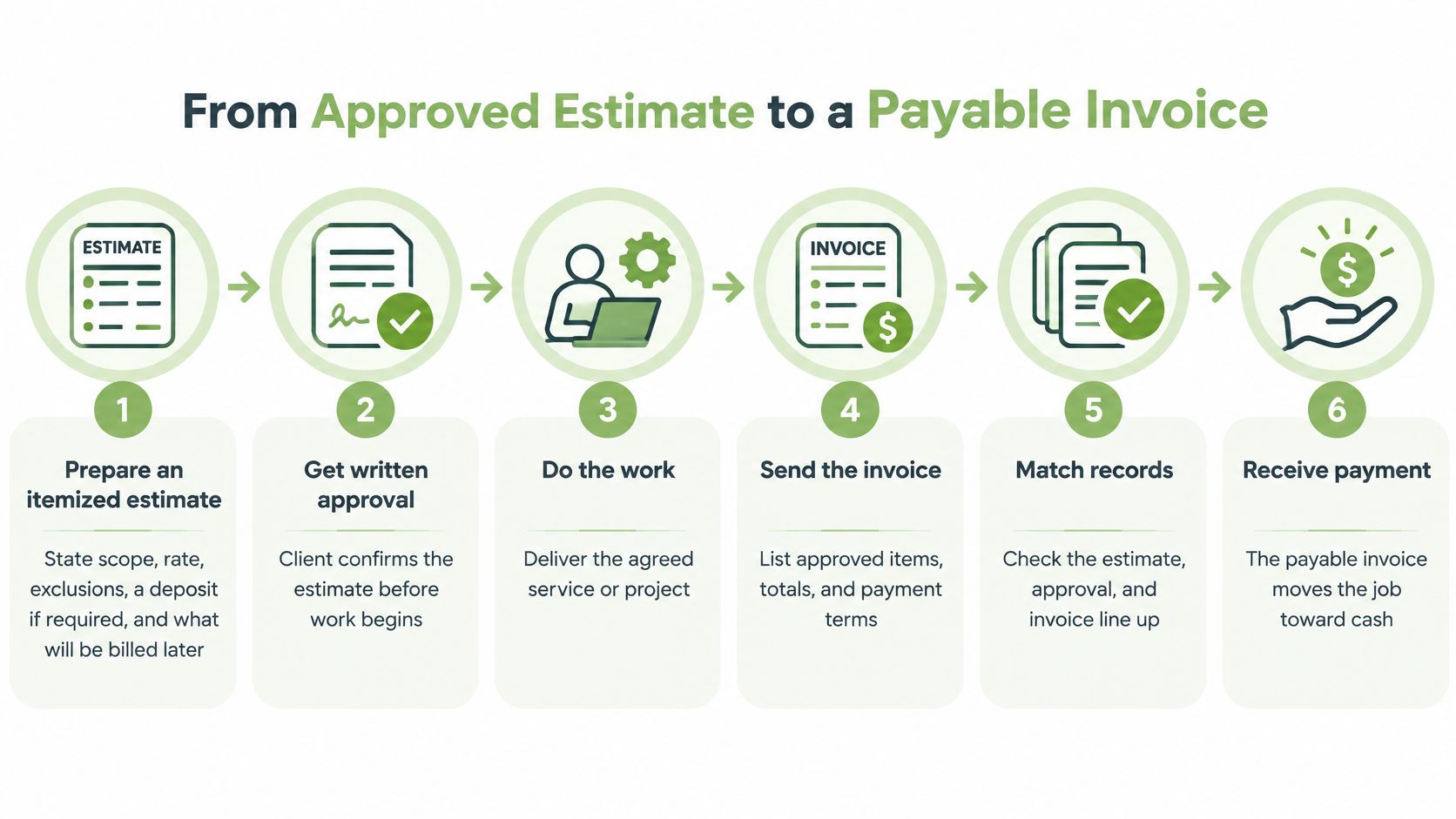
This example shows a final-balance invoice after delivery. If the agreed terms require a deposit before work or a milestone payment during the job, issue that payment request at the agreed stage and show payments already received on the final balance. Keep the client purchase-order reference on each invoice where required.
Steps One to Three Set the Terms
- Prepare an itemized estimate. State scope, rate, exclusions, any required deposit, and what will be billed later. Vague estimates produce precise disputes.
- Ask whether accounts payable needs a purchase order. If it does, collect the purchase order number, legal entity, billing address, and submission channel before starting. Some clients require upload to a portal, and an emailed PDF never reaches the queue.
- Check the order against the estimate. For a U.S. federal buyer, Federal Acquisition Regulation Part 13 requires purchase orders to specify the quantity of supplies or the scope of services and a determinable delivery or performance date. That rule applies to U.S. federal acquisitions, not private clients or every state and local purchase. A private property manager's order naming hours, location, and completion date is good practice, not that regulation.
Check current material costs before finalizing a service estimate, record the quantities and price assumptions, and agree any changes before billing. Keep the estimate, client authorization and invoice references consistent.
Steps Four to Six Produce the Proof
- 4. Do the work and keep the completion record. A timesheet, milestone note, or signed job sheet created during the work takes minutes. Reconstructing one after a rejection takes days.
- 5. Handle scope changes before billing them. If the client adds work, get a revised order or written approval first. Extra lines that appear for the first time on an invoice are the lines most likely to be disputed or short paid.
- 6. Prepare the final-balance invoice from the approved estimate. Use the same purchase order reference as on any earlier deposit invoice, credit payments already received, and show the remaining balance. The steps for turning an approved estimate into an invoice without re-entering data describe that handoff in detail.
Sequence check: Agree scope, authorization and payment terms first. Request any agreed deposit before work, retain completion evidence, and bill milestones or the final balance when due. Credit payments already received so the same amount is not charged twice.
Handled this way, the client receives one bill that matches the order line for line and reflects the work done. Nothing on the invoice is a surprise, because every amount traces back to something the client approved before the cost was incurred.
A Purchase Order Does Not Put Cash in the Bank
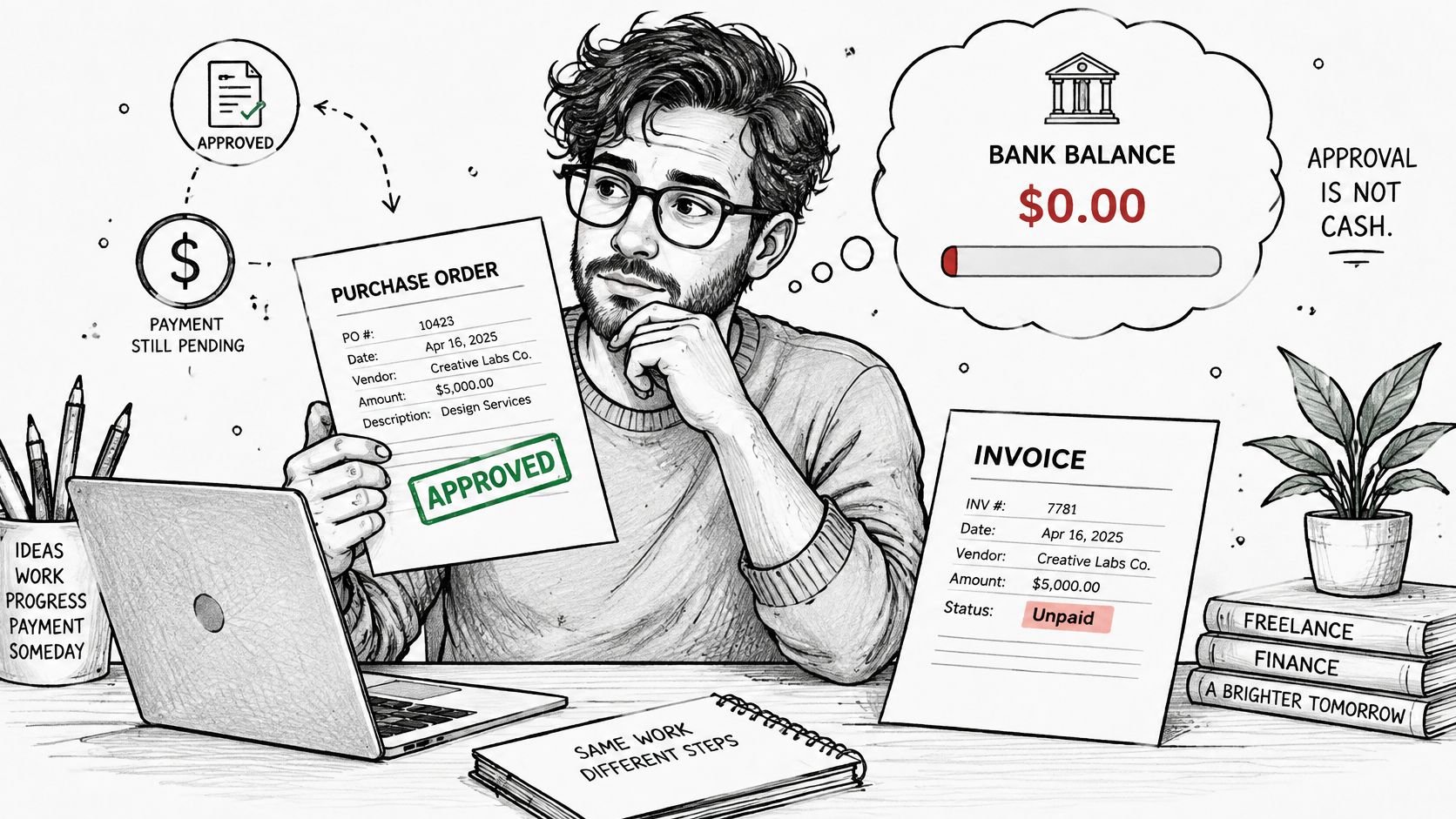
A matching purchase order feels like a guarantee. It isn't one. The order records what the buyer authorized, but it doesn't move funds, settle a dispute about the deliverable, or replace written terms for scope, acceptance, cancellation, and payment timing.
Authorization Is Not Payment Compliance
The UK Home Office procurement guidance makes the distinction bluntly for its suppliers. Suppliers should not provide goods or services without a valid purchase order, must include the number on the invoice, and risk delayed or rejected payment if they don't. That's UK government guidance for its own suppliers, not U.S. law, but large U.S. companies run similar no order, no pay policies for the same control reasons.
The operational lesson applies to photographers, consultants, cleaners, and contractors selling to larger organizations. An email approval, a signed estimate, or a verbal go ahead may settle scope completely and still fail the client's accounts payable rules. The person who wants the work done often has no authority to promise how or when the invoice will be processed.
Questions to Resolve Before Labor Is Spent
Five questions prevent most of the damage:
- Who requests the purchase order: The client's budget holder usually triggers it, but the supplier should ask for the number directly.
- What changes after the order: Added scope needs a revised order or written approval before it's billed.
- Whether deposit invoices quote the number: They should, whenever the client has issued one.
- Where invoices go: Portal, shared inbox, or a named contact, confirmed in writing.
- What happens without one: Work started before the number arrives can leave labor and materials spent while the invoice remains unpayable under the client's rules.
That last point is the cash risk. A sole trader who starts early is financing the client's paperwork delay. A deposit or milestone invoice, carrying the purchase order reference, shares that exposure instead of concentrating it at the end. A payment term printed on the invoice is credit the business extends, not a promise the client has funded anything.
The workflow step that collects the number, entity, billing address, and submission channel is the control here. Running it before the first hour of work costs one email. Running it after delivery costs a payment cycle.
Set the Paperwork Before You Start the Job
The estimate or order records the authorized scope and price. An invoice requests the payment due under those terms, whether a deposit, milestone amount or final balance. Agree payment timing before work starts; a purchase order does not mean funds have been received.
| Client type | Document to use first | Required on the invoice |
|---|---|---|
| Homeowner or small client with no accounts-payable team | Approved estimate for scope and price, followed by deposit, milestone or final-balance invoices as agreed | Estimate reference, invoice number, deposit, and remaining balance |
| Company paying through accounts payable | Client purchase order before labor is spent | Purchase-order number on the deposit invoice and the final invoice |
| U.S. federal buyer | Order stating quantity or scope and a performance date under FAR Part 13 | Same scope, quantity, and date as the order |
| Change in scope | Revised order or written approval before billing | Revised line items that match the approval |
Making the Sequence Routine
Small service businesses encounter the same handoff: agree scope and price first, then request payment under the agreed terms. Choosing between a proposal and a quote helps clarify that first document and the details that should carry into the invoice.
GetBill is one option for the billing side of that sequence. An accepted estimate can be converted into an invoice with one click, without re-entering data, and partial payments from cash, cards, or bank transfers can be recorded with the invoice balance kept updated. Clients receive a link to view the invoice.
Those features handle document handling, not obligations. GetBill does not warrant that invoices, estimates, tax settings, or payment links meet legal, tax, or accounting obligations. The business remains responsible for the work, the taxes, and compliance in the jurisdiction where the work is performed.
Prepare the estimate, confirm whether a client purchase order is required, and identify when an agreed deposit, milestone amount or final balance will be invoiced. Keep the authorized scope, invoice references, payments received and remaining balance consistent.
For service businesses whose estimates and invoices keep drifting apart, GetBill converts an accepted estimate into an invoice without re-entering lines and tracks deposits against the remaining balance. It's a practical fit when the estimate to invoice handoff is where errors and delays start. Review the billing workflow there and decide whether it matches how clients approve and pay for work.