


The estimate went out Friday with the client's first name and last initial on it. The invoice went out Monday under the legal entity name because that's what the card statement would show. The deposit cleared two weeks ago and never appeared as a credit. Now the client is asking why the balance looks unpaid, and the answer is buried in an email thread next to a photo of a gate code.
None of that is a billing problem. It's a record problem. A client record isn't a contact card you scroll past, it's the source document that every estimate, change order, and invoice gets copied from. Get the source right and the paperwork turns boring, which is exactly what you want.
Table of Contents
- Client Record Fields Every Estimate and Invoice Needs
- Why Organized Client Records Protect Your Cash Flow
- Turn a Client Record Into an Estimate and Invoice
- Track Scope Changes and Approvals in One Place
- Deposits, Partial Payments and Overdue Balances
- Disclosure and Privacy Checks Before You Reuse Client Data
Client Record Fields Every Estimate and Invoice Needs
Start with the billing details you can reuse on an estimate or invoice. This checklist also includes details to verify per job and records to keep separately.
| Field | Estimate | Invoice | Why it matters |
|---|---|---|---|
| Legal or business name | Yes | Yes | Bills the correct entity every time |
| Billing contact and email | Yes | Yes | Sends documents to the person who approves payment |
| Service address | Optional | Yes for on-site work | Ties the job to the location and scope |
| Tax treatment | Check | Check | Confirm exemption status or certificate under local rules |
| Standard payment terms | Yes | Yes | Keeps due dates consistent across documents |
| Preferred payment method | No | Yes | Shows the client how to pay without a follow-up |
| Deposit history | Yes | Yes | Shows amounts already paid and credits to apply |
| Separate job log with document numbers | Keep separately | Keep separately | Links new estimates to past work and invoices |
| Notes and access instructions | Yes | Optional | Records scope details and site access rules |
| Optional tags in your own tracker | Keep separately | Keep separately | Filters your list when you plan work |
Most rows take seconds to fill and hours to reconstruct. A service address deserves both versions when they differ: a commercial client may want invoices at a downtown mailing address while the actual work happens across town, and a crew that only has the billing address is a crew that calls you from a locked gate.
Tax treatment is a status, not a guess. Whether the client is exempt, whether an exemption certificate is on file, and which state or local rule applies to the service all need to be confirmed before you apply a treatment to a document. Deposit history is the row owners skip most often, and it's the one that explains why the second invoice is smaller than the first. Keep optional tags in your own tracker, and keep site access codes out of customer-facing documents.
Three reasons these rows earn their space:
- No re-entry, no invention. A record that carries the address, terms, and tax status means each new document gets copied, not retyped from memory at 9pm.
- One identity per client. The same legal name and terms on every estimate and invoice stops one customer existing twice in your billing, once as "Dave R." and once as "Rivera Property LLC."
- A price history you can defend. Job history with document numbers shows what this client accepted last time, which settles most "that's not what we agreed" conversations with one screenshot.
Reuse saved client details for estimates and invoices. Keep tags, scope changes, and approvals in a separate log or folder, using the estimate or invoice number as a reference.
Run a spot check today. Pull the three most recent clients and read down the table for each one. Every cell should hold a value or a deliberate blank, where blank means you decided the field doesn't apply to that job.
Why Organized Client Records Protect Your Cash Flow
The failure pattern looks the same in every trade. The client's billing name sits in one app. The payment terms sit in an email from March. The deposit sits in the bank account with no note attached. The scope sits in a notebook that only gets opened on site. Nothing is wrong with any single piece; they just don't agree with each other, and the invoice is where the disagreement surfaces.
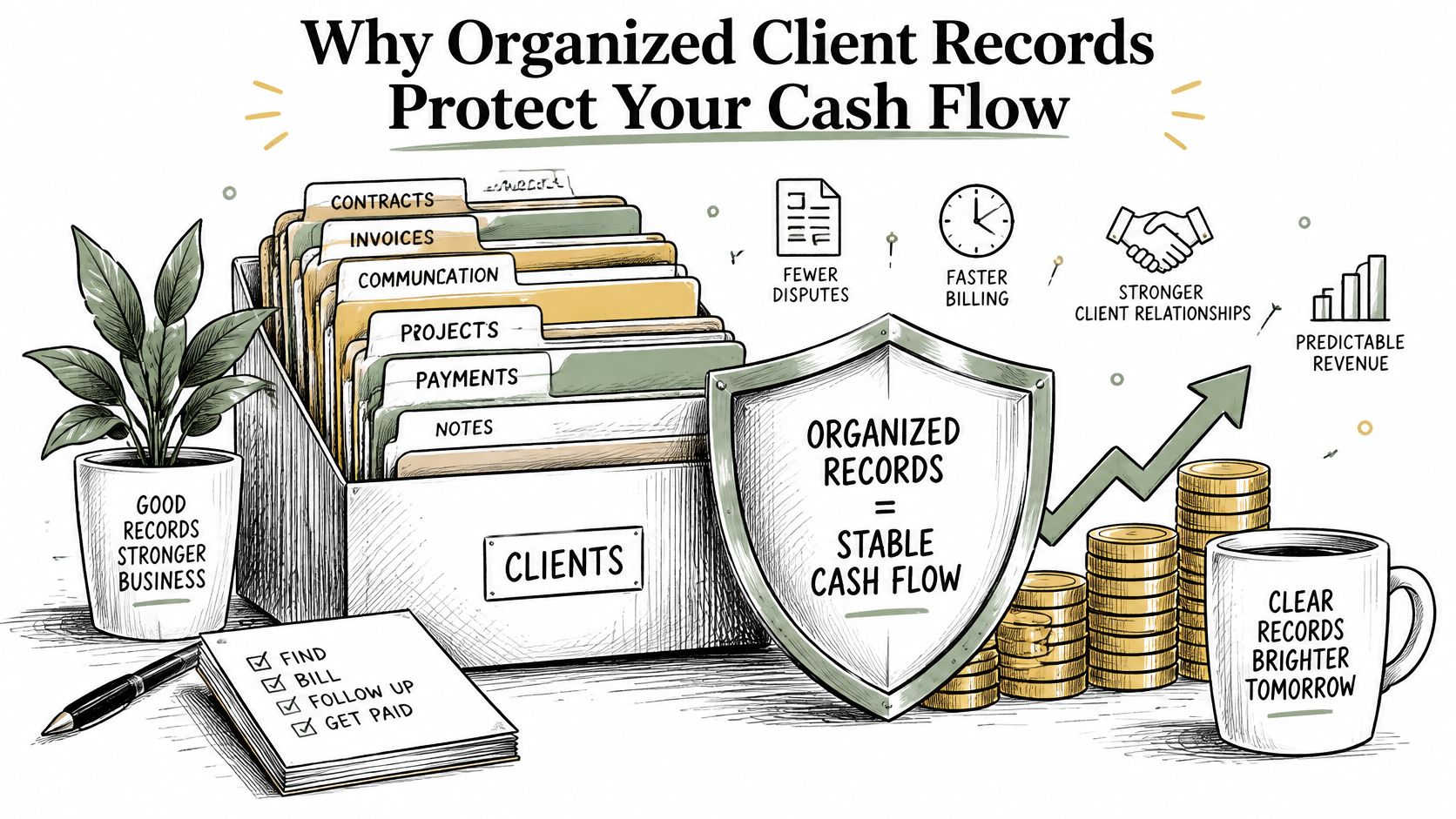
Reuse the billing name and email, then confirm the current job scope, price, payment terms, and deposit before sending the estimate.
If a steady client asks to pay in 45 days instead of 14, note the agreed deadline on the estimate and carry it onto the invoice.
Client management starts with accurate billing details. Keep the agreed terms and balance on your documents, and track scope changes in a separate job log.
Master copy rule: when two places disagree about a client, the record wins and the other copy gets corrected the same day.
A photographer with three repeat clients and three different deposit rules can rebuild each invoice from memory and be right twice. The third one goes out without the retainer credited. Clear records help you apply the right deposit and identify the balance due.
Here's the test worth running now. Pick any active client and answer three questions in under a minute: what was agreed, what has been paid, and what is still owed. If any answer needs a second app or a scroll through email, the record isn't doing its job.
Turn a Client Record Into an Estimate and Invoice
The routine below moves a record into an estimate and then into an invoice with the client's details entered once. It's deliberately dull. The value is that it produces the same document shape every time, which is what makes a mistake visible before the client sees it.
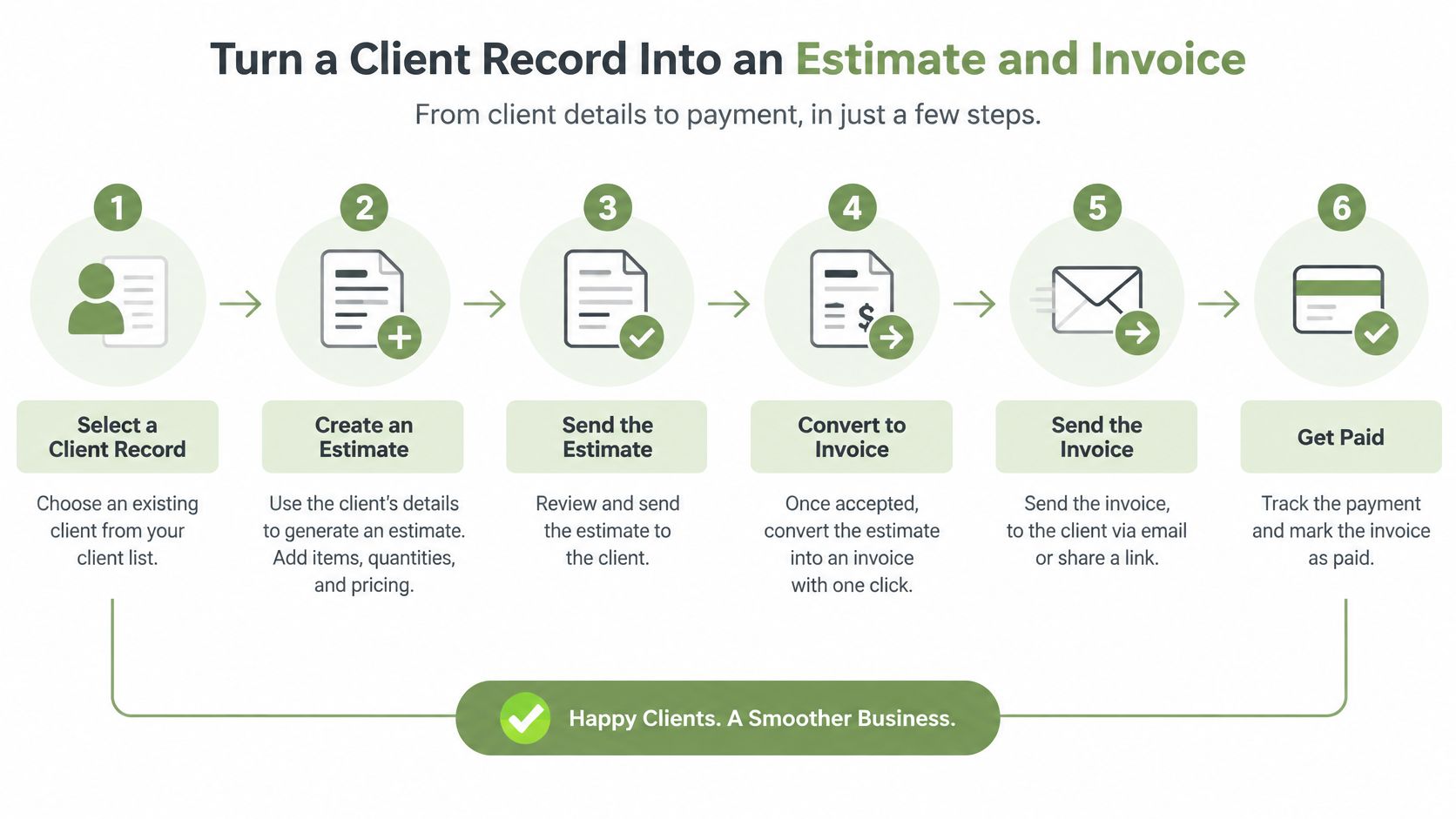
Before the first step, open the record and check three things against the job: billing name, email, and service address. If the name on the record doesn't match the entity that will pay, fix the record first. A second record for the same client splits the history, and you'll spend the next year guessing which one is current.
- Create an estimate from the saved client record. Confirm the scope, line items, prices, and terms for this job.
- Keep a separate job log. Record the estimate number, date, scope, and written approval in your own log.
- Send the estimate with a validity date. State how long the price holds, and repeat the payment terms in the notes so the client reads them once more before saying yes.
- Convert the estimate after written approval. Review line items, applicable taxes, and the amounts before you send. A walkthrough for converting an approved estimate into an invoice without re-entering data covers the sequence.
- Record the deposit against the invoice. Check that the total, amount already received, and balance due are clear.
- Send the invoice and track payments. Share it by email or link, then check the amount paid and the outstanding balance.
The most common slip isn't arithmetic. It's identity. Retyping a client's name a little differently on each document splits one relationship across two records and hides half the payment history behind the wrong one.
One thing no document system changes: the business issuing the invoice stays responsible for the underlying work, the payer relationship, payouts, chargebacks, refunds, disputes, taxes, and compliance obligations. Clean records make that responsibility easier to carry, not smaller. Tools that reuse client details and convert estimates help here, but confirm each capability in the tool's own current documentation before depending on it.
Check your three most recent clients' billing names and emails. For the next job, reuse the saved details, confirm the scope and terms, and track payments against the invoice. Maintain any job notes or status labels separately.
Track Scope Changes and Approvals in One Place
When a client asks for more work, document the request. If it changes the price or schedule, send the revised scope and get written approval before proceeding.
The first job is classification. Not every request is a change order, and treating every revision as billable work damages a relationship as surely as absorbing everything for free.
| Change type | Example | Handling | Record update |
|---|---|---|---|
| Included revision | Second round of edits within the agreed scope | Keep in the estimate and log the round | Revision count |
| Client-caused change | Client adds a room after approval | Send a change summary with price and get written approval | Approval date and new total |
| Provider error | An item was left out of the estimate | Correct it under your own policy and state the decision | Cause noted in job history |
| Delay from missing information | Client sends photos or materials late | Record the delay and agree a new date | Date and reason for the delay |
| New deliverable | Client requests an extra service | Issue a new estimate or change order | Link to the original estimate number |
Once a request is sorted, approval runs in four moves. Write a short summary of what changed, what it adds to the price, and whether a date moves. Send it with an approval line the client confirms in writing. Wait for that confirmation before the work continues. Then file the summary in the job history, linked to the original estimate number, so the next invoice can point at it directly.
Labels carry judgment, which is why classification matters more than the pricing. Call a client's clarification, or a fix for something you got wrong, "extra work" and the client hears a bill instead of an answer. Neutral labels do the opposite: clarification within scope, provider error, new deliverable. Each describes what's happening without implying bad faith.
Designers, photographers, consultants, cleaners, and contractors all watch deliverables shift mid-conversation, because the client is describing an outcome rather than a specification. Decide in advance how a provider error gets absorbed under your own policy, and put that policy on the estimate so nobody has to negotiate it in the moment.
A change that is not approved is not billed. The reverse holds too: a change that is approved gets billed on the next invoice, not the one after.
The approval method belongs in the terms, named explicitly: an email reply or a signed summary. What to put in estimate terms and conditions covers the clauses that keep this routine quick.
Deposits, Partial Payments and Overdue Balances
Take a $2,400 job: a deep clean, a design package, a repair, a consulting engagement. The arithmetic is simple. Getting it right is what keeps the relationship civil when money is moving in three stages.
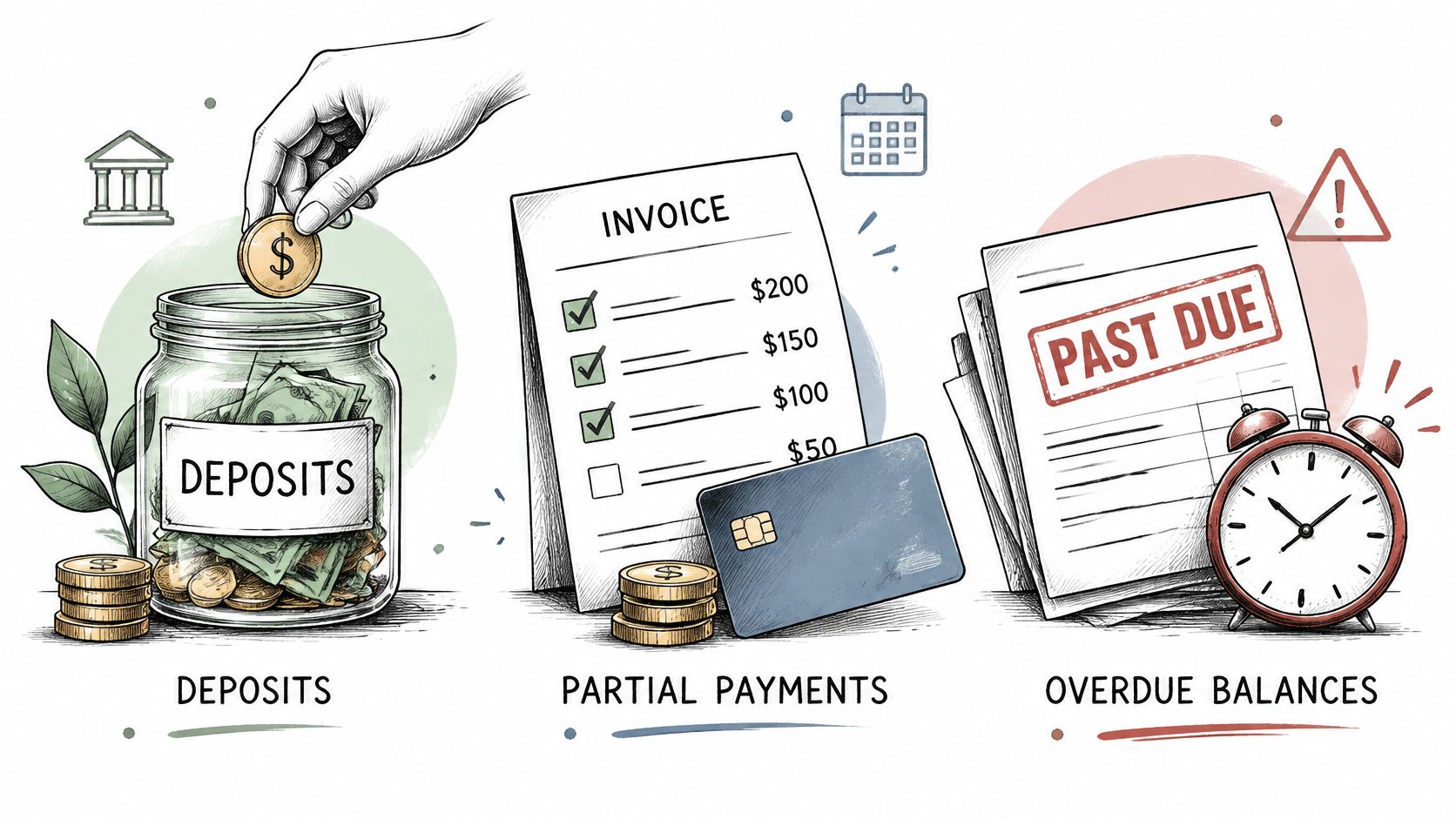
The client approves a $2,400 estimate in writing. On the invoice, record the $600 deposit already received against the full job total and show the remaining $1,800 due. Check the payment and balance before sending.
Authorization is the part to get documented. FTC consumer-protection guidance on payments and billing states that businesses must take steps to ensure charges to customers' credit cards, debit cards, phone bills, and other accounts are authorized, and that the same principle applies to mobile payments. Translated into a workflow: each payment request ties to a clear invoice or an approved estimate, never to an amount the client hasn't seen.
If the scope changes after the deposit, get approval for the added work before charging it, then update the balance in the record so the next document starts from current truth.
For an overdue balance, the record answers most of the questions before you write a word:
- Check the agreed due date first. A reminder that lands before the due date costs goodwill and teaches the client to expect nagging.
- Ask for a specific date. A neutral message that requests a payment date gets a better response than a vague "let us know when you can."
- Log every contact. Date, channel, and what was said, in the job history, so the sequence is visible rather than remembered.
- Pause further work only if the agreement allows it. That permission comes from the terms, not from frustration.
Short version: each payment request matches an approved document, and each reminder asks for a date rather than an apology.
None of this guidance sets a universal deposit percentage, invoice format, payment deadline, or a right to collect a late fee. Those come from your contract and the applicable state law, which is why the terms on the estimate matter more than the template you start from. A deposit invoice template that lays out total, deposit, and balance saves you one round of arithmetic.
Disclosure and Privacy Checks Before You Reuse Client Data
A reused client record can save time and carry an old mistake into every new document. Before you reuse it, check that the client's name and contact details are current, and confirm that the scope, price, and terms still fit the job.
The FTC's final rule on unfair or deceptive fees, effective May 12, 2025, covers live-event tickets and short-term lodging, including concerts, sporting events, theater, hotels, and vacation rentals. It does not create a general federal requirement for service businesses to display an all-in total on every estimate.
The rule's pricing principles still offer a useful check for service documents: state mandatory charges clearly and describe each charge accurately. A client should be able to connect every line item to the work or terms they agreed to, rather than finding an unexplained fee at the bottom of an invoice.
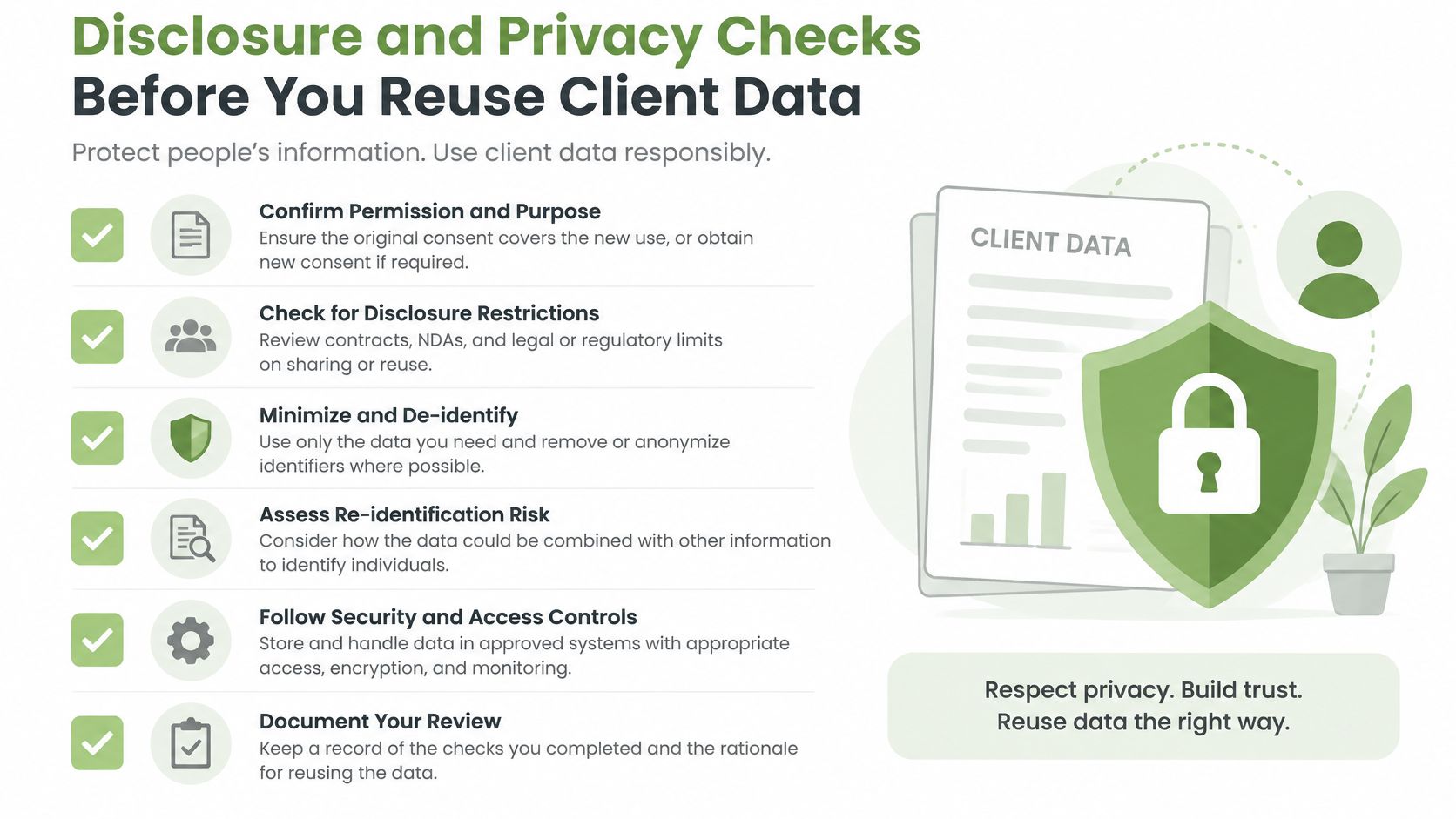
Before using a client record on a new document, check:
- The estimate says whether the price is fixed or may change.
- Assumptions and exclusions are stated plainly.
- The deposit due date appears in the terms.
- The approval method for additional work is clear.
- Payments are recorded against the outstanding balance.
- The rules for consumer protection, sales tax, licensing, and payment surcharges have been checked for your jurisdiction and business type.
Treat client data with the same care as pricing. Share document links only with the intended recipient, limit who can see internal notes, and retain records according to applicable tax and legal requirements. When a GetBill customer adds information about their clients, the customer is responsible for that information, and GetBill generally processes it on the customer's behalf. Customers are also responsible for securing their Google account and sharing public invoice or estimate links only with intended recipients.
Use GetBill to reuse client billing details, send itemized estimates, and convert an estimate into an invoice after the client approves it in writing. Record deposits or partial payments against the invoice. If online payments are enabled for your plan and connected Stripe account, send the invoice link so your client can pay online.