

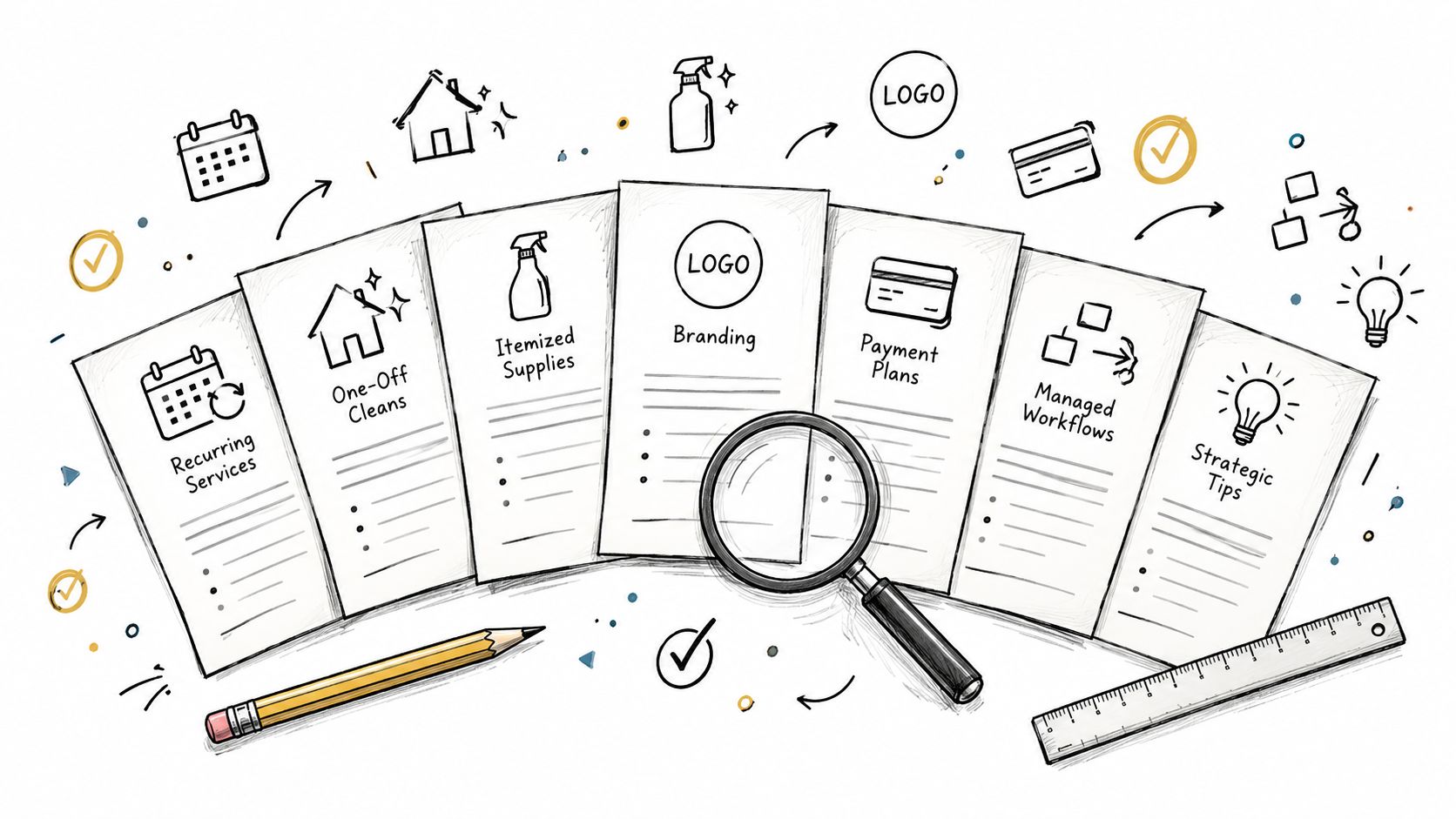
A downloadable PDF isn't automatically the best invoice template for a cleaning business. It may work for a one-off move-out clean, but it becomes awkward when you bill recurring visits, add supplies, record deposits, chase approvals, or collect partial payments. The right choice depends on the workflow behind the document.
This comparison evaluates seven invoice template cleaning services examples by what they enable, not by appearance alone. Assess whether each option supports clear service lines, taxes, payment terms, notes, attachments, deposits, and balances in a way that fits your operation. A solo cleaner sending occasional invoices needs a different setup from a multi-crew company connecting estimates, jobs, approvals, and payments.
Table of Contents
- 1. FreshBooks
- 2. QuickBooks
- 3. Xero
- 4. Zoho Invoice
- 5. Jobber
- 6. Housecall Pro
- 7. Wave
- Top 7 Cleaning Service Invoice Template Comparison
- Turn the Right Template Into a Repeatable Billing Plan
1. FreshBooks
FreshBooks is a strong starting point when you want a cleaning-specific invoice immediately but don't want to commit to a larger system on day one. Its House Cleaning invoice template is available in Word, Excel, PDF, and Google Docs or Sheets, so you can choose between a printable document and a format that allows more editing.
The downloadable version fits one-off cleans, such as a deep clean or end-of-tenancy service. For recurring clients, however, manual reuse can reintroduce mistakes in dates, service descriptions, and balances. That makes the upgrade path important. The paid FreshBooks application adds invoice branding, including logo, colour, and font controls, along with optional card and bank payments and per-invoice payment settings.
The operational case for consistency is substantial. A 2026 industry compilation estimates that about 39% of manually processed invoices contain at least one error, while accepted accounts-payable benchmarking often places a tolerable error rate at 5% or below. The same source estimates that correcting a manual invoice error can cost as much as $53. The invoice accuracy benchmarks from Orb explain why reusable client and product data matters even for a small cleaning business.
Best fit: A cleaner who needs a professional file today and may later want branded invoices, online payments, and a managed workflow.
For freelancers comparing broader tools, this also makes FreshBooks a useful reference point against invoice software for freelancers. The drawback is that the complete software is paid after its trial, and online payment prompts are enabled by default, although you can adjust them.
2. QuickBooks
QuickBooks makes the most sense when invoicing must sit close to bookkeeping. Its cleaning-service templates are available in Excel, Word, and PDF, giving a small operator a quick way to create a document without building a design from scratch.
The static templates suit a straightforward one-off job. You can edit the business details, service lines, and branding, then send the finished file. That approach is less suitable when a recurring commercial contract has several service dates, variable add-ons, or pass-through supply charges. Re-entering those details in a document can create inconsistencies between visits.
QuickBooks Online provides the more scalable route. It supports sending and tracking invoices within the accounting environment, with reconciliation available as part of that broader workflow. This can help when a business wants its invoice status and financial records connected rather than maintained in separate spreadsheets and folders.
The cost difference between manual and automated handling also changes the decision. A 2026 accounts-payable summary puts manual invoice processing at an average of 14.6 days and commonly $12 to $30 per invoice, compared with $2 to $5 for automated handling. Phacet Labs' invoice-error analysis provides the relevant benchmark context. Those figures aren't a promise of savings for every cleaning company, but they show why a basic file can become expensive when invoice volume and exception handling grow.
If your accountant already works in QuickBooks, the ecosystem may matter more than the template's visual flexibility.
Choose QuickBooks for a business that expects invoicing, payment tracking, and accounting records to develop together. Its limitation is that the downloadable files are basic, while the broader QuickBooks Online workflow requires a paid subscription.
3. Xero
Xero takes a deliberately simple approach. Its cleaning-services template is a print-ready PDF with room for service lines, sales tax, and payment terms. That makes it suitable for a cleaner who wants to fill in a familiar document and send or print it without configuring an invoicing application.
PDF is also the central trade-off. It preserves the layout and works well for a small number of invoices, but it won't automatically calculate changing quantities, recurring service periods, or supply totals. A cleaner billing a client for a single fixed-price service may not need that automation. An agency billing several locations, visits, and add-ons will probably outgrow it faster.
The useful scaling route is Xero Accounting. Once adopted, the business can send invoices online and match payments in its ledger. That gives the PDF a logical place in a wider accounting plan, but the template itself doesn't create that connection. You still need to decide how service dates, deposits, partial payments, and adjustments will be represented.
Where Xero fits best
Xero is a good match for no-frills one-off billing and for operators already considering Xero as their accounting platform. It isn't the strongest option if the immediate priority is automated reminders or recurring invoices. Those needs call for an application rather than a static document.
A clean PDF can clarify a single transaction, but it can't manage a recurring billing relationship by itself.
The option is practical when speed and familiarity outweigh calculation features. Its weakness is clear: advanced billing depends on adopting Xero's paid software, and the PDF format limits automation before that point.
4. Zoho Invoice
Zoho Invoice is the most automation-focused choice among the simpler invoicing options. Its service invoice templates explicitly suit cleaning work, and the application can produce branded PDF invoices and export documents to PDF or Excel. That combination lets a solo cleaner retain a professional file while moving away from manual calculations.
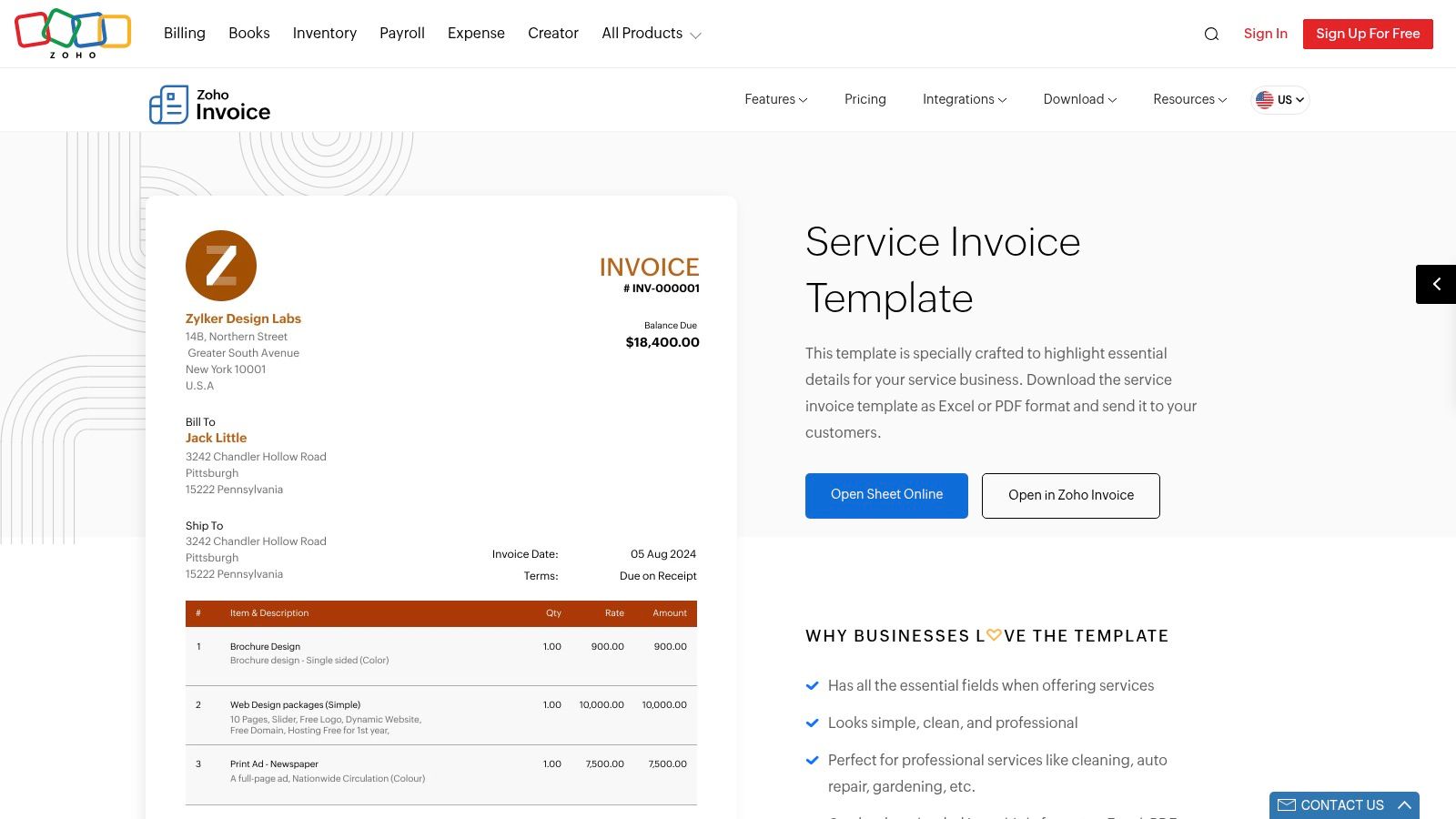
Recurring billing is the decisive feature. A cleaner with weekly or monthly clients can structure repeat invoices instead of rebuilding each document. Reminders and a client portal also address the payment stage, where a polished invoice often fails if the client has no convenient way to review or act on it.
That makes Zoho better suited to regular residential clients, recurring office contracts, and small crews than a PDF-only template. It can also handle an itemized structure for labour, supplies, and add-on work, provided the operator sets up consistent descriptions and rates. Reuse is more valuable here than decorative customization because the same client and service data can support future billing.
For independent professionals who need a focused tool rather than a full accounting suite, this PDF invoice creator guide offers a useful comparison point. Zoho Invoice's core invoicing product is free, but it isn't a field-service dispatch system. Scheduling crews, assigning jobs, and managing operational visits may require another application or a broader Zoho Finance product.
Best fit: A solo cleaner or small team with recurring clients that wants reminders and repeat invoices without a monthly invoicing cost.
Zoho's main limitation is scope. It handles the billing lifecycle well, but businesses that need estimates, dispatch, job completion, and payments connected in one field-service workflow should compare it with Jobber or Housecall Pro.
5. Jobber
Jobber treats the invoice as the final stage of a job record, not as a standalone document. Its free invoice generator and cleaning invoice and receipt templates suit a solo cleaner handling occasional one-off work. The paid platform connects quotes, jobs, invoices, and payments, giving growing teams a shared billing workflow.
That structure fits defined scopes and approval steps. A post-construction clean can begin with a quote, move to a scheduled job, and become an invoice after completion. Added inside-oven work, extra labour, or supplies can be recorded against the job. Before billing for a changed scope, review how to convert a quote to an invoice.
Recurring cleaning contracts benefit when each visit, rate, and extra service stays attached to the client record. The workflow also supports payment collection after job completion, while the quote stage gives clients a clearer point to approve the expected work. Consistent records matter more than visual customization when several cleaners or locations share responsibility for delivery.
The free generator remains practical when the operator only needs a document. The paid platform fits businesses coordinating schedules, job details, client communication, and billing. It reduces the need to reconstruct completed work from text messages or handwritten notes.
A logistics invoice-cleanup engagement documented by Teckfinity spent three weeks cleaning vendor data before the invoice agent shipped in seven days. For clean purchase-order matches, median processing time fell from 14 days to under 12 minutes. Teckfinity's invoice automation case shows why consistent client, service, and product records make later automation more dependable, even though a cleaning company may use a different workflow.
Best fit: A growing cleaning company that needs quotes, job completion, scheduling, approvals, payment collection, and invoicing in one operational record.
Jobber may exceed the needs of a solo cleaner sending occasional PDFs. Its value increases when field operations generate the billing work.
6. Housecall Pro
Housecall Pro is designed for home-service operations that want the invoice to drive payment collection. It offers a home-cleaning invoice template, but its stronger proposition is sending invoices by email or text and allowing clients to pay by card directly from the invoice.
That setup fits businesses where the bottleneck isn't creating a document, but getting the client to complete the next step. A mobile-friendly delivery channel can be useful after a visit, particularly when the cleaner needs to send a final invoice while the service details are still current. Direct payment also reduces the number of separate instructions a client must follow.
The broader platform supports dispatch and multi-crew operations, so Housecall Pro is more appropriate for a company managing jobs in the field than for a freelancer sending occasional PDFs. A recurring cleaning contract can be attached to a more structured service operation, while one-off jobs can move from completion to invoice without requiring a separate payment tool.
Scale changes the economics of the choice. An AI invoice-processing deployment for a finance team handling over 10,000 invoices per month reduced manual processing time by 90% and reached 99.5% extraction accuracy. Kug Systems' invoice automation case study attributes the workflow to computer vision, NLP extraction, purchase-order validation, exception routing, and ERP integration. That isn't a forecast for a cleaning company, but it illustrates why standardized fields and connected payment data matter in high-volume environments.
Best fit: A multi-crew home-cleaning company that values dispatch, fast client communication, and card payment from the invoice.
Housecall Pro's trade-off is complexity. Subscription costs and learning requirements can be hard to justify if your only need is an attractive invoice template.
7. Wave
Wave offers a practical middle ground between a static file and a full service-management platform. Its editable templates support branded invoices, while online invoicing lets a small business send and track documents and optionally accept online payments.
The free Starter plan makes Wave appealing for a solo cleaner testing digital billing. You can move from a document that must be manually emailed and tracked to a live invoice workflow without paying for a large operational suite at the outset. That is particularly useful for one-off jobs and small recurring client lists where the immediate requirement is sending, status tracking, and payment recording.
Wave's limitations emerge when the workflow becomes more specialized. Layout customization is less flexible than in design-led tools, and recent plan changes have moved some features into paid tiers. Optional payment processing also carries fees, so the business should review the current plan and payment terms before treating the free entry point as a complete long-term solution.
The cash-flow problem behind that decision is real. A survey summarized by Novo found that nearly half of SMB accountants identified invoicing delays as a common cash-flow problem, while some reported substantial monthly amounts delayed by invoicing errors. Novo's cleaning-business invoicing guidance also highlights recurring contracts, per-visit pricing, and variable add-ons as areas where generic invoice layouts often fall short.
Where Wave fits best
Wave suits a small cleaning business that needs branded online invoices and basic payment tracking, but doesn't yet need dispatch, estimates, or complex contract billing. It is less compelling when recurring billing, deposits, and detailed operational approvals become central.
Best fit: A small team moving from manual files to online invoicing while keeping software overhead low.
Top 7 Cleaning Service Invoice Template Comparison
| Tool | 🔄 Implementation complexity | ⚡ Resource requirements | 📊 Expected outcomes | 💡 Ideal use cases | ⭐ Key advantages |
|---|---|---|---|---|---|
| FreshBooks | Low for downloadable template; moderate to set up full app | Template: none; Full app: paid plan + payment setup | Branded invoices, online payments, scalable invoicing | Immediate plug-and-play template; growing small businesses | Immediate free templates; smooth upgrade to full invoicing |
| QuickBooks (Intuit) | Low for templates; moderate to integrate with QuickBooks Online | Template: none; QBO: subscription and accounting setup | Accounting-integrated invoicing with tracking & reconciliation | Businesses that use or plan to use QuickBooks | Widely used ecosystem; accountant familiarity |
| Xero | Very low for PDF template; moderate to adopt accounting features | PDF: none; Full Xero: paid subscription | Fast printable invoices now; ledger matching if adopted later | Need a no-frills PDF now with option to expand later | Simple, printable template backed by known accounting platform |
| Zoho Invoice | Low, fully functional free invoicing app | Low: core invoicing is free; paid for advanced finance tools | Automated recurring billing, branded PDFs, client portal | Solo cleaners or small crews wanting free automation | 100% free core product with strong automation features |
| Jobber | Low for free generator; moderate for full platform rollout | Generator: none; Full Jobber: subscription for dispatch/estimating | End-to-end service workflow (quotes → jobs → invoices → payments) | Field-service teams expecting to scale into scheduling & estimating | Service-oriented defaults; scales into operations and payments |
| Housecall Pro | Moderate–high (feature-rich platform with learning curve) | Paid subscription; payment processing fees for card payments | Fast client payments, dispatch, modern client communications | Multi-crew/home-cleaning ops needing dispatch and quick payments | Built for home services; invoice-to-payment workflow reduces collection time |
| Wave | Low to moderate (Starter easy; some features moved to paid tiers) | Free Starter for basic invoicing; optional fees for payments/advanced features | Live invoicing and basic bookkeeping without upfront cost | Small teams testing online invoicing with minimal spend | No-cost starter option; easy on-ramp from template to live invoicing |
Turn the Right Template Into a Repeatable Billing Plan
Start with the transaction, not the template's colour scheme. A downloadable Word, Excel, or PDF format is sensible for an immediate one-off invoice when the service scope is stable and you can review every field before sending it. It becomes less suitable when the same client receives regular visits, because repeated manual entry creates more opportunities for changed dates, missing add-ons, and incorrect balances.
Recurring clients should push you toward recurring invoices, reminders, and reusable client data. Zoho Invoice is the clearest fit among the listed options if you want those capabilities without a full field-service platform. FreshBooks, QuickBooks, Xero, and Wave make more sense when branding, accounting, or a gradual move from documents to online billing is the priority.
Itemization should reflect how your cleaners work. Separate labour or service lines from supplies, deep-cleaning add-ons, inside-oven work, post-construction tasks, travel charges, or other agreed extras. For commercial contracts, include the relevant service date or billing period and make the relationship between a recurring schedule and a variable charge easy for the client to review.
Use Jobber or Housecall Pro when the invoice must follow an estimate, job, dispatch record, approval, and payment. That broader workflow costs more and takes longer to configure, but it can be a better operational decision than forcing a static template to represent field activity. Cross-border or region-specific businesses should also review local tax treatment, numbering, payment methods, and late-fee language rather than assuming one invoice format works everywhere. ConsumerShield's cleaning-invoice guidance identifies localization as an important consideration.
Before sending, check:
- Business and client details: Confirm names, contact information, and the correct billing entity.
- Service timing: State the service date, visit range, or recurring billing period.
- Line items: Describe each service, supply, add-on, quantity, rate, and adjustment clearly.
- Taxes and terms: Show applicable taxes and explain when and how the client should pay.
- Notes and attachments: Add access instructions, purchase-order references, approvals, photos, or supporting documents where useful.
- Deposits and partial payments: Record amounts already paid and show the remaining balance.
- Final total: Make the amount due easy to identify and consistent across the document and payment page.
GetBill is a relevant alternative for independent professionals and small businesses that want billing without adopting a full accounting or field-service suite. It supports itemized invoices and estimates, one-click estimate conversion, public links, Stripe-hosted card checkout, partial payment recording, branded PDFs, and mobile billing. Visit GetBill for current product and pricing details.
GetBill helps cleaning businesses create branded invoices and estimates with itemized services, taxes, attachments, deposits, partial payments, and Stripe-hosted card checkout. If you want to replace reusable files with a faster billing workflow while keeping estimates, public links, and mobile invoicing together, visit GetBill and review the current options.